%20(1).png)
Your AI assistant can draft and analyze, but it has no view of your Synder syncs, settings, or reports.
A quick question about sales or sync status means leaving the chat, logging in, and looking it up yourself.
For accountants with a full client roster, every status round-up eats into time meant for advisory work.
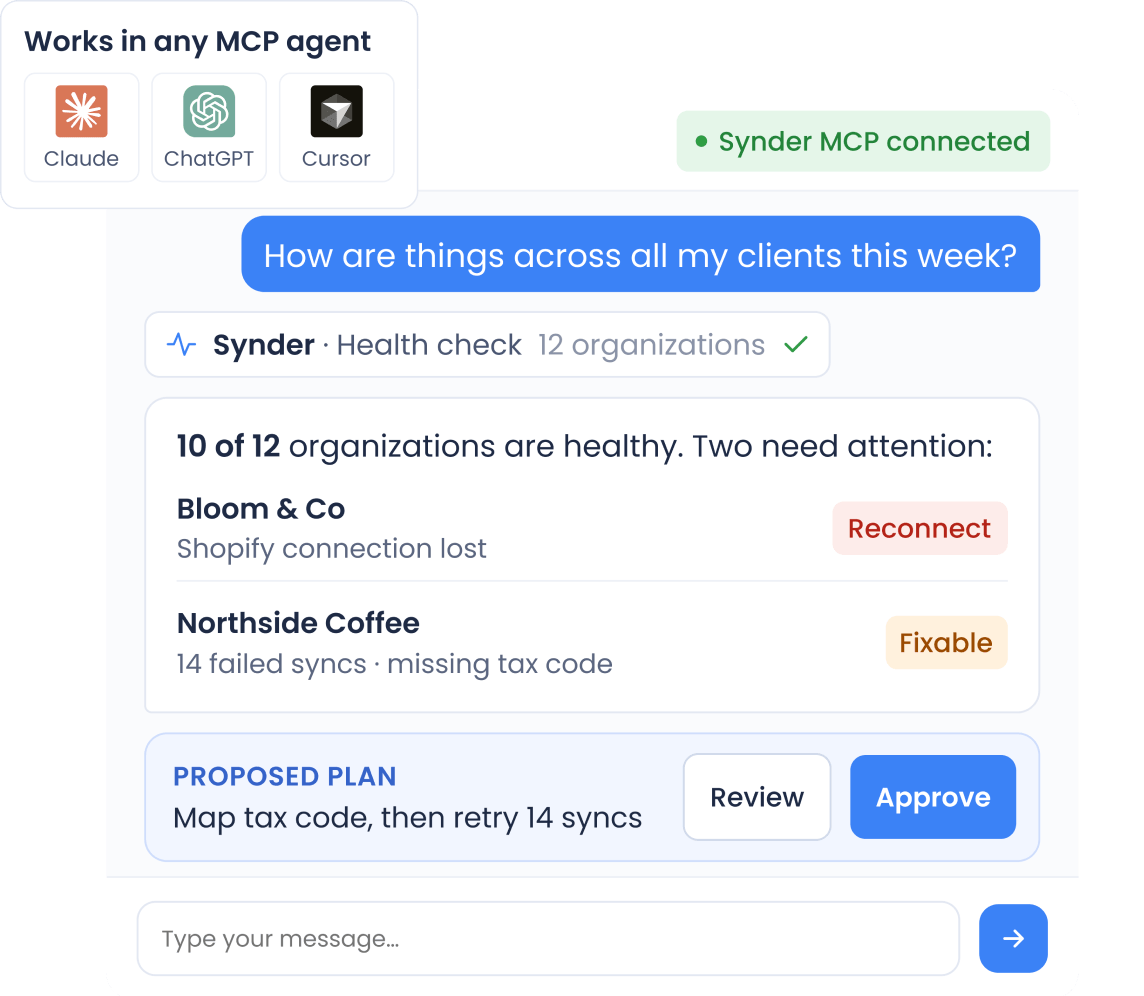
Status checks, error fixes, and reports now start with one message to your AI agent.
Visiting client after client for a status update
Seeing every client's status in one answer
Keeping an eye on a long import's progress
Starting a historical import and asking how
Configuring each integration setting yourself
Explaining how you sell and signing off on a suggested setup
Exporting data to answer one revenue question
Typing "show me last month's sales" and getting numbers back
Jumping between tabs to finish one task
Following a deep link only when you need to open Synder
Connect 30+ sales channels and payment processors to your accounting system and let transactions flow in automatically, so your books match what actually happened.
Explore how Synder helps businesses across industries
"Instead of a bookkeeper spending 40 hours a month manually reviewing thousands of transactions each month—clicking into each one, checking metadata, and categorizing it—Synder does it all automatically, the moment the charge happens. Which means we save 480 hours and almost $24K yearly."
"Synder drastically speeds up the process of reconciliation and eliminates the need to manually check massive transaction files. It now takes me about 40 minutes to finish and review a month’s data, whereas manually, it would have taken at least two days."
"Instead of a bookkeeper spending 40 hours a month manually reviewing thousands of transactions each month—clicking into each one, checking metadata, and categorizing it—Synder does it all automatically, the moment the charge happens. Which means we save 480 hours and almost $24K yearly."
Synder works with Claude Desktop, Claude Code, Cursor, and ChatGPT through the Model Context Protocol (MCP). Once connected, the agent can work across the Synder organizations you have access to.
In Synder, go to AI Agents → Connect your AI agent to get a personal access token, then add it to your AI assistant. From there, the agent acts on your behalf in Synder.
No. Every action that writes data – syncing, resyncing, rolling back, updating settings, starting an import, or running a reconciliation – first comes back to you as a plan, and it runs only after you confirm. Synder also logs your own words alongside each action the agent took, so every change traces back to the request behind it.
Yes. The agent only sees the tools your personal access token allows, so you stay in control of what it can do.
No. The agent can read your plan, trial or paid status, price and renewal date, syncs left, add-ons, and linked card – the same details as your billing page – but it cannot upgrade, subscribe, or buy anything.
.png)