.png)
Shopify says one count, Amazon another, your books a third – and none agree.
COGS gets rebuilt in a spreadsheet, so margins lag real costs by weeks.
Reconciling inventory across platforms means days in Excel and fresh discrepancies.
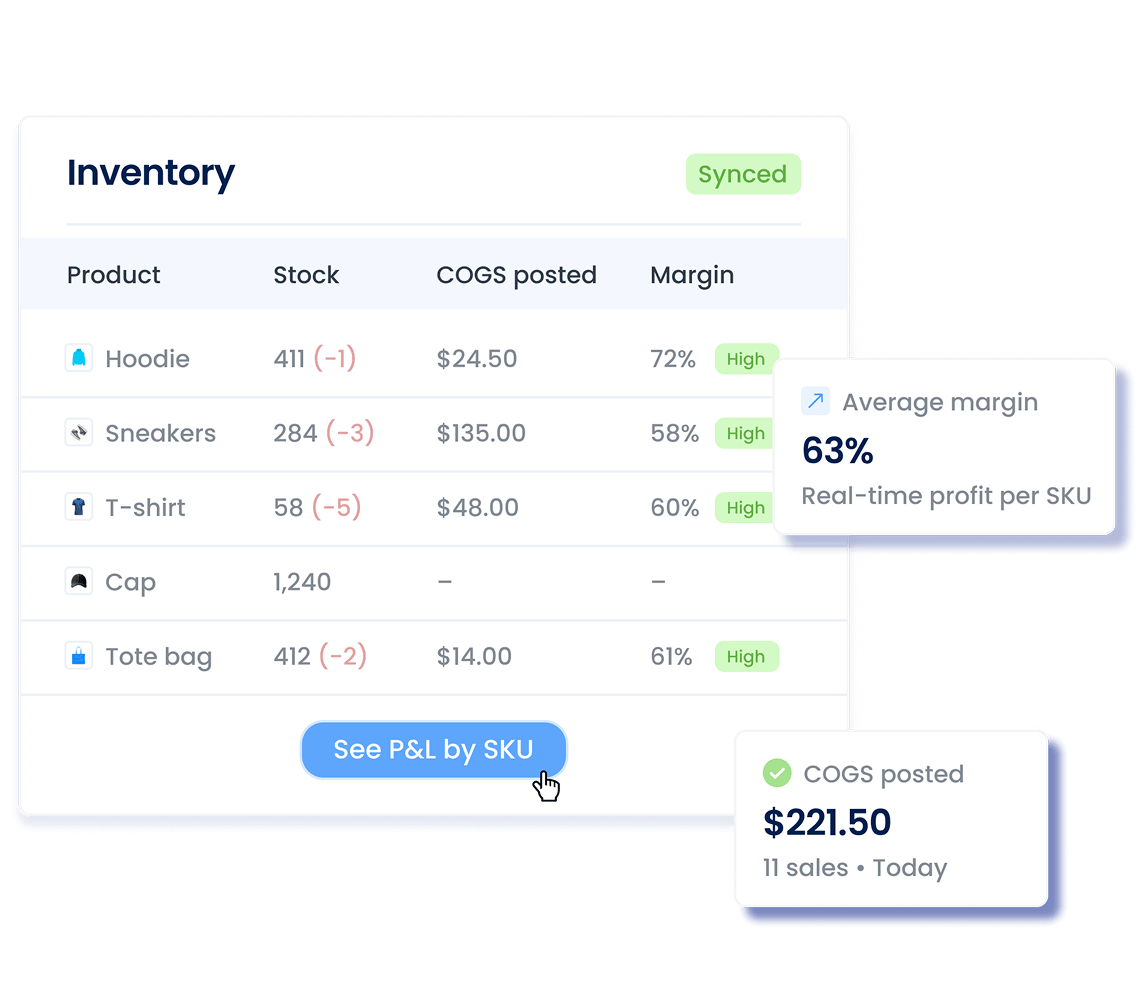
The four workflows that used to fill your inventory queue – counts, COGS calculations, reconciliation, cost fixes – now run automatically with every sale and refund.
Сounting inventory across multiple platforms manually
Syncing all platforms straight to your accounting
Calculating COGS in spreadsheets manually
Calculating COGS automatically for every sale or refund
Reconciling counts between systems manually
Updating inventory levels in real time
Spending hours fixing cost discrepancies
Importing product costs from Shopify or CSV
Connect 30+ sales channels and payment processors to your accounting system and let transactions flow in automatically, so your books match what actually happened.
Explore how Synder helps businesses across industries
"Instead of a bookkeeper spending 40 hours a month manually reviewing thousands of transactions each month—clicking into each one, checking metadata, and categorizing it—Synder does it all automatically, the moment the charge happens. Which means we save 480 hours and almost $24K yearly."
"Synder drastically speeds up the process of reconciliation and eliminates the need to manually check massive transaction files. It now takes me about 40 minutes to finish and review a month’s data, whereas manually, it would have taken at least two days."
"Instead of a bookkeeper spending 40 hours a month manually reviewing thousands of transactions each month—clicking into each one, checking metadata, and categorizing it—Synder does it all automatically, the moment the charge happens. Which means we save 480 hours and almost $24K yearly."
Yes, Synder calculates COGS automatically for every sale. Import your product costs once (via CSV file with SKU and purchase cost, or directly from Shopify). Enable COGS tracking in Settings and map your COGS and Inventory Asset accounts, and gain inventory control.
From that point on, every sale triggers automatic COGS calculation based on quantity sold × purchase cost. Synder debits your COGS account and credits your Inventory Asset account without any manual entries, so your gross profit reports always reflect actual margins.
Synder updates the quantity on hand in your accounting software when sales happen, but it doesn't sync inventory quantities between your sales platforms.
When you sell on Shopify or Amazon, for example, Synder reduces the inventory count in your accounting software automatically. However, it won't sync stock levels between Shopify and Amazon, or push inventory updates back to your sales channels.
Note: Restocking inventory on your sales platforms won't update inventory levels in your accounting software through Synder.
Yes, Synder's Product Mapping feature consolidates product variations into a single item, allowing you to track stock effectively.
Example: You sell "Red Apple" and "Green Apple" as separate listings on Shopify, but for accounting purposes, you only need one "Apple" item in QuickBooks.
Here's how it works:
For QuickBooks and Xero: Go to Settings → Product Mapping, click Add line, and map each variant from your sales channels to your consolidated product.
For Sage Intacct, NetSuite, or Puzzle: Use Income Mapping with the Groups functionality. Go to Settings → Mapping → Groups.
Product mapping also works for simple substitution. For example, your product has a long SEO-optimized name on Etsy (like "Red Apple Fresh Fruit "), you can map it to a cleaner name in your accounting software (just "Red Apple").
Synder handles bundles through Product Mapping. If you sell a bundle on your sales platform (like a "Starter Kit" containing multiple items), you can map it to a single product in your accounting software. The setup is similar to mapping variations: Go to Settings → Product Mapping and click Add line.
This keeps your accounting clean by preventing duplicate products, and transactions are automatically categorized to the correct income account.
Yes! Synder offers a 15-day free trial with no commitment, so you can see how smooth ecommerce accounting can be when everything just clicks. From sales to reports, it all syncs automatically – perfect for Health & Wellness firms managing multiple products, promotions, and sales channels. Want a deeper look under the hood? Book a demo – we’ll walk you through it step by step.