
- Where to find the Summary Sync Dashboard
- What the Dashboard shows
- Data readiness
- Posting to books
- Acting on what the Dashboard flags
The Summary Sync Dashboard is your single overview of how ready your data is and how much of …

Learn how to start with Synder from scratch—connect your payment platforms and accounting software, configure core settings, explore the Synder interface, and choose the right sync mode for your business.
The Summary Sync Dashboard is your single overview of how ready your data is and how much of …
Troubleshooting in Synder helps you see how your data is flowing and catch problems early. In Per Transaction mode, it brings together three tabs: Synchronization issues, Import activity log, and Sync speed. Use it to fix sync …
Sync score on the Per Transaction Dashboard shows what share of your imported transactions is in your books for the selected period. It counts the transactions Synder is responsible for syncing and leaves out the ones that are not yet …
Time saved on the Per Transaction Dashboard is an estimate of the bookkeeping work Synder completed for you during the selected period. It is based on completed sync activity and the automated steps applied to those transactions, compared to how …
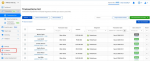
This guide walks you through the Synder interface in Summary Sync mode — what each section of the left-hand menu is for, and …
This guide walks you through the Synder interface in Per Transaction Sync mode — what each section of the left-hand menu is for, and the key buttons you will use on each page. …
This guide explains how to connect Kajabi to Synder. Kajabi is now a native premium sales channel, so once you connect it, Synder automatically pulls your Kajabi Payments sales, refunds, and disputes and then records them in your …