

This guide explains how to connect Kajabi to Synder. Kajabi is now a native premium sales channel, so once you connect it, Synder automatically pulls your Kajabi Payments sales, refunds, and disputes and then records them in your accounting platform — in any sync mode (Per Transaction or Summary) and with any connected accounting (QuickBooks Online, QuickBooks Desktop, Xero, and more).
Below, you will first get your Kajabi API keys, then connect Kajabi to Synder, and finally learn how your data syncs — including the current limitations you should know before you start. For a wider overview, you can also review how to connect your sales channels and payment platforms to Synder.
Before you start
- Synder plan. Kajabi is a premium sales channel. It is available on Pro and higher. On the Pro plan it uses one of your two premium integration slots; Pro Max and Enterprise have unlimited slots. The Essential plan cannot connect Kajabi.
- Kajabi plan. Connecting requires access to the Kajabi Public API. It is included with Kajabi’s current Pro plan, and is also available as a $25/month add-on on other plans. See Kajabi’s article Using Kajabi’s Public API.
- Kajabi role. Only a Kajabi Owner or Subowner can create the API key you’ll need.
Step 1. Get your Kajabi API keys
Synder connects to Kajabi using a Public API User API Key — a client ID and a client secret that you generate in Kajabi and paste into Synder. This is not a browser login, and it is not the Zapier API key.
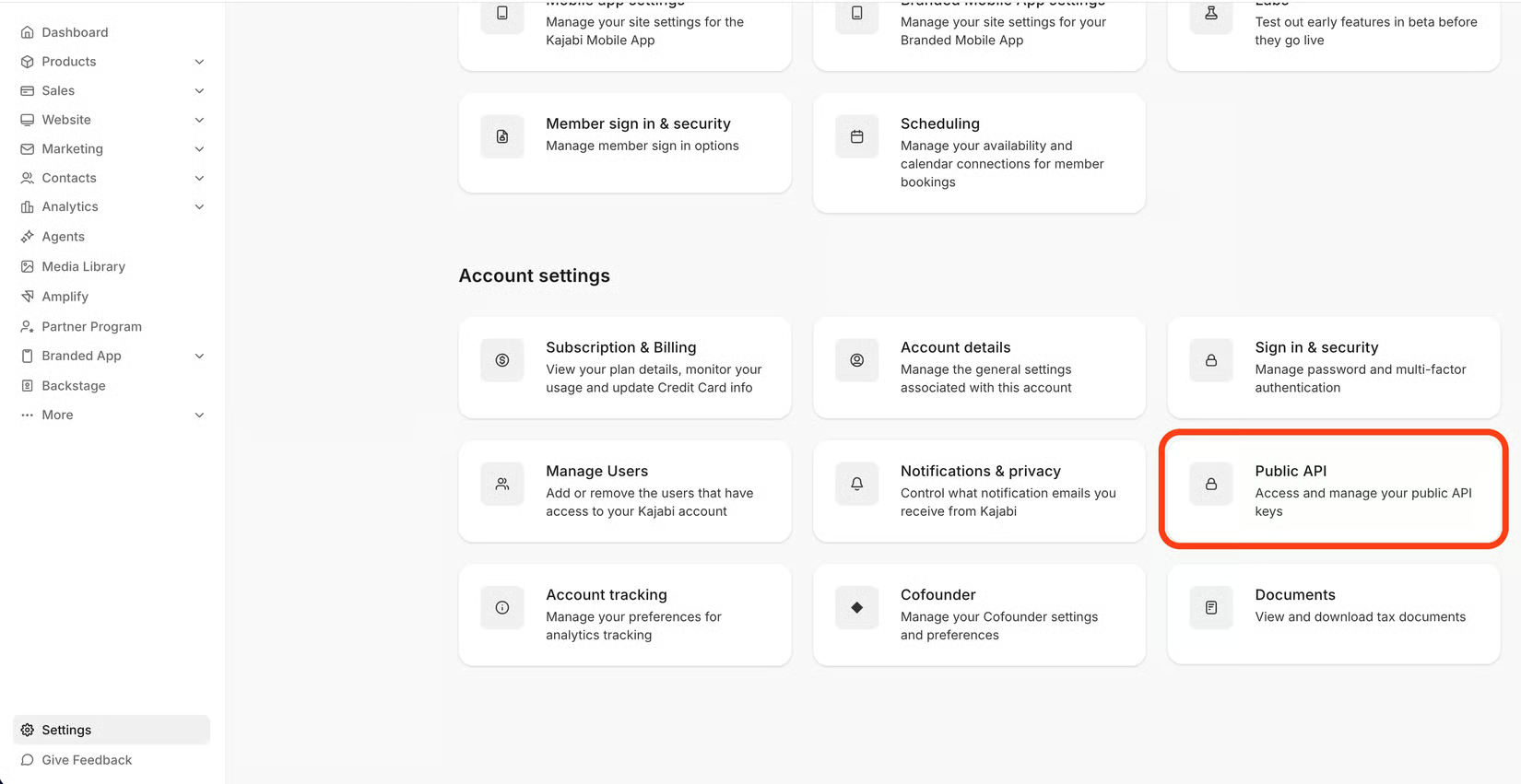
- In Kajabi, go to Settings → Public API (as an Owner or Subowner).
- Select Create User API Key.
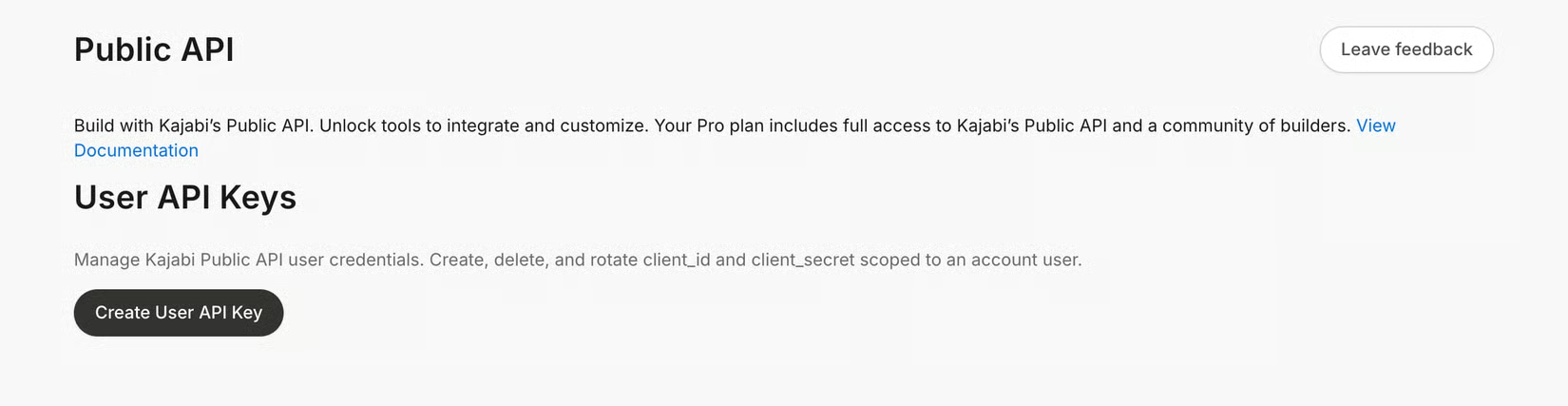
- Copy both the API Key and the API Secret — you’ll paste them into Synder in the next step. Keep the secret safe; treat it like a password.
Step 2. Connect Kajabi to Synder in the app
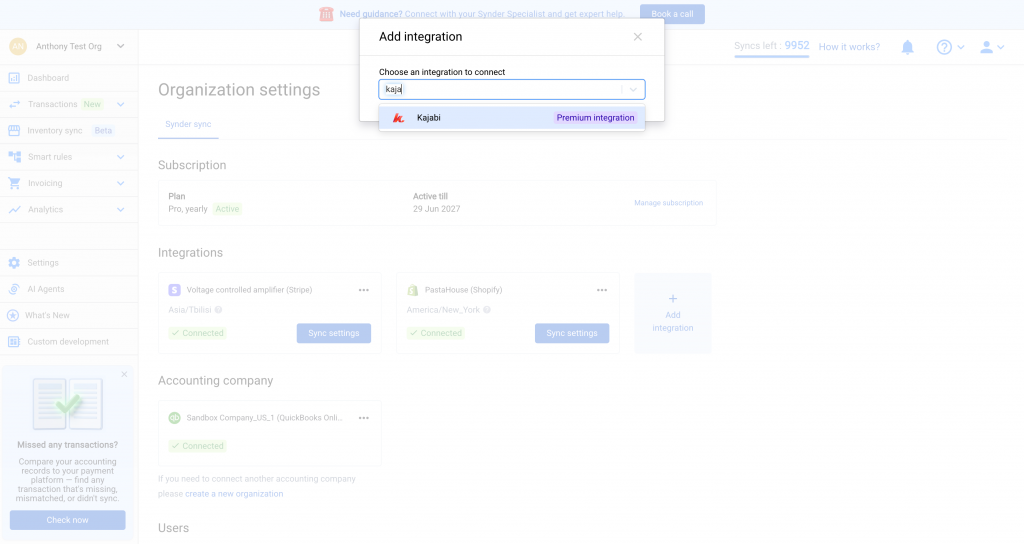
- In Synder, open Settings → Integrations (or Add integration during onboarding) and choose Kajabi from the premium sales channels.
- Paste your Kajabi client ID (API Key) and client secret (API Secret) into the connection form.
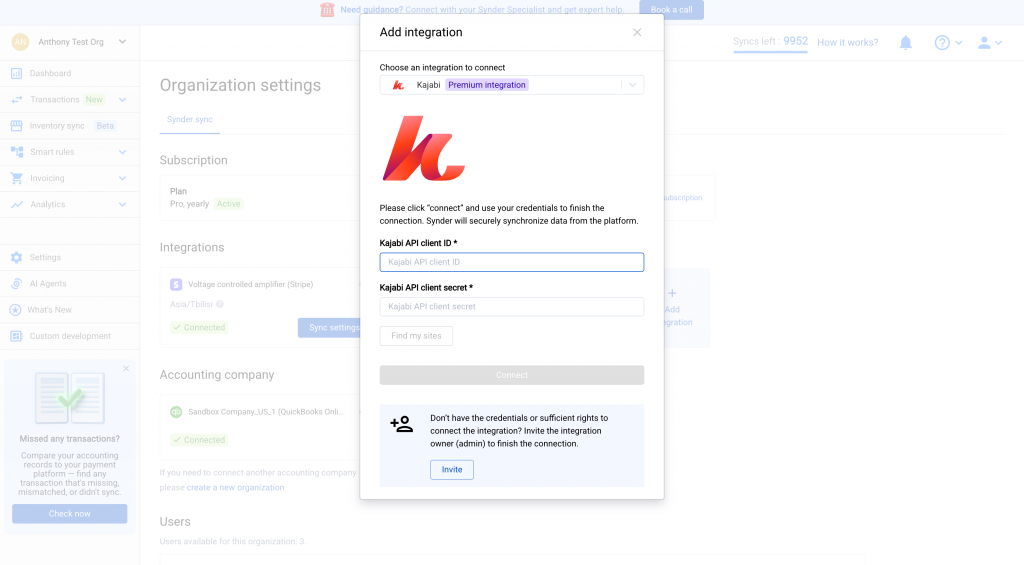
- Select Connect. Synder verifies the keys and links your Kajabi site.
Note on multiple sites. A Synder connection is bound to a single Kajabi site. If your Kajabi account has more than one site, Synder connects the first site by default.
How your data syncs after you connect Kajabi to Synder
After you connect, Synder pulls your successful Kajabi Payments transactions and then records them the same way it handles any other sales channel:
- Sales — Synder records charges, subscriptions, subscription charges, and payment-plan charges as sales receipts.
- Refunds — Synder records each refund as a refund receipt.
- Disputes and chargebacks — likewise, Synder records these as refunds.
- Product line = your Kajabi offer title. Specifically, Synder uses the offer name as the product on the transaction.
- Tax — Synder reads Kajabi’s tax amount for the transaction. Because it is exclusive (added on top of the price), Synder applies it to the whole transaction, and therefore the line’s net amount equals the transaction amount minus tax.
Works in any sync mode and any accounting. Kajabi data flows through the same engine as your other integrations, so you do not need to change your sync mode. If your organization runs on Summary Sync, Kajabi works in Summary; if it runs Per Transaction, Kajabi works there too.
Important limitations
Kajabi Payments only — avoid double-counting
This connection imports and syncs Kajabi Payments transactions only. If your customers paid through Stripe, PayPal, or another processor, the Kajabi connection does not import those checkouts.
Important: Kajabi does not support ecommerce flows (Smart Reconciliation). Unlike Synder’s ecommerce integrations, the Kajabi connection cannot match a payment to its underlying order and reconcile the two. Because that ecommerce flow is missing, double-counting can happen when the same sale reaches your books from two places — for example, a Kajabi order paid via Stripe that is imported both by your Kajabi connection and by your Stripe connection. Without Smart Reconciliation, Synder has no automatic way to recognize these as one sale. To understand how the ecommerce flow works, see What Is Smart Reconciliation, and How Does It Work?.
To avoid double-counting, make sure each payment is imported by only one connection. In Kajabi, you can check which processor handled each order under Payments — both the payment-method breakdown and the per-transaction processor.
Other things to know
- One offer per transaction. Synder records one offer line per Kajabi transaction and does not split a single transaction into multiple product lines.
- Refunds are standalone. Kajabi sends refunds as separate records that are not linked to the original charge, so a refund is recorded on its own figures.
- Fees and payouts. The Kajabi connection focuses on your sales, refunds, and disputes. Kajabi Payments fee-account and payout-account mapping are not part of this connection.
Frequently asked questions
Do I need to switch my sync mode to use Kajabi?
No. Kajabi works in both Per Transaction and Summary Sync, with any connected accounting platform. You do not need to change anything about your current setup.
Will my Stripe or PayPal sales come in through Kajabi?
No. Only Kajabi Payments transactions are imported. Stripe and PayPal checkouts are handled by their own Synder connections, which prevents double-counting.
Which Synder plan do I need?
Kajabi is available on Pro and higher. On Pro it uses one of your two premium integration slots. The Essential plan cannot connect Kajabi.
Is the Kajabi Public API included in my Kajabi plan?
It is included with Kajabi’s current Pro plan, and available as a $25/month add-on on other plans. See Using Kajabi’s Public API.
