



Most retailers outgrow their accounting software because the data flowing into it stops making sense. US ecommerce sales reached $1.23 trillion in 2025 and keep growing, which means the average retail business is processing more transactions across more platforms than it was two years ago, with no corresponding improvement in how that data reaches the books. And when you’re running two or three channels simultaneously, different mismatches build up fast.
Hence, choosing the right accounting software for retail is understanding which platform handles your specific combination of channels, transaction volumes, and reporting needs and where you’ll need additional tools to fill the gap. This guide covers what features actually matter for retail, how the top platforms compare on those dimensions, and what the decision framework looks like depending on your business type.
TL;DR
- General accounting software handles the basics, but retail-specific needs, such as inventory costing, POS data sync, multichannel reconciliation, usually require add-ons or integrations like Synder: most platforms don’t do all of this out of the box.
- QuickBooks Online Plus is still the most common choice for US retailers, but price increases and feature gaps with multi-channel operations push many businesses to look elsewhere.
- For multichannel retailers, the accounting software is only part of the answer: what you sync into it, and how accurately, determines whether your books are actually usable.
- Smaller retailers tend to outgrow their first accounting platform: the features that seemed sufficient at $500K/year fall short at $5M/year, especially around COGS tracking and multichannel reconciliation.
- The evaluation criteria that matter most differ by business type: a brick-and-mortar shop with a Square POS has completely different needs than a business selling across Shopify, Amazon, and Faire simultaneously.
What makes retail accounting different from general business accounting
Before comparing products, it helps to understand why retail accounting is its own category and why tools built primarily for service businesses or freelancers don’t quite fit.
The baseline is higher
Retailers deal with several accounting challenges that service businesses don’t:
- Inventory valuation
- Cost of goods sold (COGS) calculation
- Sales tax across multiple states and product
- Reconciliation of POS deposits that don’t match line-item sales
- Revenue that flows in from platforms with their own fee structures and payout timing
A marketing agency using accounting software mostly needs invoicing, expense tracking, and bank reconciliation. A retail business needs all of that plus a way to track what each product cost, how much was sold, what the net margin was by channel, and how all those payouts from Shopify or Square line up with what actually landed in the bank account.
Multichannel operations multiply the complexity
The reconciliation piece gets harder as you add channels. A retailer operating through a physical Square POS, a Shopify store, Amazon Seller Central, and PayPal is dealing with four different deposit schedules, four different fee structures, and four different data formats – all needing to land correctly in one set of books. Based on conversations with hundreds of retail businesses, manual reconciliation across even two or three channels consistently eats 15–40 hours per month from bookkeepers and business owners who could be doing something else.
The core features that matter for retail
Not every feature in an accounting software demo will move the needle for your business. For retail, these are the ones that separate adequate from genuinely useful:
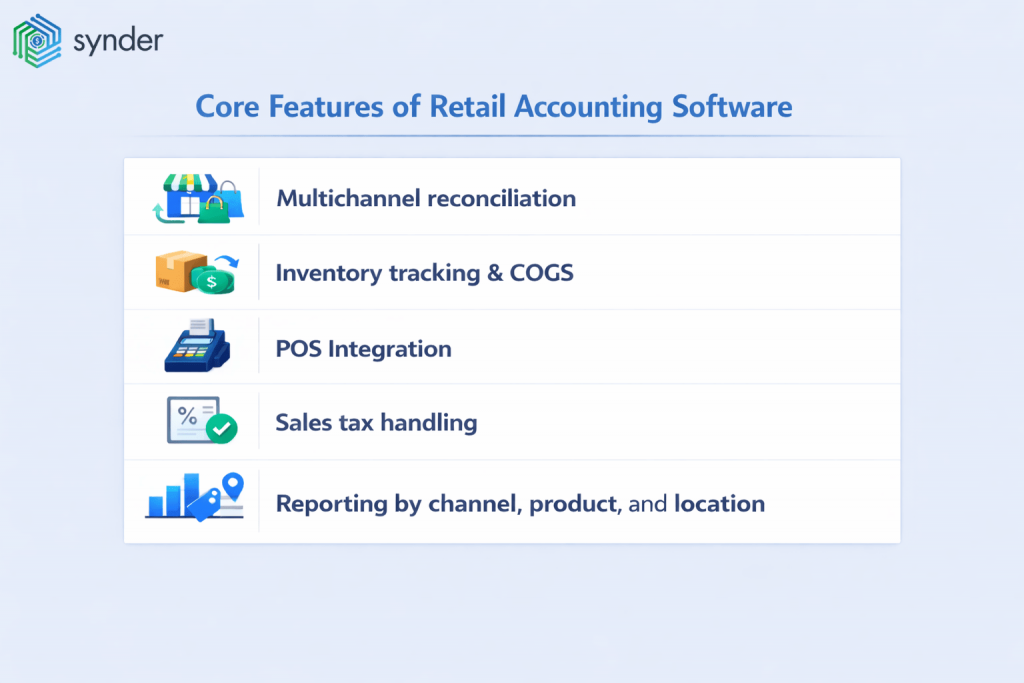
Multichannel reconciliation
If you sell on more than one platform, you need a way to match payouts to the underlying transactions, account for platform fees, and produce a report that gives you a consolidated view of revenue by channel. Most general accounting software has no native way to do this, requiring either manual entry or a third-party automation layer.
The core problem is timing: Shopify pays out every few days, Amazon every two weeks, and Faire on net terms, each covering a different slice of your sales period. Reconciling them against your bank deposits without transaction-level detail means you’re always working backwards from a number that doesn’t directly match anything in your sales reports.
Inventory tracking and COGS
The ability to assign a cost to each unit, reduce inventory when sold, and report gross margin accurately. This sounds basic, but many platforms either exclude it from lower tiers or handle it in ways that break down with bundles, variants, or multiple locations. QuickBooks Online’s inventory tracking is only available on the Plus plan and above; Xero’s basic inventory tools work for simple setups but require the Inventory Plus add-on for multi-location and ecommerce-grade accuracy.
Related read: How to Create an Inventory System.
POS integration
If you run a physical store, your POS system generates the raw data that should flow into your books. How cleanly it does so matters enormously. A Square POS generating 2,000 transactions per month with tips, discounts, gift cards, and multiple payment types needs a more sophisticated sync setup than native connectors typically offer. Many retailers discover after the fact that their POS-to-QuickBooks native integration doesn’t capture taxes correctly, can’t split by location, or doesn’t handle cash differently from card.
Sales tax handling
Retail businesses have complex sales tax obligations:
- varying rates by state and product category
- nexus rules as you sell online into multiple states
- reporting requirements
All of them become significant very quickly.
Some accounting platforms handle this natively; many require an integration with Avalara, TaxJar, or similar. The specific retail wrinkle is product-level tax rules: clothing is exempt in some states but taxed in others, food categories split differently again, and platforms like Amazon calculate and remit tax on your behalf in marketplace facilitator states, which means your gross sales and your taxable sales are different numbers that need to be tracked separately to avoid overpaying or misfiling.
Reporting by channel, product, and location
A retailer needs to know which products are profitable, which locations are performing, and which sales channels are worth the fees they’re charging. This requires either class and location tracking within the accounting software, or a reporting layer on top of it.
In practice, that means tagging every transaction with the right channel, location, and product line at the point of sync, not manually reassigning them at month-end. QuickBooks Plus and Xero Established both support class and location tracking, but only if the data coming in is already mapped correctly; a lump-sum payout from Shopify or Amazon carries none of that detail by default.
The best retail accounting software in 2026 compared
Each platform below is evaluated on the features that actually matter for retail: inventory and COGS handling, POS and multichannel sync, sales tax, and channel-level reporting. General accounting features, like invoicing, bank feeds, payroll integrations, expense tracking, are a baseline most platforms cover, and are reviewed in depth elsewhere on the Synder blog.
See our guides to QuickBooks alternatives, account reconciliation software, and retail POS and accounting software for broader feature comparisons.
What follows focuses specifically on how each platform performs for retail operations.
1. QuickBooks Online
QuickBooks Online is the market default for US small businesses, and retail is no exception. QuickBooks controls approximately 85% of the small business accounting market, which means your accountant, bookkeeper, and any potential investor will be familiar with it.
What it does well for retail
- The Plus plan includes inventory tracking with FIFO costing, which covers the most common retail cost method and integrates directly with the income statement.
- Class and location tracking lets you segment P&L by store, channel, or product line without a separate reporting tool.
- The QuickBooks App Store gives access to hundreds of connectors for Shopify, Amazon, Square, and other platforms, making it the most integration-ready option for US retailers.
- 1099 management and payroll add-ons are well-integrated, which matters for retailers with seasonal staff or contractor relationships.
Where it falls short
- Inventory tracking is locked behind the Plus plan; Simple Start and Essentials exclude it entirely, which rules them out for most product-based retailers.
- The jump from Plus ($115/month) to Advanced ($275/month) is steep, with limited middle ground for businesses that need more than five users but don’t require enterprise features.
- QuickBooks Online plans have increased on average 12–17% per year since 2023, and the cost trajectory hasn’t flattened.
- Multichannel reconciliation isn’t a native strength; the platform records what you push into it, but doesn’t natively reconcile Amazon settlement reports or Shopify payout batches against individual orders. That gap requires a third-party connector or manual work.
Pricing
| Plan | Price/month | What it includes |
| Simple Start | $38 | 1 user, income/expense tracking, invoicing, no inventory |
| Essentials | $75 | 3 users, bill management, time tracking, no inventory |
| Plus | $115 | 5 users, inventory tracking (FIFO), class and location tracking, project profitability |
| Advanced | $275 | 25 users, custom roles, advanced reporting, dedicated support |
Ideal for
QuickBooks Online Plus is the right starting point for US-based retailers with one to two sales channels, a bookkeeper or accountant already familiar with the platform, and transaction volumes that stay manageable within the Plus plan’s feature set.
| Streamline it with Synder: If you’re selling across Shopify, Amazon, Square, or Stripe, Synder syncs each platform’s transactions into QuickBooks Online: fees, refunds, and taxes mapped to the right accounts, so your books reconcile without manual cleanup. See the QuickBooks integration → |
2. Xero

Xero is QuickBooks’ most credible alternative in the US and the dominant platform in the UK, Australia, and New Zealand. Its main structural advantage for retail teams is that pricing plans aren’t based on user count, so adding bookkeepers, office managers, or external accountants doesn’t increase the monthly bill.
What it does well for retail
- Unlimited users on all plans makes it cost-effective for retail teams where multiple people need access to the books.
- The bank reconciliation engine is widely regarded as cleaner and faster than QuickBooks, which matters when you’re processing high transaction volumes from multiple channels.
- The Inventory Plus add-on brings multi-location inventory tracking with Shopify and Amazon integration, giving ecommerce and hybrid retailers a more complete picture.
- Strong multi-currency support on the Established plan suits retailers selling internationally or managing foreign-currency payouts.
Where it falls short
- Xero has lower native market penetration in the US than QuickBooks, which means finding an accountant fluent in it can take more effort.
- US-specific payroll and sales tax features require third-party add-ons like Gusto, adding cost and complexity.
- The Inventory Plus add-on is priced separately, so the true cost for a retailer needing multi-location inventory tracking is higher than the base plan suggests.
- For retailers with heavy inventory complexity or manufacturing cost components, Xero can feel underpowered without supplementary tools.
Pricing
| Plan | Price/month | What it includes |
| Early | $25 | Unlimited users, up to 20 invoices and 5 bills/month, bank reconciliation, basic reporting |
| Growing | $55 | Unlimited users, unlimited invoices and bills, bulk reconciliation, expense claims |
| Established | $90 | Everything in Growing, plus multicurrency, project tracking, analytics, Inventory Plus eligible |
Ideal for
Xero is best suited to multichannel retailers who want unlimited user access without per-seat pricing, and who have a bookkeeper or accountant willing to work outside the QuickBooks ecosystem. It’s particularly strong for retailers with international sales or multi-currency payouts.
| Streamline it with Synder: Synder connects Shopify, Amazon, PayPal, Stripe, and 30+ other platforms to Xero, posting transaction-level detail, including multi-currency conversions and fee breakdowns, so your bank reconciliation matches without manual intervention. See the Xero integration → |
3. Zoho Books
Zoho Books is the most underrated option on this list for small retailers who want a capable accounting platform at a lower price point than QuickBooks or Xero.
What it does well for retail
- Inventory management, automated workflows, and multi-currency support are included across most paid tiers, not locked behind a premium plan.
- The free plan covers businesses with under $50K/year in revenue, giving early-stage retailers a real accounting platform without a monthly bill.
- Native integrations with Shopify, Stripe, PayPal, and other retail-relevant tools are built in, without requiring a third-party connector for basic syncing.
- Zoho’s broader ecosystem, like CRM, inventory, analytics, adds value for businesses already using other Zoho products, reducing the need for additional software.
Where it falls short
- Zoho Books has a smaller US market presence than QuickBooks or Xero, which means fewer accountants will know it and community support resources are thinner.
- Channel-level reporting requires setup and configuration that isn’t as intuitive out of the box as QuickBooks Plus or Xero Established.
- The platform’s ecommerce integrations work for basic syncing but lack the depth of dedicated automation tools for high-volume multichannel operations.
Pricing
| Plan | Price/month | What it includes |
| Free | $0 | Up to $50K/year revenue, 1 user + 1 accountant, invoicing, bank reconciliation |
| Standard | $20 | 3 users, recurring transactions, automated workflows, purchase orders |
| Professional | $50 | 5 users, inventory management, sales orders, multicurrency |
| Premium | $70 | 10 users, budgeting, custom domain, advanced analytics |
Ideal for
Zoho Books suits price-sensitive retailers with moderate complexity who want inventory tracking and multicurrency support without paying QuickBooks or Xero rates, particularly those already embedded in the Zoho ecosystem.
4. Sage 50
Sage 50 (formerly Sage 50cloud) occupies a niche that most cloud-first lists overlook: it’s a desktop-based accounting platform with inventory capabilities that go significantly deeper than QuickBooks Online Plus, at a fraction of NetSuite’s price. Intuit discontinued standard QuickBooks Desktop in May 2025, leaving Sage 50 as the primary desktop accounting option for US retailers who need granular inventory control without moving to a full ERP.
What it does well for retail
- Inventory management includes lot and serial number tracking, bin and warehouse management, barcode scanning, and reorder point automation – features QuickBooks Online doesn’t offer at any tier.
- Job costing tracks margin at the product or project level as transactions happen, not just at month-end, which suits retailers managing custom orders or multi-stage manufacturing.
- Advanced financial reporting covers forecasting with what-if scenarios, detailed variance analysis, and compliance-ready outputs suited for businesses with audit requirements.
- Microsoft 365 integration allows direct export to Excel and automated report distribution, which matters for finance teams that live in spreadsheets alongside their accounting software.
Where it falls short
- It’s desktop software, and cloud access is available only as an add-on but isn’t native, which might create certain inconvenience for distributed teams or remote bookkeepers.
- The interface is dated compared to QuickBooks Online or Xero, and the learning curve is steeper for users without an accounting background.
- Shopify integration requires a third-party app like Zapier; there’s no native ecommerce connector, which is a meaningful gap for online retailers.
- At $61.92/month for the Pro plan and up from there, it’s not cheap relative to what cloud SMB platforms offer.
Pricing
| Plan | Price/month | What it includes |
| Pro | $61.92 | 1 user, core accounting, inventory, bank reconciliation, job costing |
| Premium | $103.92 | Up to 5 users, advanced inventory, budgeting, forecasting, audit trails |
| Quantum | Custom | Unlimited users, industry-specific modules, advanced workflow automation |
Ideal for
Sage 50 fits US retailers who need desktop-grade inventory control, such as serial/lot tracking, barcode workflows, multi-warehouse, and whose operations don’t justify a full ERP like Sage Intacct or NetSuite. It’s particularly relevant for businesses that relied on QuickBooks Desktop and need a like-for-like replacement with deeper inventory features.
5. Sage Intacct
Sage Intacct sits in a different tier from the others on this list. It’s a mid-market ERP-class platform designed for businesses with revenues typically above $5–10M and teams that include dedicated finance staff.
What it does well for retail
- True multi-entity consolidation lets retailers manage multiple store entities, subsidiaries, or brands under a single reporting structure – something no SMB platform handles well.
- Dimension-based reporting goes beyond class and location tracking, allowing custom segmentation by channel, product line, region, or any combination thereof.
- Automated revenue recognition and audit-ready financials support retailers preparing for investment, acquisition, or complex compliance requirements.
- Sage Intacct handles complex inventory scenarios and multi-location operations at a level of detail that QuickBooks and Xero can’t match.
Where it falls short
- Monthly costs start in the hundreds and scale with modules and users. It means it’s not priced for businesses under $5M in revenue.
- Getting Sage Intacct fully operational typically requires professional services and several months of setup, making it a significant commitment before a single transaction is recorded.
- The platform is designed for finance teams, not business owners, and requires dedicated accounting staff to operate effectively.
Pricing
| Plan | Price/month | What it includes |
| Base platform | Custom (~$400–$700+) | Core financials, reporting, multi-entity support |
| Modules | Add-on pricing | Inventory, fixed assets, project accounting, consolidation — each priced separately |
| Implementation | One-time fee | Professional services required; typically $5,000–$25,000+ depending on complexity |
Ideal for
Sage Intacct is the right fit for retailers with $10M+ in annual revenue, multi-entity structures, or complex consolidation needs who have the internal finance resources to implement and maintain an ERP-class platform.
| Streamline it with Synder: Synder brings ecommerce and payment transaction data into Sage Intacct via Summary Sync, consolidating multichannel sales into clean journal entries mapped to your dimensions, reducing the manual work of reconciling platform payouts against your GL. See the Sage Intacct integration → |
6. Acumatica
Acumatica is a cloud ERP that occupies a place between Sage Intacct and NetSuite in both capability and price. Its most distinctive feature for retail is its pricing model: instead of charging per user, it prices by transaction volume and resource consumption, making it cost-effective for businesses with large teams that all need system access.
What it does well for retail
- Unlimited users are included at every pricing tier, which removes the per-seat cost pressure that makes Sage Intacct and NetSuite expensive at scale.
- Multi-location inventory management covers multiple warehouses, lot and serial tracking, and real-time stock visibility across channels. It’s comparable to NetSuite at a lower price point.
- Native integrations with Shopify, Amazon, and major POS systems are available through Acumatica’s marketplace, with tighter ecommerce connectivity than Sage Intacct offers out of the box.
- The distribution and retail edition is purpose-built, with pre-configured workflows for purchase orders, sales order fulfillment, and COGS that don’t require extensive customization to get running.
Where it falls short
- Acumatica is sold and implemented through resellers, which means your implementation experience depends heavily on the partner you choose – a consistent complaint in user reviews.
- Advanced and specialty reports require technical knowledge or developer support; out-of-the-box reporting is functional but not as flexible as NetSuite’s.
- At approximately $1,000+/month for a retail edition, it’s in ERP territory and not appropriate for businesses under $5M in revenue.
Pricing
| Plan | Price/month | What it includes |
| Retail/Distribution edition | ~$1,000+ (quote-based) | Unlimited users, inventory, order management, financials, POS integrations |
| Additional modules | Add-on pricing | CRM, field service, manufacturing, payroll (priced separately) |
| Implementation | Variable | Reseller-dependent; typically $10,000–$50,000+ depending on complexity |
Ideal for
Acumatica suits mid-market retailers with $5–30M in revenue who need ERP-grade inventory and order management but have large teams that would make per-seat pricing on Sage Intacct or NetSuite prohibitive. It’s a strong alternative for businesses outgrowing QuickBooks that want cloud ERP without NetSuite’s implementation complexity.
7. NetSuite

NetSuite is the most complete retail ERP on this list, and the most expensive and complex to implement. It handles inventory management, point-of-sale, ecommerce, financial reporting, and CRM within a single system.
What it does well for retail
- A single platform covers inventory, order management, ecommerce, financials, and CRM, eliminating the integration layer that every other option on this list requires.
- Advanced inventory management handles multi-location stock, landed costs, demand planning, and real-time visibility across warehouses and channels.
- Multi-subsidiary and multi-currency support is built in, making it the strongest option for retailers operating across countries or legal entities.
- Customizable dashboards and role-based reporting give finance, operations, and leadership teams tailored views of the same underlying data.
Where it falls short
- NetSuite is priced at approximately $1,000–$2,500+/month depending on modules, user count, and implementation choices – a baseline that most small and mid-sized retailers can’t justify.
- It typically takes 3–9 months to be fully operational, making it a meaningful infrastructure decision rather than a software subscription.
- Ongoing maintenance and customization require either dedicated internal IT resources or a NetSuite consulting partner.
Pricing
| Plan | Price/month | What it includes |
| Base license | ~$999+ | Core ERP, financials, reporting – exact pricing requires a quote |
| User licenses | ~$99–$149/user | Per-seat pricing on top of the base license |
| Modules | Add-on pricing | Inventory, ecommerce, manufacturing, CRM, each priced separately |
Ideal for
NetSuite is appropriate for retailers with $20M+ in revenue, complex inventory and multi-location needs, and the IT and finance resources to implement and maintain a full ERP – typically businesses that have already outgrown QuickBooks and are dealing with fragmentation across multiple point solutions.
| Streamline it with Synder: Synder supports both Per Transaction and Summary Sync modes for NetSuite, feeding ecommerce data from Shopify, Amazon, Stripe, and others directly into your subsidiaries and accounts, with multi-currency gain/loss posting handled automatically. See the NetSuite integration → |
8. Intuit Enterprise Suite
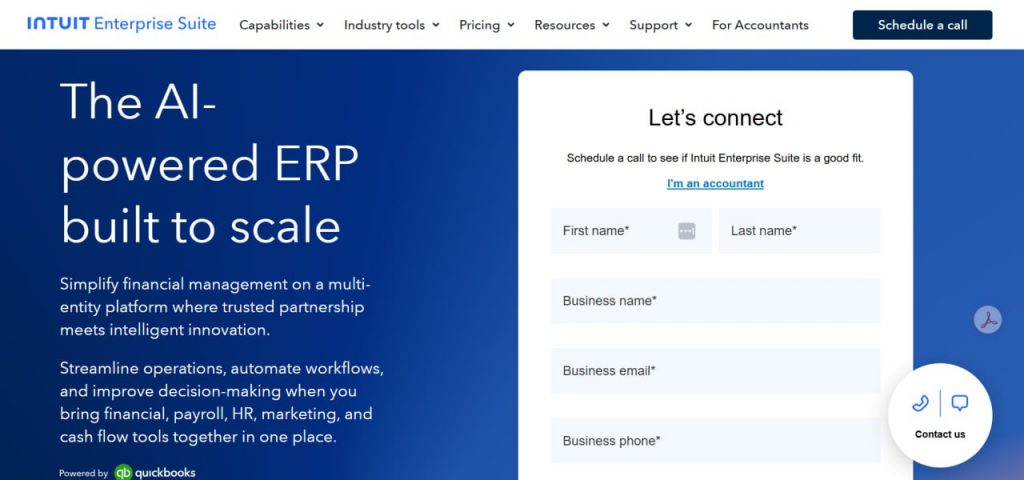
Intuit Enterprise Suite is Intuit’s cloud platform for mid-market businesses that have outgrown QuickBooks Online but don’t need a full ERP like NetSuite. Think of it as QuickBooks Online with multi-entity management, dimensional reporting, and enterprise-grade workflow controls built in, while staying on familiar Intuit infrastructure. It launched in September 2024 and has been adding retail-specific inventory features since, with February 2026 updates including item receipts and Moving Average Cost valuations.
What it does well for retail
- Multi-entity management under a single login lets retailers with multiple store entities, franchise locations, or regional subsidiaries manage consolidated reporting without separate subscriptions (up to 500 users across entities).
- Custom Dimensions (up to 20) allow segmentation of P&L by channel, location, product type, department, or any combination, giving retail finance teams the reporting granularity that QuickBooks Online Plus classes and locations can’t match.
- The February 2026 inventory updates, including item receipts as official receiving records and Moving Average Cost valuations, bring Intuit Enterprise Suite meaningfully closer to retail-grade inventory management.
Where it falls short
- Intuit Enterprise Suite isn’t a deep inventory control system. Serial/lot number tracking, bin management, barcode workflows, and sales order fulfillment are still better handled by QuickBooks Desktop Enterprise or a dedicated inventory platform.
- Pricing starts around $8,000/year and is quote-based, making it inaccessible for most small retailers. It’s designed for businesses with $5M+ in revenue and dedicated finance staff.
- It’s a relatively new platform, and some retail-specific functionality (industry editions, advanced inventory modules) is still in beta or rolling out.
- Native ecommerce and payment processor syncing requires a third-party automation layer as Intuit Enterprise Suite doesn’t connect directly to Shopify, Amazon, or Square out of the box.
Pricing
| Plan | Price/year | What it includes |
| Base | ~$8,000+ (quote-based) | Multi-entity management, dimensional reporting, up to 500 users, core financials |
| Add-ons | Variable | Payroll, HR, additional entities, industry-specific modules |
| Implementation | Included | Intuit-guided migration, typically days not months from QBO |
Ideal for
Intuit Enterprise Suite is the right upgrade path for retailers already on QuickBooks Online who need multi-entity consolidation, dimensional reporting, or enterprise-grade workflow controls — and who want to stay within the Intuit ecosystem rather than migrating to Sage Intacct or NetSuite.
| Streamline it with Synder: Synder integrates natively with Intuit Enterprise Suite, syncing ecommerce and payment data directly into your Custom Dimensions and Projects, so multichannel revenue is automatically tagged by channel, location, or product line without manual entry. See the Intuit Enterprise Suite integration → |
Read our detailed article analyzing Intuit Enterprise Suite pros and cons.
How to choose: a decision framework by business type
The right accounting software for a small boutique is different from the right choice for a multichannel ecommerce business. Here’s a simplified decision framework:
| Business type | Primary need | Recommended starting point |
| Single-location brick-and-mortar | POS sync, basic P&L, sales tax | QuickBooks Plus or Xero Growing |
| Online-only, 1 channel (Shopify or Amazon) | Automated sync, COGS, reconciliation | QuickBooks Plus or Xero + automation layer |
| Multichannel (2+ platforms) | Multichannel reconciliation, consolidated reporting | QuickBooks Plus or Xero + Synder or equivalent |
| Hybrid (store + online) | POS + ecommerce sync, inventory tracking | QuickBooks Plus + dedicated integration tool |
| $10M+ retailer | Multi-entity, advanced reporting, ERP integration | Sage Intacct or NetSuite |
| Price-sensitive, simple operations | Low cost, basic accounting | Zoho Books or Wave |
The most common mistake retailers make is choosing an accounting platform based on name recognition and then discovering the gap between what the platform does natively and what their actual operation requires. QuickBooks Plus may be the right answer, but if you’re also selling on three channels, you’ll need to build the integration layer to make it work.
Why your accounting software is only half the problem
Every accounting platform on this list is only as useful as the data that goes into it. And for retailers, especially multichannel ones, getting clean, complete, and correctly categorized transaction data into the accounting system is a significant challenge on its own.
The payout problem you might overlook
A Shopify payout, for example, doesn’t arrive as a clean deposit labeled “Shopify revenue.” It arrives as a net amount that includes dozens or hundreds of orders, refunds, fees, and adjustments from a two-week period. Posting that as a single bank deposit doesn’t give you any useful information about what you sold, to whom, through which channel, or what it cost. You lose visibility into COGS, sales tax obligations by product, and the profitability data your business actually needs.
The missing layer between your sales channels and your books
Connecting a sales platform to QuickBooks doesn’t mean the accounting is handled. It just means data is moving. Synder’s 2025 Finance Automation Report surveyed 424 senior finance leaders and found that while 97% acknowledge automation’s measurable impact, only 25% invest in training to use it well, and 62% report integration issues as a persistent bottleneck. The connection exists, but the trust in what flows through it often doesn’t.
The 92% of finance leaders in Synder’s research who say AI produces higher accuracy than manual methods are describing automation that’s properly configured and monitored. Clean financials are what makes channel-level profitability, margin by product, and sales tax liability readable at all.
What solving the data problem looks like
This is the problem that accounting automation tools address. Synder, for instance, is an accounting automation platform that connects 30+ ecommerce and payment platforms, including Shopify, Amazon, Square, PayPal, Stripe, TikTok Shop, Klarna, and others, to accounting software like QuickBooks Online, Xero, Oracle NetSuite, Sage Intacct, and Puzzle. At your discretion, it may post a lump-sum entries, or sync individual transactions with full line-item detail: the sale amount, fees, refunds, taxes, and COGS, automatically categorized and mapped to the right accounts in your GL.
Here’s what that looks like in practice across two businesses we’ve worked with.
A meal prep retailer operating across 30+ locations was spending 3–4 hours every day on manual reconciliation across Shopify and PayPal. Sales tax wasn’t cleanly separated in reports, store-level visibility didn’t exist, and meeting New York State’s Prompt Tax requirements meant digging through disconnected data each month.
After connecting Shopify and PayPal to QuickBooks Online through Synder, transactions sync and categorize automatically by location and county: sales tax breaks out in real time, fees are split by channel, and what once took most of a workday now takes 30–45 minutes. The team saves over 70 hours a month.
A similar gap, though in a very different business, appeared at a multichannel OTC pharmaceutical retailer selling across Shopify, Amazon, Stripe, and wholesale. The problem there wasn’t time, but visibility. Only monthly journal entries were reaching QuickBooks, with no breakdown of fee structures, channel performance, or COGS. Amazon’s fee types: stocking, transaction, marketing, restocking, were all landing in the same bucket.
After implementing Synder, Smart Rules categorize each fee type into separate accounts automatically, all four channels sync at the transaction level, and the CFO runs the entire accounting operation independently. Reconciliation accuracy sits at 99.5%+, and the business avoids $60–72K a year in accounting staff costs it would otherwise need.
Before, I would have had to hire additional staff at a cost of $5,000–$6,000 a month to help me operate the accounting department. By cutting out data entry, we’re saving on labor costs while improving efficiency by removing the errors.
Andy Pozniak, CFO at Dermeleve
Both cases point to the same underlying issue. The questions your accounting software should be able to answer: which products have the best margins, which channels are most profitable after fees, what your actual sales tax liability is by state, depend on transaction-level data getting into the system correctly. No accounting software, on its own, solves the upstream data problem.
If you want to see how automated transaction sync would work for your specific channels and accounting setup, you can book a demo with Synder.
Conclusion: choosing the best retail accounting software
The global accounting software market is growing, driven largely by retail and ecommerce adoption and demand for automation. So there’s definitely no shortage of options. The choice that matters is the one that fits your actual operation.
For most small US retailers, the decision comes down to QuickBooks Online Plus versus Xero, with the platform that integrates with your POS and ecommerce channels being the deciding factor. For businesses just starting out with minimal complexity, Zoho Books might get you accounting without a large monthly bill. For mid-market retailers who have outgrown SMB tools, Sage Intacct or NetSuite represents the next tier, with the implementation investment that entails.
What no accounting software resolves on its own is the data quality problem that every multichannel retailer faces. Getting accurate, complete, and correctly categorized data from your Shopify store, Amazon account, Square POS, and PayPal into your books requires either a significant manual effort or an automation layer designed for exactly that purpose. The accounting software holds your financial records. The integration layer between your sales channels and that software is what determines whether those records are actually accurate.
FAQ
What is the easiest accounting software to use for a small retail business?
Among full-featured retail accounting platforms, Xero is generally considered more intuitive than QuickBooks Online. Zoho Books is the most accessible entry point that still includes inventory tracking. But the tradeoff is consistent: the simpler the platform, the less it handles inventory costing, COGS tracking, or complex channel reconciliation.
What accounting software works best for a retailer with multiple locations?
QuickBooks Online Plus and Xero both support location tracking within their accounting structure, and both can connect to multi-location POS systems like Square through third-party integrations. For retailers with 10+ locations at significant volume, the native reporting in these platforms may be insufficient, and mid-market platforms like Sage Intacct offer more sophisticated multi-location consolidation. The critical factor is how your POS data gets into the accounting system – a location-aware integration layer like Synder matters as much as the accounting platform itself.
What accounting software do big companies use?
Most companies over $10M in revenue are on platforms that smaller businesses would find overkill and unaffordable. Enterprise retailers use NetSuite, SAP, or Microsoft Dynamics. Mid-market retailers at $10–50M often land on Sage Intacct, Acumatica, or NetSuite. For retailers still within the Intuit ecosystem, Intuit Enterprise Suite covers the gap: multi-entity management, dimensional reporting, and enterprise workflow controls at a lower implementation cost than Sage or NetSuite, starting around $8,000/year. The platform that works for you today may not work for you in two years – choosing software with a migration path, or one that integrates with an automation layer that can plug into multiple accounting systems, gives you flexibility as you grow.
Is QuickBooks the best choice for a small retail business?
For most US-based small retailers, QuickBooks Online Plus is the most straightforward starting point – widely supported, well-known to accountants, and the Plus plan covers the inventory and reporting features a typical retailer needs. The primary downsides are cost trajectory, the per-user fee model, and the need for third-party integrations to handle multichannel operations cleanly. A retailer with one Shopify store and a bookkeeper already familiar with QuickBooks will likely stay put. A retailer selling across four channels with 10,000+ monthly transactions will probably need an automation layer like Synder on top of it to make the data usable.
Is Quicken a good alternative to QuickBooks for retail?
No. Quicken is personal finance software. It’s not built for business accounting and has no inventory management, double-entry accounting, or payroll capabilities relevant to retail. The comparison between Quicken and QuickBooks for a retail business isn’t really a comparison – they serve completely different purposes.
Do I need separate software for inventory management and accounting?
It depends on scale. For smaller retailers, QuickBooks Online Plus or Xero’s Inventory Plus add-on can handle both in one platform. For retailers managing hundreds or thousands of SKUs across multiple warehouses or locations, dedicated inventory management software, such as Cin7, Katana, or Fishbowl, typically handles the operational inventory layer, with accounting software receiving summarized financial data. The real complexity usually comes down to how well these systems connect and how cleanly sales and cost data flow from your inventory tools into your accounting. And here tools like Synder can help, automatically syncing COGS, fees, and transaction details so your books reflect what actually happened.





Excellent article! I will try out these accounting softwares for my own accounting solutions UK busin ess.
Thank you, David! We’d love to hear about your experience later.