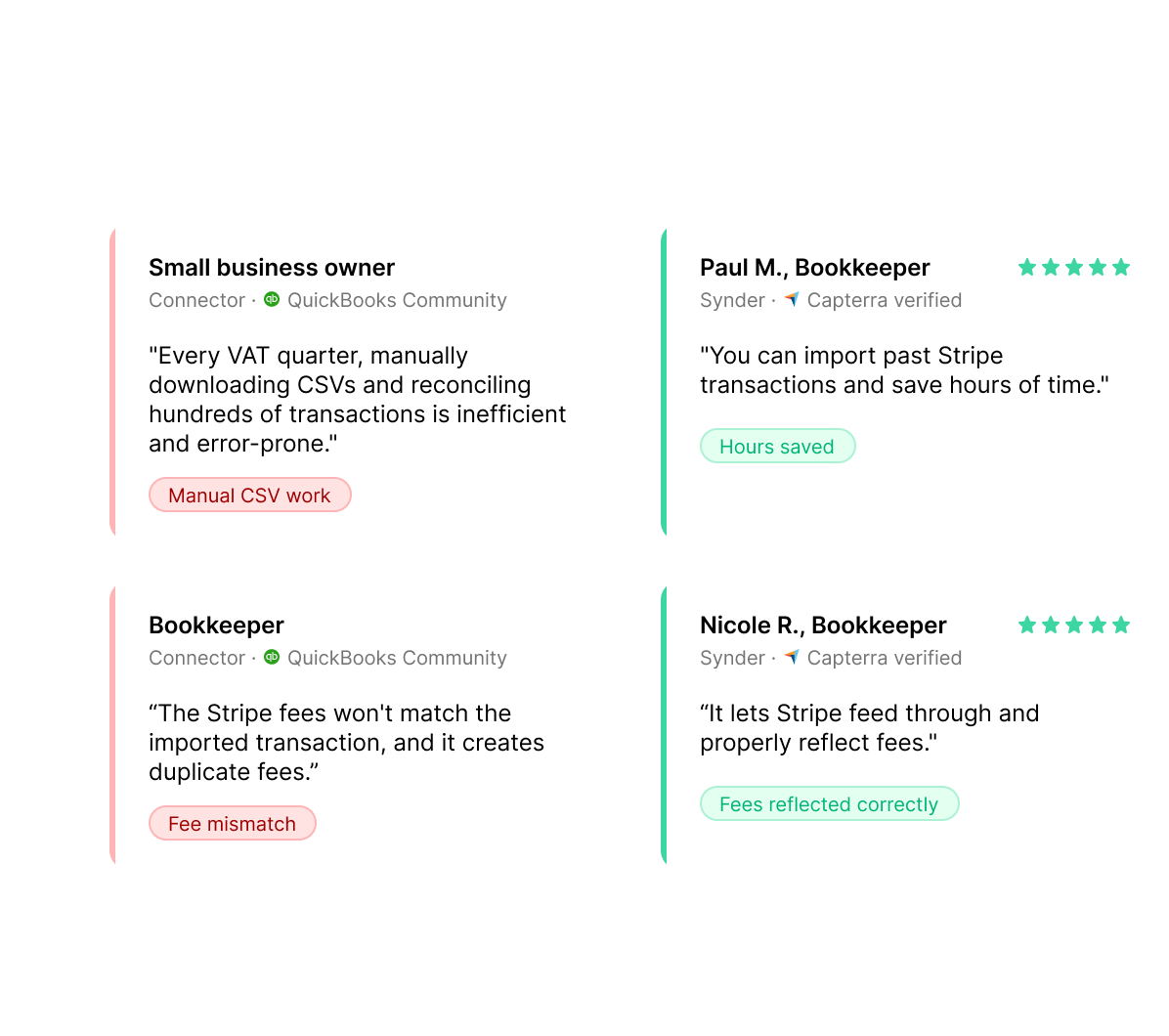
Both tools connect Stripe with QuickBooks, but they serve different needs. The Stripe Connector by QuickBooks is included with QuickBooks Online and handles basic Stripe syncing, while Synder supports multiple sales channels, payment systems, and advanced workflows.
Book a demo to see it liveAccuracy in syncing sales data
Saved yearly on bookkeeping
Saved on month-end close


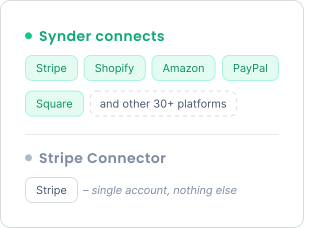
The Stripe Connector pulls data only from Stripe, so anyone selling across more than one channel is left wiring up the rest by hand. Synder links 30+ ecommerce systems, marketplaces, and gateways, like Stripe, Shopify, Amazon, PayPal, Square, and syncs them into your books using a consistent accounting setup.
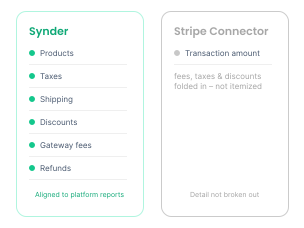
Synder logs every piece of a transaction on its own line: products, taxes, shipping, discounts, gateway fees, refunds, and tips, keeping your books aligned with platform reports and ready for audit. The Stripe Connector lands sales, refunds, payouts, and adjustments at a coarser level and leaves the breakdown for you to assemble.
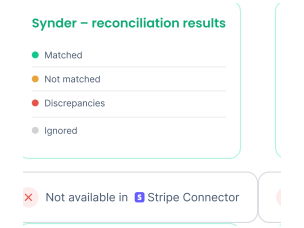
Reconciliation runs as part of the sync: Synder's engine lines your books up against platform reports, then sorts entries into matched, discrepancy, not matched, or ignored. That gives you a precise read on where things tie out, which a Stripe-only tool can't deliver.
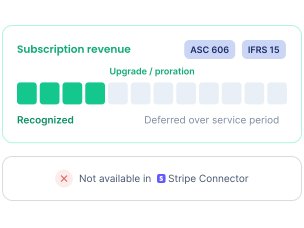
The Stripe Connector recommends categories but stops there, with no custom logic or revenue scheduling. Synder routes transactions by your own rules, applying classes, locations, or custom dimensions, and its RevRec defers subscription income under ASC 606 and IFRS 15, carrying every Stripe upgrade, downgrade, proration, and cancellation through automatically.
Choose the free native connector if Stripe is your only channel, your volume is modest, and a quick payments-into-the-books sync is all you need. Choose Synder if you sell on more than one platform, need each fee, tax, and refund split out automatically, or have to recognize subscription revenue under accounting standards.
It is a free app built by Intuit that imports Stripe sales, refunds, payouts, and adjustments directly into QuickBooks Online. It connects one Stripe account and works only with QuickBooks Online, not other accounting systems or sales channels.
It is an accounting automation platform that connects 30+ sales channels and payment providers to your books. For Stripe, it records each payment with its fees, taxes, refunds, and tips as separate lines, posts them to your accounting system, and can verify the result against your Stripe reports. It works with QuickBooks Online, QuickBooks Desktop, Xero, Sage Intacct, Oracle NetSuite, Intuit Enterprise Suite, and Puzzle.
Yes. The native connector syncs a single Stripe account, while the platform brings Stripe together with Shopify, Amazon, PayPal, Square, and 30+ others into one set of books, so you are not running a separate tool for each channel.
Connect your Stripe account and any other sales channels or payment platforms, then link your accounting system. Pick a clean cutover date, use historical data import to bring in past transactions with full detail on sales, fees, taxes, and refunds, and set up your account categorization before syncing real data. If anything posts incorrectly, one-click rollback lets you undo and try again.
Yes. The RevRec module defers and recognizes subscription revenue across the service period under GAAP, ASC 606, and IFRS 15, tracking upgrades, downgrades, prorations, and cancellations from Stripe. The native connector does not handle revenue recognition.
It posts sales, fees, taxes, shipping, and discounts as separate lines and records marketplace-withheld tax, so each component goes to the right account. The native connector imports fee and tax data but offers limited fee splitting and tax detail.
It imports up to two years of historical Stripe transactions. Synder supports unlimited historical import across every connected platform, with full detail on sales, fees, taxes, and refunds, which helps when you need to rebuild prior periods rather than just recent activity.
It depends on your setup. The native connector is free and fine for a single Stripe account with modest volume. The paid option, from $52/mo, covers 30+ platforms, splits every fee and tax, verifies transactions against your reports, and recognizes subscription revenue, which pays off once manual work or multichannel selling enters the picture.
Migration is straightforward, and you don't lose history. First, in QuickBooks Online, pause or disconnect the Connector by QuickBooks so the two tools don't post to the same period and create duplicates. Note the last date the Connector synced. Next, connect Shopify and QuickBooks Online to Synder, then review your settings, choosing Per Transaction for line-item detail or Summary Sync for consolidated entries. With Summary Sync you map your accounts directly; with Per Transaction, the accounts that get affected are driven by the product in QuickBooks Online, your tax settings, and similar configurations, with the rest adjustable in your settings. Then use Historical Data Import to bring in transactions from your Connector cutoff date forward, so there's no gap in your books. Review the imported entries before syncing them to QuickBooks, set up any automation rules you want for categorization, and reconcile the first period to confirm everything ties out. Synder's support team can walk through the cutover so the handoff is clean.