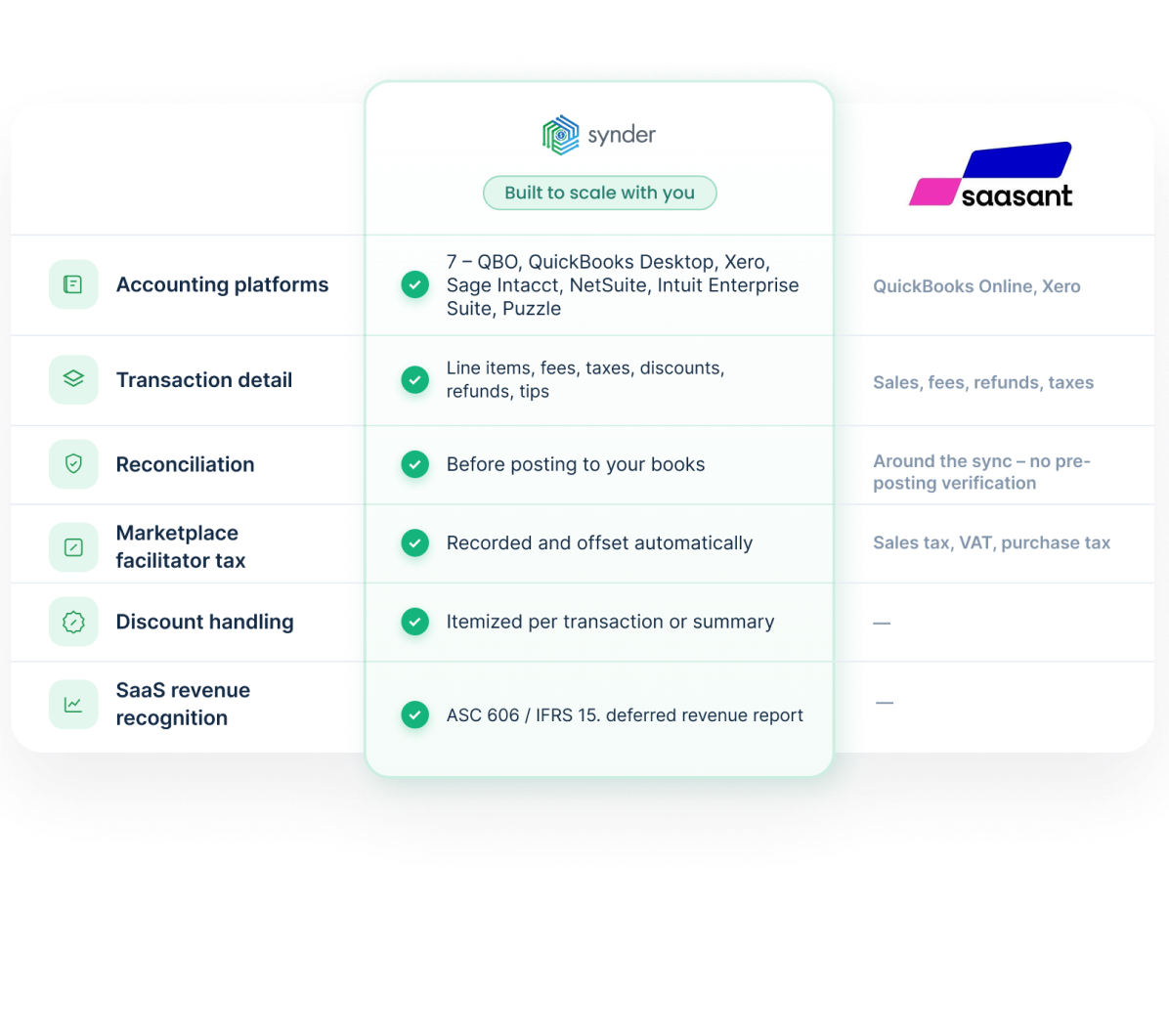
Synder and SaaSant both reduce manual bookkeeping and automate data sync to accounting software. The differences become more noticeable when you add sales channels, payment processors, accounting platforms, or need transaction-level detail instead of summaries.
Book a demo to see it liveAccuracy in syncing sales data
Saved yearly on bookkeeping
Saved on month-end close


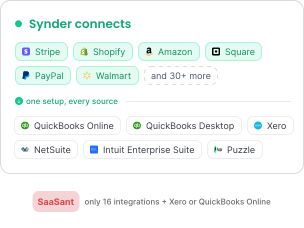
SaaSant stops at QuickBooks Online and Xero. Synder posts to both of them plus QuickBooks Desktop, Sage Intacct, NetSuite, Intuit Enterprise Suite, and Puzzle, so your sales data lands wherever your books actually live.
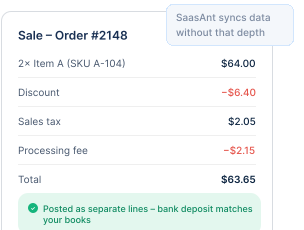
Per Transaction sync captures every line item, fee, tax, discount, refund, and tip on a sale, pre-matches payments to open invoices, and keeps SKUs and quantities current so COGS and inventory stay accurate. SaaSant syncs data without that depth.
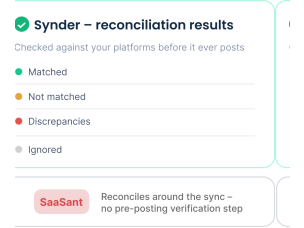
Synder lets you reconcile clearing and cash accounts and verify balances against your platforms before anything syncs to your books, so discrepancies get caught upstream and month-end means fewer rollbacks and resyncs. SaaSant reconciles transactions around the sync, with no pre-posting verification step.
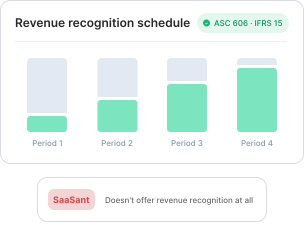
Synder records revenue under ASC 606 and IFRS 15 and includes a deferred revenue auto-reconciliation report, built for SaaS and subscription businesses closing the books monthly. SaaSant doesn't offer revenue recognition at all.
If you sell through a few channels on QuickBooks or Xero and want a simple, lower-cost setup, SaaSant is a suitable choice. Synder is better suited to businesses with multiple channels and processors, transaction-level detail, broader accounting support, revenue recognition, or reconciliation before posting. The right choice often depends less on budget and more on what your books require.
Yes, Synder pulls 30+ channels and processors into one ledger and lets you tag or class transactions by source, so Amazon fees, Shopify sales, and Stripe subscriptions stay separable inside a single set of books. SaaSant covers a solid list of channels too, but caps at QuickBooks Online and Xero on the accounting side, so a multi-platform seller on an ERP can't consolidate there at all.
The reusable setup. Synder lets you build a chart-of-accounts mapping and automation-rule set once and replicate it across similar clients, then manage them from one place, which compounds when clients sit on different platforms or volumes. SaaSant supports multiple clients and role-based access and is quick to stand up for QuickBooks and Xero books, so for a roster of simple, same-shape clients the gap is narrower than it looks.
SaaSant has no revenue recognition, so this is a capability gap rather than a depth comparison. Synder schedules recognition under ASC 606 and IFRS 15, spreads subscription and prepaid revenue across the correct periods automatically, and runs a deferred revenue auto-reconciliation report that flags where your recognized balance and your accounting balance diverge. For a SaaS close, that turns a spreadsheet exercise into a review step.
Yes, and it's an area where Synder goes beyond what SaaSant documents. When a marketplace like Amazon, eBay, Etsy, PayPal, TikTok, Walmart, or Shopify collects and remits sales tax on your behalf, Synder records that withheld tax cleanly so it doesn't distort your liabilities. Its recommended setting posts the withheld amount as a separate non-taxable line in both the sale and an offsetting expense, mapped to a dedicated Marketplace Facilitator Tax account, so the tax never inflates your Sales Tax Payable. For Shopify specifically, Synder adds a Marketplace Facilitator Tax line to the sale and auto-creates a Sales Tax Adjustment transaction to offset it. If you'd rather treat the withheld tax as your own payable, that's a setting you can switch on instead, and the same logic applies across every marketplace. The result is tax reports that reflect what you actually owe rather than what a platform already remitted.
Synder builds reconciliation into the app, so you can validate the numbers before they post rather than catching problems after. In Summary Sync, the Balance Reconciliation flow lets you pick a clearing account, say Stripe, Shopify, or PayPal, enter the beginning balance, ending balance, and ending date for the period, then select the transactions that bring the balance difference to zero before you finalize. You confirm your clearing accounts match the source platform first, which means fewer rollbacks and resyncs at month-end, and each finalized period produces a reconciliation report as an audit trail. If a platform doesn't give you an ending balance, you can use period turnover to calculate it, and drafts save automatically so you can step away and return. SaaSant reconciles through clearing-to-bank payout matching inside QuickBooks after the data posts; Synder's check happens upstream, before the general ledger is touched.
Take it step by step so the two tools never post the same period twice. In SaaSant, note the last synced date for each connector, then pause its scheduled syncs so nothing new posts during the switch. In Synder, connect each sales channel and payment processor, link your accounting platform, and set up your sync settings and automation rules before syncing anything. With Summary Sync you assign accounts directly, so match the clearing and fee accounts SaaSant was using to keep your history consistent; with Per Transaction, the affected accounts come from the product in your accounting platform, your tax setup, and similar factors, though several can still be adjusted in the settings. Pick a cutover date that starts the day after SaaSant's last synced transaction, and run Synder's historical import from there to fill the gap. Test a short range first to confirm totals match the platform, then let it run forward. If something posts wrong, roll back that batch, fix the mapping or rule, and resync before committing the full period.