Set up now, save all year: 40% off Synder, this July only
Get the discount ➔

Synder vs Link My Books: Which Fits Your Flow?

Synder and Link My Books both turn ecommerce sales into accounting records that match your payouts. For straightforward setups, either can work well. The differences appear as your business grows across channels, payment systems, accounting platforms, or reporting needs.

Book a demo to see it live
4.7
average rating · 3,400+ reviews on G2 & Capterra
100%

Accuracy in syncing sales data

$24K

Saved yearly on bookkeeping

140h

Saved on month-end close

Graphic showing a VS matchup with a hexagon tech logo on the left and Finaloop logo on the right with a blue dotted background streak.

Telling Synder and Link My Books apart

Channels and accounting reach

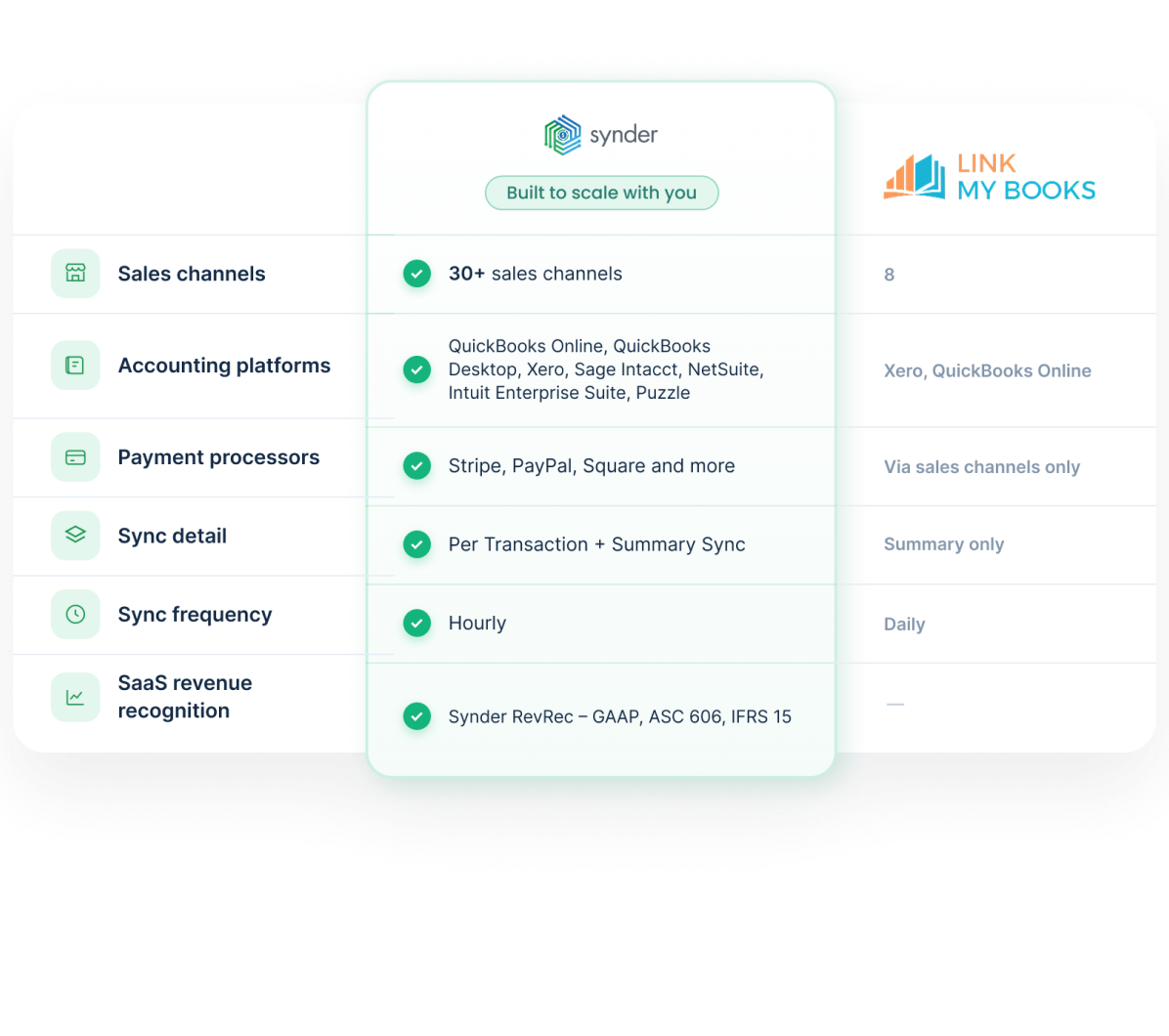
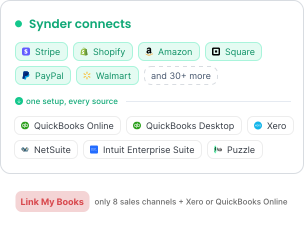
Eight sales channels into Xero or QuickBooks Online is the Link My Books footprint. Synder connects 30+ sales channels and payment processors and posts into QuickBooks Online, QuickBooks Desktop, Xero, Sage Intacct, NetSuite, Intuit Enterprise Suite, and Puzzle.

Two sync modes, one engine

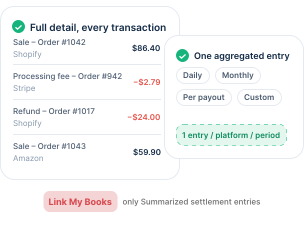
Synder offers Per Transaction sync, which brings in full detail for each transaction, and Summary Sync, which posts one aggregated entry per connected platform for a daily, monthly, per-payout, or custom period. Link My Books posts summarized settlement entries and nothing more granular.

Reconciliation built into both sync modes

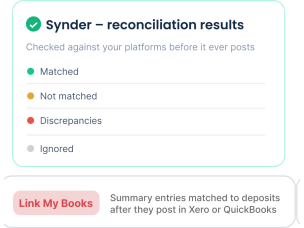
In Balance Reconciliation, you reconcile summaries inside Synder against your platforms before posting to your GL. Transaction Transaction Reconciliation matches each sale, fee, and refund in a clearing account to your bank feed, flagging discrepancies. Link My Books matches only summary entries to bank deposits after they post inside Xero or QuickBooks.

Automation rules and revenue recognition

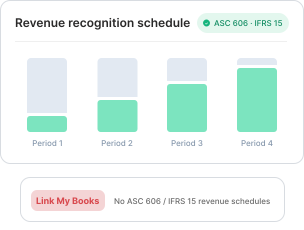
Link My Books categorizes through preset tax and COGS logic, with no custom criteria to shape how entries land. Synder lets you build rules that classify transactions on criteria you define, including QuickBooks classes and locations, and keeps ASC 606- and IFRS 15-compliant revenue schedules across your accounting platform.

Synder vs Link My Books at a glance

Synder
Link My Books
Deployment
Cloud-based
Cloud-based
Free trial
15 days, no card required
14 days, no card required
Accounting platforms
QuickBooks Online, QuickBooks Desktop, Xero, Sage Intacct, NetSuite, Intuit Enterprise Suite
Xero, QuickBooks Online
Payment processors
Stripe, PayPal, Square, Afterpay, Clover, Braintree, Authorize.net, and more
See all integrations
Reconciled through connected sales channels only
Sales channels
Shopify, Amazon, Walmart, eBay, Etsy, WooCommerce, BigCommerce, TikTok Shop, Magento, Squarespace, Wix, and more
See all integrations
Amazon, Shopify, eBay, Etsy, TikTok Shop, Walmart, WooCommerce, Square
Syncing options
Per-Transaction and Summary
Summary (payout-level)
Sync frequency
Hourly
Daily
Transaction detail
Full line-item breakdown
Summarized settlement entries
Tax recording
Sales tax, marketplace-withheld tax, multi-jurisdiction
VAT, US sales tax, GST wizards
See all

Takeaway: matching the tool to your seller profile

Link My Books is suitable for sellers using a few marketplaces with Xero or QuickBooks Online and summary-level reconciliation. Synder fits more complex setups with multiple channels, payment processors like Stripe or PayPal, transaction-level detail, or revenue recognition.

What Synder users say

“There's no greater partner for both the accountant and the business owner than Synder. At Strata-G, we use Synder to integrate directly with ecommerce giants including Etsy, Shopify, and Amazon on the front end, while syncing all transactions through to Xero and QBO. We save close to 100 hours per month booking nearly 8,000 global ecommerce sales transactions into QBO and reconciling with bank deposits.”

Nicholas Coburn
CPA at Strata-G
Gradient logo with overlapping circles enclosing the letters RAD.

Quick answers to your FAQs

Close Cookie Preference Manager
Privacy Overview
This website uses cookies to improve your experience while you navigate through the website. Out of these, the cookies that are categorized as necessary are stored on your browser as they are essential for the working of basic functionalities of the website. We also use third-party cookies that help us analyze and understand how you use this website. These cookies will be stored in your browser only with your consent. You also have the option to opt-out of these cookies. But opting out of some of these cookies may affect your browsing experience.
Strictly Necessary (Always Active)
Cookies required to enable basic website functionality.
Made by
Oops! Something went wrong while submitting the form.