
This guide explains what to do if you see the banner “There’s been a problem with proper forming of some of your E-commerce summaries” in Synder.
It helps you understand why this appears and what steps to take.
Use this …

This guide explains what to do if you see the banner “There’s been a problem with proper forming of some of your E-commerce summaries” in Synder.
It helps you understand why this appears and what steps to take.
Use this …
A quick-reference guide to the most frequent Synder sync errors — your go-to resource for troubleshooting. Find your error, follow the fix. Each error includes notes on who typically hits it and why.
Missing transactions? Jump to the Missing Transactions …
The error message “No items available to sell” in Xero generally appears when you attempt to create a sales-related transaction, such as an invoice or bill, using a tracked inventory item that has no quantity available on hand. This can …
What it means:
Synder is unable to sync the transaction to your accounting platform because the product is linked to too many transactions.
We highly recommend resolving syncs with a Failed/Canceled status to make sure all your transactions are recorded in your books. When you encounter a sync with a Failed/Canceled status, always click the ‘Explain’ link to get more information.
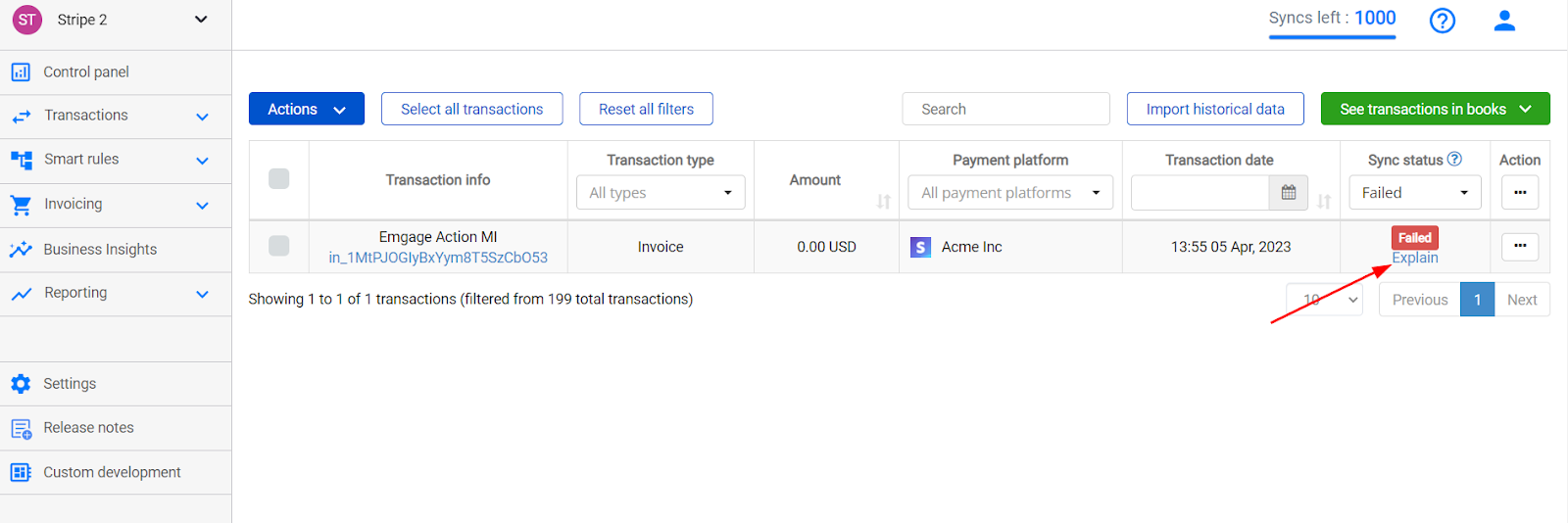
In some …
Overview:
3. Re-sync the failed transactions
When you create an item in QuickBooks …
This guide explains the “Cancel synchronization …
This guide will help you understand and fix failed transactions with the error “There is no income account associated with the item” in a simple and easy-to-follow way.
Reason for the Error:
The error occurs when there’s a product (or …
Cases it may cover: product list is not set up in your accounting company or product names do not match in your sales platform and accounting company.
How to fix it.
In this guide, we will show you this with …
Cases it may cover: a Product name is specified in a field other than the Product field in your sales platform.
Here is an example of a transaction synced with the Stripe product instead of the original one.

How to …
| Cookie | Duration | Description |
|---|---|---|
| cookielawinfo-checbox-analytics | 11 months | This cookie is set by GDPR Cookie Consent plugin. The cookie is used to store the user consent for the cookies in the category "Analytics". |
| cookielawinfo-checbox-functional | 11 months | The cookie is set by GDPR cookie consent to record the user consent for the cookies in the category "Functional" |
| cookielawinfo-checbox-others | 11 months | This cookie is set by GDPR Cookie Consent plugin. The cookie is used to store the user consent for the cookies in the category "Other. |
| cookielawinfo-checkbox-necessary | 11 months | This cookie is set by GDPR Cookie Consent plugin. The cookies is used to store the user consent for the cookies in the category "Necessary". |
| cookielawinfo-checkbox-performance | 11 months | This cookie is set by GDPR Cookie Consent plugin. The cookie is used to store the user consent for the cookies in the category "Performance". |
| viewed_cookie_policy | 11 months | The cookie is set by the GDPR Cookie Consent plugin and is used to store whether or not user has consented to the use of cookies. It does not store any personal data. |
