

Is your Synder sync pausing unexpectedly? This is one of the most common issues for new users, and it is almost always fixable. This guide covers the most common causes and how to resolve each one.
Category: Connection & Sync Behavior
How to Speed Up Transaction Synchronization Time?
- Process groups:
- Detailed processes:
- Most common reasons for slow synchronization
- How to Speed Up Synchronization
- Common Ways to Improve Sync Speed
Process groups:
When Synder syncs your data, it performs multiple steps to make sure everything is recorded correctly in …
Amazon Deferred Transactions: Why Your Sales Don’t Appear Immediately
If you’ve noticed that your Amazon sales don’t appear in your accounting software immediately after a customer places an order, you’re encountering Amazon’s deferred transaction system—part of how their payment system works for all sellers. This guide explains why Amazon …
Summary Sync: Why Do I See ‘Clearing Account’ Lines on the Per-Payout Summary Preview in Synder but Not in the Transaction Posted to My Accounting Platform?
For users looking to streamline their accounting processes by posting aggregated data, Synder offers the Summary Sync feature. This feature allows for two data aggregation methods: Daily Summary and Per-Payout Summary.
Daily Summary:
In this mode, Synder compiles …
Why do I have pending transactions in a Summary Sync?
A pending summary is a summary that is not yet ready to be synced to your books. As soon as it’s ready, its status will change to “ready to sync”.
There are two main reasons why you can see Pending …
What Should I Do if a Square Payment Is Marked as Pending in Synder? Square Pending Transaction Explained
This guide helps you resolve Square payments stuck in a pending status in Synder. If your Square orders show as pending, follow the steps below to fix them and keep your books accurate.
What This Article Does Not Cover
This …
Why Was My Accounting Company Disconnected From Synder?
The issue:
The accounting company has either lost connection status or is disconnected from Synder.
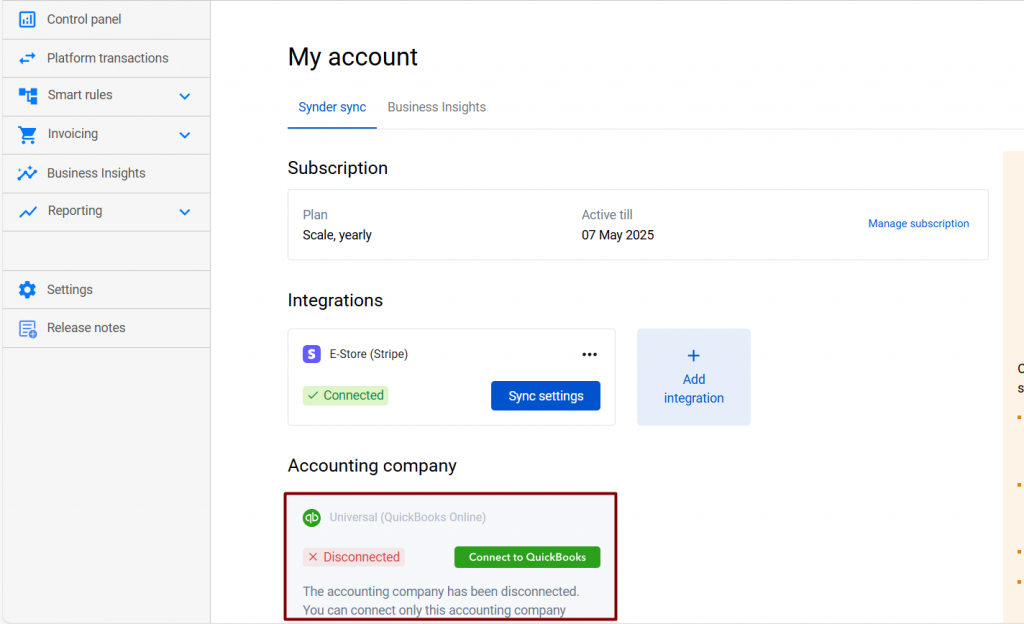
Main reasons:
1.Synder was deleted from the Apps section in your accounting company.
2.Another user with access to your account might have disconnected the company.…
What Should I Do if Auto-Sync Gets Disabled?
Cases it may cover:
- Your accounting company (QuickBooks Online/QuickBooks Desktop, Xero) got disconnected from your Synder company, and it shows the “Disconnected” or “Connection lost” status in Synder Settings.
- Either you or your additional user might have disabled auto-synchronization.
- The
Why Did I Get 404 Error While Connecting My Woocommerce Company to Synder?
Integrating your WooCommerce store with QuickBooks or Xero via Synder takes just a couple of clicks and enables automatic synchronization of all ongoing orders along with the auto-categorization and smooth reconciliation of synced data, allowing for an easy and accurate …
Why Are My Woocommerce Order Details Not Fetched by Synder?
Overview:
Possible Causes and How to Fix them
What is the issue about?
If you’re a WooCommerce store …