The quickest way of maximising the value of Xero is to minimise the amount of typing. The right integration ensures that that data seamlessly flows from your payment processor, your sales channels, and your tools for tracking your expenses, then posts it into Xero already divided into fees, refunds and tax. That’s the difference between the 2 day close and the 40 minute close for the operators that actually operate real volume.
Xero has over 4.6 million subscribers in over 180 countries and over 1,000 Apps from over 30 categories in the Xero App Store. However, most of them won’t be relevant to you. This guide outlines the highest-ranking integrations that really make a difference to retail, ecommerce, and SaaS finance teams, explains the need for them, and provides a framework for selecting them without over-stacking your books.
TL;DR
- The best Xero integrations automate the flow of sales, payouts, fees, refunds, and taxes into your books, reducing manual reconciliation work and improving accuracy.
- Different integrations solve different problems: Synder for sales and payouts, Cin7 Core and Unleashed for inventory, Dext and Hubdoc for document capture, Avalara and TaxJar for sales tax, Stripe for invoice payments, and Gusto for payroll.
- The right setup depends on your biggest accounting bottleneck. Focus on eliminating the most time-consuming manual process first, avoid duplicate data syncs, and choose integrations that can scale with your transaction volume.
What is an integration with Xero?
A Xero integration is a link that enables data to flow between two applications in real time, using Xero’s open API, without having to be re-entered into Xero. These fall into various categories, like payment connectors, sales connectors, expense capture, inventory management, payroll, reporting and so on, and address different bottlenecks. A properly designed integration is ready to code and automatically partitions gross sales, processing fees, refunds and taxes into the appropriate general ledger accounts instead of having to manually handle a net sum and then distribute it.
That’s what makes Xero one of the most integrated accounting platforms that exists and it’s good to remember when someone compares Xero’s performance with its chief rival, QuickBooks Online. It’s not about features but rather which one can reliably connect to apps and which one posts in a clean manner. The breadth of the App Store reflects the difference in ledger requirements between a SaaS business that records deferred subscription revenue, and a retailer that manages COGS in various warehouses.
On March 2, 2026, Xero announced that its revenue-share developer model is being replaced by five usage-based tiers (Starter, Core, Plus, Advanced and Enterprise), with pricing based on the number of connections and data egress (the volume of data pulled from Xero using API). They also declared that use of Xero API data for training AI models was forbidden.
Is Xero API free?
The answer for a business owner is a resounding yes, the integration provider is responsible for the connection with the API, and you’ll have to pay for access to the app, not Xero. Things that will change in 2026 are the developer side, as Xero will now meter API usage per tier depending on connections and data egress, with the cost being borne by the app vendor and not your invoice. But continue to prefer efficient connectors, as vendors that are facing egress limitations may shift high usage costs downstream over time.
The key to winning or losing is in the mapping. A robust integration determines where each transaction is going, routing to the appropriate expense account, mapping products to the proper income and COGS account, and ensuring that passes through are not getting to your P&L. One operator we worked with needed to exclude some transactions done by customers and to have multiple GL codes per incoming payout, line by line, which differentiates a configurable connector from a rigid one.
The top Xero integrations for each use case in 2026
The “ideal” integration will depend on the particular manual process that’s costing you hours of time each month, hence this list is organized based on the type of task that each integrates well with, starting from the most critical one for ecommerce and SaaS teams – sales and payout data in Xero.
| # | App | Best for | Sync posture |
| 1 | Synder | Multi-channel, multi-currency sales and payout posting | Per-transaction or summary |
| 2 | Cin7 Core | Multi-channel inventory and COGS | Inventory sync |
| 3 | Unleashed | Wholesale and manufacturing inventory | Inventory sync |
| 4 | Cin7 Omni | Omnichannel retail with 3PL and EDI | Inventory sync |
| 5 | Dext | Receipt and bill data capture | Ingress to Xero |
| 6 | Hubdoc | Basic document capture, bundled with Xero | Ingress to Xero |
| 7 | Avalara | Sales tax calculation, nexus, and filing | Tax engine |
| 8 | TaxJar | Lighter-weight sales tax automation | Tax engine |
| 9 | Stripe | Accepting card payments on Xero invoices | Payment acceptance |
| 10 | Gusto | US payroll posting | Payroll journal |
1. Synder, best overall for multi-channel and multi-currency sales

Synder is an accounting automation platform that links ecommerce data and payments from more than 30 different platforms such as Stripe, Shopify, Amazon, PayPal, and Square into Xero. It’s listed on the Xero App Store and takes messy payment information and turns it into accurate accounting data. Gross revenue and payment processing fees are separated at the point of synchronization and come to the account individually.
Key features
- Two sync modes: Per Transaction sync creates one journal per order with the full level of customer detail; Summary Sync creates aggregated journals per payout or period when dealing with very large volumes.
- Separation of fees, refunds, and taxes during sync, where funds are transferred via a dedicated clearing account that settles to zero at the end of each month.
- Transaction Reconciliation, a matching engine that processes transactions after syncing in the Per Transaction mode and identifies discrepancies in transactions between the books and the payment platform (Balance Reconciliation serves as the Summary Sync counterpart).
- Revenue Recognition with Synder RevRec – an additional module that allows posting GAAP and ASC 606-compliant revenue schedules for SaaS and subscription business.
- Multi-currency journal posting that uses exchange rates set in Xero per line, avoiding manual FX entries.
- Mapping products with COGS based on the unique accounting product ID, thus renaming a product doesn’t affect the mapping.
- Duplicate prevention, historical data import, and automation rules for custom transaction categorization.
Pricing (annual billing; monthly billing runs higher; 15-day free trial on all plans)
| Plan | Price | What’s included |
| Basic | $52/mo | Up to 500 transactions/mo, 2 integration slots, QuickBooks/Xero/Puzzle, email support |
| Essential | from $92/mo | Up to 3,000 transactions/mo, unlimited integrations, hourly imports, COGS tracking, open invoice sync |
| Pro | from $220/mo | Up to 20,000 transactions/mo, premium integrations, product mapping, Sage Intacct/NetSuite/IES, automation rules |
| Pro Max | from $480/mo | Up to 40,000 transactions/mo, custom ERP, unlimited premium integrations, custom development |
| Premium | Custom (talk to sales) | Unlimited transactions, unlimited users, unlimited custom modifications, dedicated support |
Ideal for: medium-tier ecommerce companies and SaaS firms who sell through multiple sales channels and/or currencies and require fee segregation and individual GL coding per line item.
| Want to know how it applies to your company? Request a demo or start a free trial. |
2. Cin7 Core, best for multi-channel inventory and COGS
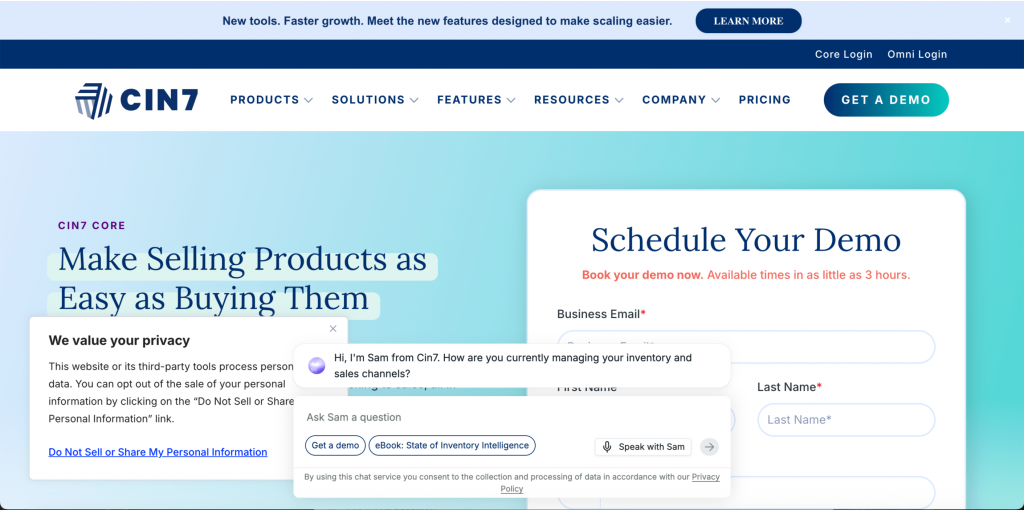
Cin7 Core, formerly known as DEAR, is an inventory and order management solution that follows product, supplier, purchase, and sale information all within one database and pushes the accounting transactions to Xero. This tool is designed for businesses selling products and/or manufacturing items where their complexity lies within the warehouse, not the pay-out.
Key features
- Real-time tracking of inventory in several warehouses, along with inventory traceability and quantity.
- Purchasing and sales orders management, including light manufacturing (assembly and bill of materials).
- B2B sales site for wholesale purchases.
- Generating revenues, cost of goods sold, inventory, and inventory adjustments reports for Xero through sales and purchasing transactions.
Pricing (monthly; annual contracts discounted)
| Plan | Price | What’s included |
| Standard | $349/mo | 5 users, core inventory, orders, purchasing, B2B portal, ~6,000 orders/year |
| Pro | $599/mo | More users, advanced automation, MRP, deeper integrations, higher order volume |
| Advanced | $999/mo | Advanced manufacturing, automation workflows, employee and customer portals, priority support |
Ideal for: small to mid-sized product businesses that operate across multiple platforms needing true inventory management feeding accurate cost-of-goods-sold data into Xero.
3. Unleashed, best for wholesale and manufacturing inventory
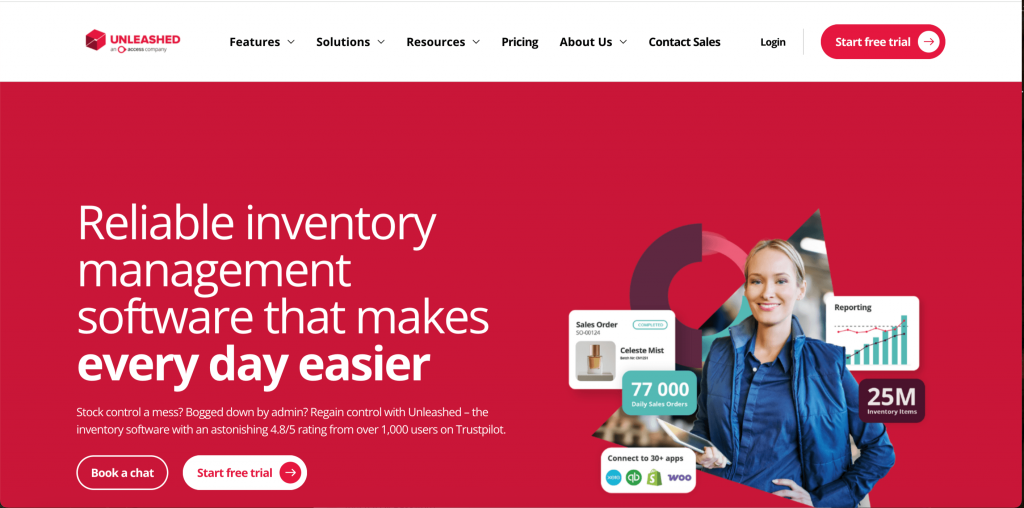
Unleashed is a real-time inventory system designed to suit manufacturers, wholesalers, and distributors that trace stock from the warehouse floors down to Xero accounting. If you are buying in bulk or manufacturing products, it will help keep your bookkeeping synchronized with your physical stock levels.
Key features
- Barcode scanning and serial/batch numbering for efficient stock management.
- Bill of materials and production management for manufacturing and assemblies.
- Supplier and procurement management with landed cost calculations.
- Business Intelligence for sales and margin reporting.
Pricing
There is no official price list for Unleashed that is publicly available, as third-party listing sites show discrepancies in names and amounts charged; thus, no reliable numbers can be provided. It’s worth mentioning that pricing depends on users and capacity (Medium, Large, and Large Plus plans). There are extra charges for additional functionality.
Ideal for: wholesalers, distributors, manufacturers requiring production accuracy and landed cost in Xero.
4. Cin7 Omni, best for omnichannel retail with 3PL and EDI
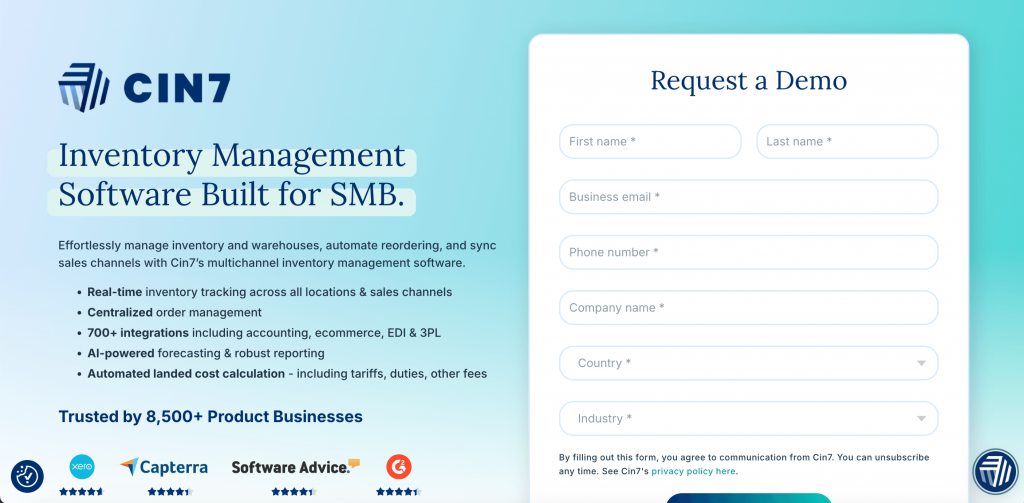
Cin7 Omni is an enterprise version of Cin7 Core, designed for bigger retail businesses synchronizing their inventories with vendors and fulfillment centers. Cin7 Omni incorporates the supply chain management capabilities required by bigger businesses.
Key features
- In-built EDI for exchange of documents digitally with leading retail business partners.
- In-built connections with 3PL for automatic purchase orders and inventory updates.
- Landed cost calculation incorporated into gross profit margin calculation.
- Generated income statement, COGS, inventory on hand, expenses, and taxes on Xero from sales and purchases.
Pricing
Omni can be purchased via a quote alone since there is no price tier list.
Ideal for: enterprises and wholesalers who work with large retailers or have high order volume in multiple channels. Make sure to test its setting up of order status within Shopify orders, as reviews flag that behavior.
5. Dext, best for receipt and bill data capture
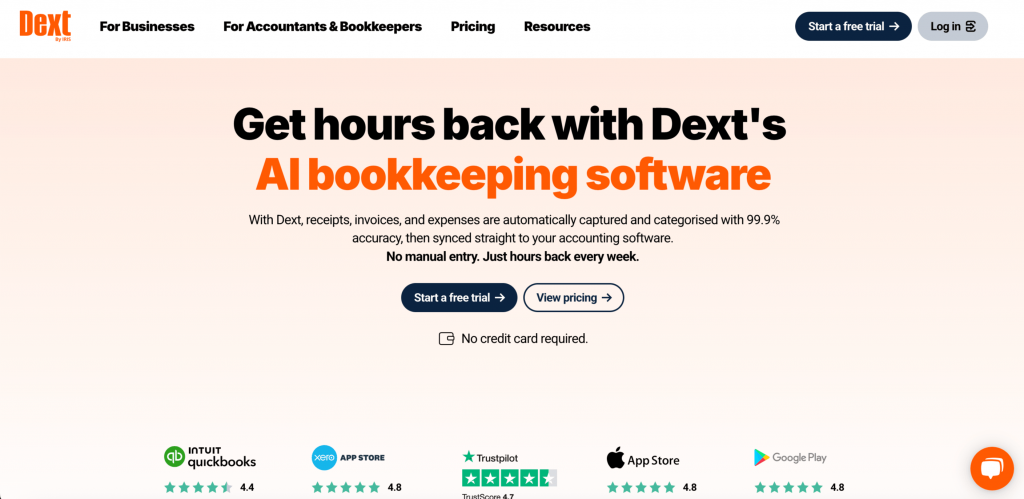
Dext scans receipts, invoices, and statements, captures the details on the line, and feeds the information to Xero, using its own rules and auto-categorization based on how you have categorized items previously. This is the scanning software companies use as their document load increases.
Key features
- Line-item capture from multi-line invoices and receipts.
- Multiple ways to submit: mobile app, email, drag and drop, etc.
- Supplier rules and machine learning categorization.
- Approval processes and document management.
Pricing (annual billing; monthly runs higher)
| Plan | Price | What’s included |
| Business | from $25.21/mo | 5 users, 250 documents/mo, capture, extraction, Xero sync |
| Practice (firms) | from $208/mo | 10 business clients, practice productivity tools, scalable client count |
| Multi-entity / Bespoke | Custom (talk to sales) | More than 5 entities or custom document volume |
Ideal for: companies that have outgrown a package solution requiring extensive line-level capture and management.
6. Hubdoc, best for basic document capture bundled with Xero

Hubdoc is Xero’s built-in tool for data capture and comes bundled with most Xero subscriptions, so it’s the right choice for getting started with capturing documents.
Key features
- Catching supplier name, amount, invoice number, and due date from document.
- Document capture via photo, e-mail, or uploading files.
- Auto-filing and storing documents, attached to Xero transactions.
- Automatically creating transactions in Xero based on rule.
Pricing
| Plan | Price | What’s included |
| Bundled with Xero | Free on most Xero plans | Capture, extraction, storage, Xero sync |
| Standalone | $12/mo | Same capture features without a qualifying Xero subscription |
Best for: small businesses beginning their operations and looking for free document capture capability.
7. Avalara, best for sales tax calculation, nexus, and filing

This is definitely one of the most difficult aspects of accounting within the marketplace. As far as Amazon, Shopify and other marketplaces are concerned, when they charge the eligible sale tax under the marketplace facilitator law, the tax becomes their responsibility rather than yours. And if your accounts aren’t set up accordingly, you can easily find yourself paying double for this tax. The solution is to distinguish the marketplace collected sales tax from your actual sales tax. Avalara (AvaTax) is powerful software for companies operating in many states and internationally.
Key features
- Sales rate calculation across 13,000+ U.S. jurisdictions + international tax rates.
- Identification of jurisdictions based on economic nexus.
- Automatic submission of sales tax returns.
- CertCapture – exemption certificate management.
Pricing
Avalara does not publicly disclose pricing information for its core offerings. Both AvaTax (Calculation) and Returns (Filing) services require quotes based on volume and are sold individually by product line, meaning that no standard rate can be provided; you will have to obtain a quotation. Avalara’s only listed price points are for two additional offerings: License Guidance ($119), and Sales Tax Registration ($403 per location).
Best for: companies with tax responsibilities across several states or multiple jurisdictions that require calculation, nexus tracking, and automatic filing.
8. TaxJar, best for lighter-weight sales tax automation

TaxJar (a Stripe company) offers the same range of solutions as Avalara but is more affordable for emerging businesses, having a transparent price model based on sales volumes.
Key features
- Sales taxes automatically calculated using monthly sales volume.
- Automated filing of tax returns to state authorities (credit for auto-filing, additional filings paid separately).
- Insights on economic nexus.
- Integration with popular sales platforms including Shopify and Amazon.
Pricing (2026 rates; annual billing saves ~10%)
| Plan | Price | What’s included |
| Starter | from $39/mo | 200 orders/mo, up to 3 integrations, 2 AutoFile credits/year, email support |
| Professional | from $99/mo | Up to 10 integrations, historical data, more AutoFile credits, phone support and onboarding |
| Enterprise | Custom (talk to sales) | Higher volumes and custom requirements |
Any additional AutoFiles beyond those included are priced at $50-$55 each, while new state registrations are charged separately.
Best for: small to medium-size businesses looking for transparency and a do-it-yourself sales tax automation/filing solution without a customized agreement.
9. Stripe, best for accepting card payments on Xero invoices
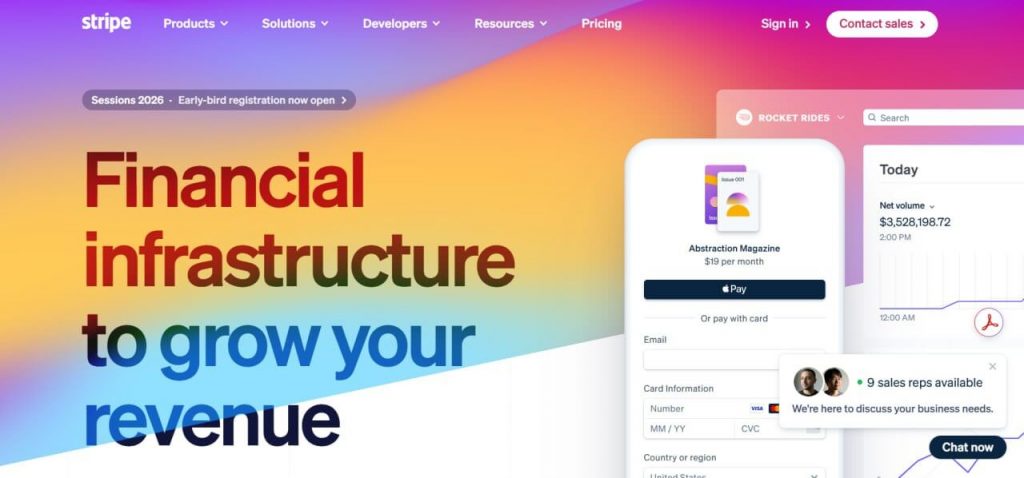
The integration between Stripe and Xero allows payments through cards, Apple Pay, and Google Pay directly, reducing the gap between invoicing and receiving the payments. Two distinct functions that can be separated are that of Stripe as the payment processor responsible for processing payment, and that of the integration tool like Synder (at #1), which is responsible for posting the Stripe payment details into Xero along with the charges, deductions, and the tax component.
Key features
- Payment through one-click card, Apple Pay, and Google Pay on Xero invoices.
- Support for different cards like Visa, MasterCard, Amex, Discover, and digital wallets.
- ACH debit as a cost-effective method of making payments.
- Various additional products like subscription billing and invoicing among others.
Pricing (US, standard pay-as-you-go; no monthly or setup fee)
| Plan | Price | What’s included |
| Standard | 2.9% + 30¢ per online card charge | Domestic card processing, wallets, no monthly fee |
| ACH debit | 0.8% per transaction (capped at $5) | Bank-debit payments |
| Custom / Enterprise | Negotiated (high volume) | Interchange-plus pricing and volume discounts |
International cards (+1.5%), foreign exchange (around 1%), and the optional Billings add-on (0.7%) are charged on top of the base rates.
Best for: businesses invoicing via Xero wanting their clients to make fast online payments along with a payout gateway solution.
10. Gusto, best for US payroll posting
Gusto is the officially designated US payroll partner of Xero and is listed under the Payroll tab in Xero because it does not offer native US payroll services on any of its plans. Gusto synchronizes with Xero and generates payroll journals automatically, ensuring that salary payments, taxes, and withholdings are recorded automatically.
Key features
- Payroll that automatically files federal, state, and local taxes.
- Unlimited payroll cycles and direct deposit.
- Generation of year-end W-2 and 1099 forms for all plan levels.
- Benefits administration and HR tools that scale with plan tier.
Pricing (base fee plus per-person; 2026 rates)
| Plan | Price | What’s included |
| Contractor Only | ~$35/mo + $6/contractor | 1099 contractor payments, no W-2 employees |
| Simple | $49/mo + $6/person | Single-state full-service payroll, basic HR |
| Plus | $80/mo + $12/person | Multi-state payroll, next-day deposit, time tracking, onboarding |
| Premium | $180/mo + $22/person | Dedicated CSM, HR advisory, compliance alerts, performance reviews |
| Select | Custom (talk to sales) | Premium tools and dedicated support for larger teams (25+ employees) |
Best for: U.S.-based companies using Xero that require full-service payroll to post both wages and taxes directly to their books.
| Consider this list as advice. Start by improving the step in the chain that is currently taking the longest or being done wrong the most often, and build from there. Costs change, so double-check the pricing information at each provider’s website. |
You might also find these useful:
How to connect Apps with Xero
Mostly configuring an app to Xero is done within the app itself, not in Xero. The sequence:
- Search the Xero App Store for the app. Each app detail includes ratings, pricing and the supported Xero plans.
- Be sure to try the provider since most certified applications have a trial period.
- Grant access, which will connect the app to your Xero organization via Xero’s secure API.
- Set up the mapping, determining which accounts sales, fees, refunds and tax post to, and any rules that exclude transactions or apply line by line GL coding.
- Do a preliminary sync and reconcile prior to use at month-end.
But before setting anything up, weigh the pros and cons of summary sync versus per-transaction sync, as this decision will shape the rest of the setup process.
Why integration architecture is important for the 2026 close
One of the biggest monthly manual reconciliation challenges for finance teams is that it’s time consuming, especially as volume increases. The problem arises over and over, whether for ecommerce or SaaS companies: payouts come in chunks, fees are included in those chunks and manually dropping them into a deposit account takes hours, and missing classification of fees makes revenue and margin reporting inaccurate. That’s why automating ecommerce bookkeeping is frequently one of the first enhancements for growing businesses.
The design of the integration is important. Xero’s built-in Shopify integration pulls orders (not payouts) but payouts are what should reconcile.
- Order: what was purchased by the customer
- Payout: what was actually paid after fees, refunds, charge backs, and timing differences
| Function | Xero’s native Shopify (or similar) connector | Purpose-built payout integration |
| What it imports | Orders | Payouts |
| Reconciles against the bank? | No – order totals don’t match deposits | Yes – payout total matches the bank deposit to the cent |
| Fee separation | None – fees stay buried in the net deposit | Splits gross revenue, processing fees, refunds, and tax onto separate GL lines |
Booking that net deposit as a single sales figure is the most common and most expensive bookkeeping error. Let’s say, $10,000 in gross sales nets down to a $9,480 bank deposit after $370 in processing fees, $100 in refunds, and $50 in chargebacks. If you code $9,480 to Sales, you’ll understated revenue by $520, hide every fee and refund, and guarantee your processor statements never match the books. These are four separate line items, and an integration either splits them for you or leaves you to sort them out by hand.
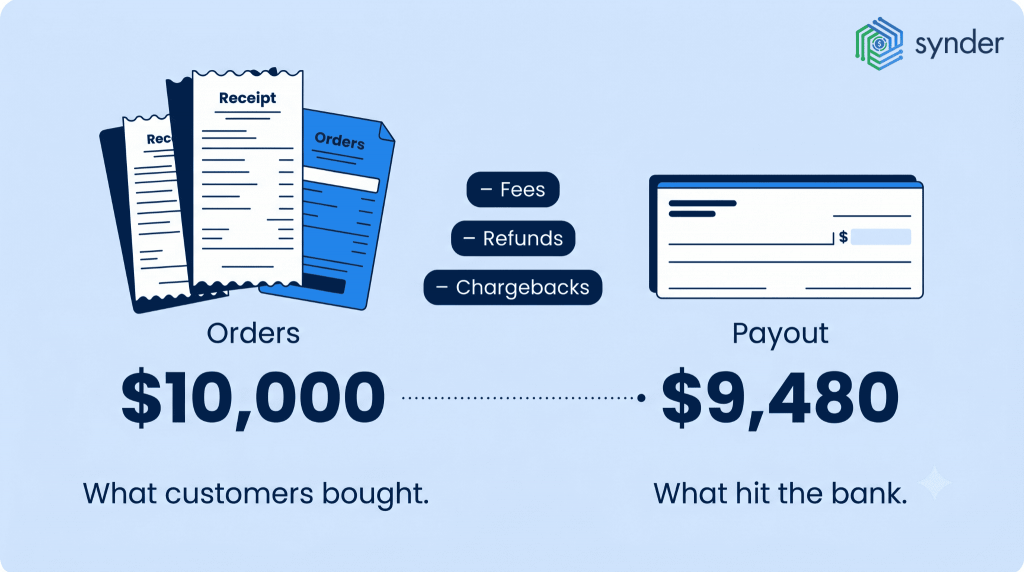
Instead reconcile with payouts via a clearing account, and fees, refunds, timing differences are monitored separately and can easily be matched up and books can be closed accurately. Synder functions like this: the payments appear in a clearing account, sales, fees, and refunds appear on separate lines. When selecting a Xero integration, you need to understand if it will be able to reconcile payouts or just import orders, as that can make the month-end process either easy or much of a hassle.
Common reconciliation errors and how to fix them
Most reconciliation failures come down to a few recurring errors, each with a clear fix:
| Common error | Why it breaks the books | The fix |
| Booking the net deposit as one sales figure | Understates revenue and buries fees, refunds, and tax in a single number | Split gross sales, fees, refunds, and tax onto separate GL lines at sync |
| Reconciling against orders, not payouts | Order totals never match the bank deposit, so the close won’t tie out | Use an integration that reconciles at the payout level |
| Posting payments straight to the bank | Timing and fee differences leave reconciling items that never clear | Route every payout through a dedicated clearing account that nets to zero |
| Recognizing deferred revenue as immediate revenue | Violates ASC 606 by booking unearned cash as earned income | Post unearned amounts to a deferred revenue liability, release as earned |
| Double-counting marketplace facilitator tax | Inflates gross revenue or overstates liability, causing wrong state filings | Separate facilitator-collected tax from your own native tax mappings |
| App bloat and data collision | Two apps sync the same orders into Xero, duplicating revenue | One source of truth per data type; disable financial sync on the duplicate |
How real businesses cut their close time
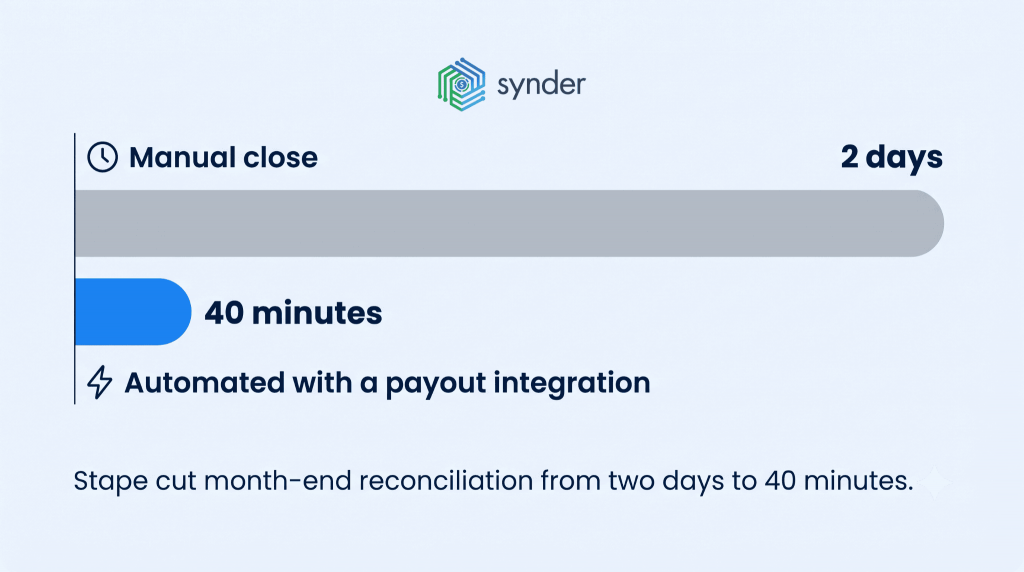
The impact becomes clearer when you look at the results businesses have achieved after making the switch automation.
Stape, a SaaS business, faced challenges in tracking monthly and annual subscriptions as well as ensuring accurate client-specific tracking at scale, managing transactions with multiple currencies, and GAAP tracking. After connecting Stripe and Xero through Synder with per-transaction reconciliation, they cut reconciliation time from two days a month to around 40 minutes, saving an estimated 180 hours per client annually and reducing reconciliation work by 95%.
Stape’s Financial Manager said:
It now takes me about 40 minutes to finish and review a month’s data, whereas manually, it would have taken at least two days.
Olena Svoiak, Financial Manager at Stape
The same happens at the accounting firms. Decimal managed clients using QuickBooks Online, Xero, Stripe, PayPal, Shopify, and Amazon, spending hours manually entering and reconciling data across systems. By bringing transaction management and reconciliation into one place, they cut month-end reconciliation time by more than 50% and saved 6–8 hours per client each month, giving the team more time for advisory work.
The best ways to select the right Xero integrations for your business
There are thousands of apps out there, so it’s not about the more apps you have, it’s about the fewest number of apps that you can have to take away as much manual work as possible. First you need to find the leak points, as that is your first integration. Whether you’re separating out Stripe fees yourself, a payout connector is the top priority, or if you’re just getting your supplier bills, capture is the top priority.
1. Know about the limits of Xero. What’s not great about it is not on the core ledger – native import of detailed sales, fees, payouts isn’t great, if you’re a high volume seller, you may have one or two pain points with importing detailed sales, fees, payouts, and a few users have mentioned a learning curve and a lighter mobile app. But integrations address those gaps, which is why it’s important to select one that isn’t limited by the platform.
2. Conduct a few checks on operators as to whether they are strong or weak. Research fee, refund and reserve policies as/recon fails there and check it’s going through a recon and not posting net to the bank. Look for Xero App Store to be certified (which means that it is reviewed and there are no hidden fees) and read reviews from businesses at your volume. The ultimate filter is scale, and it’s often the most missed one because if a tool can handle 200 transactions/mo, it can blow up in 5000 transactions/mo.
3. Watch for app bloat and data collision. If you’re using a payout connector on the sales side with a separate inventory/ecommerce app that does financial sync to Xero, then one of these apps should not be enabled for financial sync. They are both on, they both send the same Shopify orders to Xero, making your audit team’s job much harder, and costing you revenue. The concept is: one source of truth per data type, one sales tool, one inventory tool and no duplication of what’s posted into the ledger.
You can use the steps above to help you determine which integrations with Xero you are going to use.
Final word on choosing your Xero integrations
The best accounting integrations in Xero eliminate repetitive tasks in the ledger and do so properly under the ledger architecture of the Accounting system. For ecommerce and SaaS companies and retail companies, it’s about being able to offer a “top to bottom” solution that has a payout connector, a sales connector, a clearing account and, if needed, a dedicated inventory or marketplace tooling. The benefit is the amount of time saved, decreased number of reconciling items and reports you can act on.
Don’t be generic, be specific. Look at the biggest and most boring manual task you do and choose a certified tool that has an architecture similar to that task, set up the mapping and sync mode, then don’t trust it until you reconcile a known period and then do that. If integrated correctly, your Xero record is current and reflects the performance of your business.
FAQ
What are the differences between summary sync vs per-transaction sync in Xero?
Use per transaction sync if you require line level detail, like customer assignments per order, detailed COGS or audit-ready records. Select summary sync for a high number of transactions and you would prefer to post the total of those transactions daily or based on the number of payouts, which balance to the bank statement. It’s about volume and reporting depth, not necessarily preference.
Is there a way to automate multi-currency payments in Xero without manual FX adjustments?
Yes. If the exchange rates you have set up in Xero are correct, a good connector will automatically apply them when posting every transaction for you, meaning foreign-currency sales and payouts will be posted correctly without you having to change the rates line-by-line. Ensure that the tool is reading Xero’s rates and not their own and that it has separate currency clearing accounts, and each account should be reconciled independently.
What is the benefit of reconciliation errors being prevented by clearing accounts?
Each payout payment goes to a clearing account which includes gross sales, fees, and refunds, and then the net amount is transferred to the bank account; this allows for matching the payout against itemized activities. If the clearing balance is zero, all fees and timing differences have been cleared. Posting sales directly to the bank saves the need to reconcile that check and results in reconciling items that don’t get cleared up.