

If you’re running a growing business with multiple entities or complex project management needs, you’ve probably hit the ceiling with QuickBooks Online, operating in the space between small-business accounting and full ERP systems, and Intuit Enterprise Suite positions itself as the natural next step According to the Intuit QuickBooks Business Solutions Survey, growth is the number one priority for mid-market businesses, with 82% prioritizing expansion at a steady or fast pace over the next year.
The real challenge here lies in that growing businesses get to manage 10 different software programs on average, leading to overspent budgets and hours lost on manual data entry. Intuit Enterprise Suite promises to solve this by consolidating financial management, payroll, payments, and marketing into one integrated platform. But does it deliver on that promise? We’re going to walk through what Intuit Enterprise Suite actually offers, where it excels, where it falls short, and who should seriously consider making the switch.
TL;DR
- Intuit Enterprise Suite is a cloud-based platform for mid-market businesses that have outgrown QuickBooks Online but don’t need a full ERP.
- It excels at complexity, offering native multi-entity management, advanced dimensional reporting, budget automation, and integrated HR and payroll.
- It falls short for product-based and ecommerce businesses, with limited inventory features, underwhelming AI, no offline access, and no native ecommerce or payment processor syncing.
- Automation solutions like Synder are often required to handle high-volume sales, multi-channel data sync, and balance reconciliation inside Intuit Enterprise Suite.
What is Intuit Enterprise Suite?
Built for scaling finance teams, Intuit Enterprise Suite adds multi-entity visibility, advanced controls, and enterprise-grade reporting while staying fast to implement and easy to run. Think of it as QuickBooks Online with a lot more horsepower under the hood.
Launched in September 2024, Intuit Enterprise Suite targets the $89 billion total addressable market of larger mid-market businesses dealing with complexity that basic accounting software can’t handle. It’s built on the familiar QuickBooks Online interface, which means your team won’t face the steep learning curve that comes with switching to NetSuite or Microsoft Dynamics.
The platform brings multiple core functions into a single, unified system, including:
- Financial management
- Payroll
- Human resources
- Payment processing
- Bill pay
- Marketing tools (via Mailchimp)
By consolidating these functions, it eliminates data silos that typically force teams to export reports, import them into other tools, and manually reconcile differences. With all core business data centralized and kept in sync, day-to-day operations become simpler and more reliable.
This approach is especially valuable for businesses with multiple legal entities, service-based operations, and complex construction projects.
Key features that set Intuit Enterprise Suite apart
Intuit Enterprise Suite’s feature set focuses on handling operational complexity at scale within a single, integrated platform.
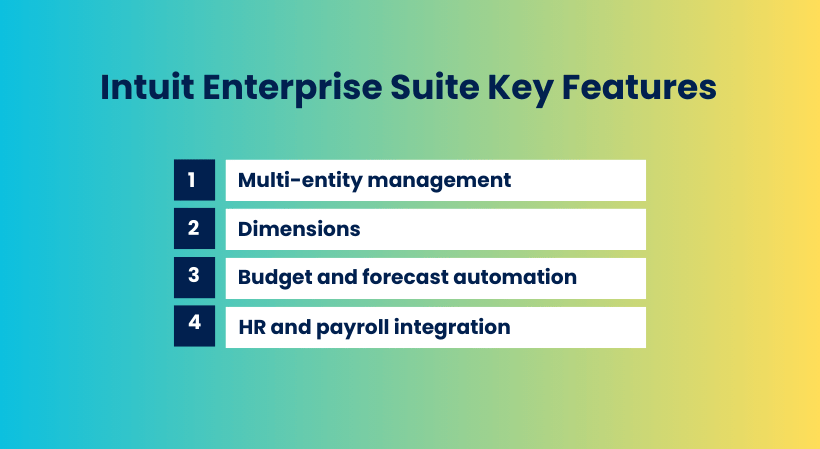
Multi-entity management
The standout feature that helps to handle multiple business entities. Instead of maintaining separate QuickBooks subscriptions for each company you own, you can manage everything under one umbrella. Switch between entities using a simple dropdown menu, invite up to 500 users with customized access permissions, and run consolidated financial statements across your entire portfolio.
This becomes particularly valuable for real estate developers managing multiple properties, franchisees overseeing several locations, or holding companies with diverse subsidiaries. The system automatically handles intercompany transactions, so when one entity invoices another, Intuit Enterprise Suite creates the matching receivable and payable entries without manual journal entries. Your consolidated balance sheet and P&L reports accurately reflect the performance of your entire business group.
Dimensions: A reporting tool
QuickBooks users already know Classes and Locations for categorizing transactions, but Intuit Enterprise Suite takes this concept several steps further with Dimensions. You can create up to 20 different dimensions (1 class + 19 custom fields) with unlimited values in a multilevel hierarchy.
In practice this means that construction companies, for example, can track profitability not just by project (which Class handles), but simultaneously by job type, location, customer segment, crew assignment, and equipment usage, or professional services firms can analyze revenue by client, service line, partner, office location, and project phase without creating an overly complex chart of accounts.
These dimensions flow through to your budgets and forecasts as well. You can set line-item budgets by any combination of dimensions, giving you granular financial planning that actually reflects how your business operates. The reporting flexibility here genuinely surpasses what QuickBooks Desktop Enterprise offers.
Budget and forecast automation
Intuit Enterprise Suite includes workflow automation for budgets and forecasts that addresses a common frustration in growing businesses. You can create custom rules that trigger specific actions when certain conditions are met, such as:
- Sending approval requests when a department exceeds its quarterly budget by 10%
- Generating email notifications when project forecasts reach completion milestones
- Creating follow-up tasks when revenue targets aren’t tracking to plan
- Setting automatic reminders to review and adjust forecasts monthly
This automation eliminates the manual tracking that typically happens in spreadsheets or through endless email chains.
HR and payroll integration
Growing businesses face increasing complexity managing employees, and Intuit Enterprise Suite consolidates these functions into the main platform. The HR module handles employee onboarding by automating form completion, setting up profiles, and ensuring compliance with legal requirements. Important documents like contracts, tax forms, and performance reviews live in one secure, centralized location accessible to both HR teams and employees.
Benefits administration includes health insurance packages and 401(k) plans integrated directly into the system. Payroll calculations, tax filings, and time tracking run automatically, reducing the administrative burden on your finance team. For companies scaling from 10 employees to 50 or 100, having these capabilities built into your financial platform prevents the need to adopt yet another separate HR system.
Intuit Enterprise Suite pricing: What to expect
Intuit hasn’t published official pricing on their website, which is typical for mid-market software that requires custom configurations. Based on early reports and user discussions, here’s what you can expect:
| Business type | Annual cost | What’s included |
| Single-entity business | $7,800-$8,000 | Core financial management, basic automation, standard integrations |
| Multi-entity (2-5 companies) | $12,000-$15,000 | Multi-entity consolidation, advanced dimensions, full feature set |
| Complex multi-entity (5+ companies) | $15,000+ | Volume pricing, dedicated support, and custom implementation |
These prices position Intuit Enterprise Suite well below traditional ERP systems like NetSuite (which typically starts around $25,000-$30,000 annually for similar-sized businesses), but significantly above QuickBooks Desktop Enterprise Platinum (approximately $2,000 per year) or QuickBooks Online Advanced ($275/month for 25 users).
The pricing includes implementation support, but complex data migrations from Desktop or non-Intuit systems will incur additional professional services fees. Your exact cost depends on user count, integration requirements, and whether you need industry-specific customizations. Contact Intuit directly for a quote tailored to your business.
Intuit Enterprise Suite pros: Where it excels
Intuit Enterprise Suite stands out in areas that matter most: ease of adoption, modern infrastructure, and functionality that goes well beyond standard QuickBooks capabilities.
Familiar interface reduces training time
If your team already uses QuickBooks Online, they’ll adapt to Intuit Enterprise Suite quickly. The navigation, terminology, and basic workflows mirror QuickBooks Online closely enough that most users can start working productively within days rather than weeks. This familiarity advantage shouldn’t be underestimated. Traditional ERP implementations are hard to adopt because employees feel overwhelmed by the need to learn entirely new systems on top of their existing responsibilities.
Cloud-native architecture with modern infrastructure
Unlike QuickBooks Desktop Enterprise, which requires local servers or third-party hosting, Intuit Enterprise Suite runs entirely in the cloud with automated backups and continuous updates. You can access your financial data from anywhere, collaborate in real-time with team members, and grant accountants or bookkeepers secure access without sending files back and forth.
The cloud infrastructure also means Intuit handles security updates, compliance requirements, and system maintenance.
Genuine multi-entity capabilities
The multi-entity management in Intuit Enterprise Suite isn’t a workaround or a bolt-on feature, it’s architected into the core platform. Consolidated reporting actually works, intercompany transactions sync automatically, and you can analyze performance across entities or drill down into individual companies without switching accounts. For businesses managing multiple related entities, this alone can justify the cost upgrade from separate QuickBooks subscriptions.
Superior to QuickBooks for project-based businesses
The job costing functionality provides visibility into project profitability as work progresses, not just when you close the books at month-end. Change order tracking prevents scope creep from eroding margins, and the Cost to Complete reports give you early warning when projects trend toward overruns.
Combined with time-tracking integrations and labor allocation features, you can accurately bill clients for every hour worked while maintaining detailed records for your internal cost analysis. This level of project management functionality typically requires adding separate tools like Procore or Buildertrend, which then need data sync solutions to keep everything aligned.
Intuit Enterprise Suite cons: Where it falls short
Despite its strengths, Intuit Enterprise Suite has clear limitations that can impact certain business models, particularly product-based, ecommerce, and smaller mid-market companies. These gaps are important to understand before committing to the platform.
AI capabilities underwhelm
Intuit markets the AI-powered features in Enterprise Suite prominently, but the actual functionality doesn’t deliver much beyond what standard automation already accomplishes. The AI-powered invoice reminders and forecasts use relatively basic algorithms that don’t require artificial intelligence to execute. If you’re looking for advanced predictive analytics or natural language processing, those capabilities may be limited.
The gap between marketing promises and real AI capabilities means you’re essentially paying for features that sound impressive but don’t materially change how you work. Traditional business intelligence tools or even well-configured Excel models often provide similar insights without the AI branding.
Manufacturing and inventory limitations create deal-breakers
This is the most significant weakness for product-based businesses. Intuit Enterprise Suite can’t handle:
- Sales orders with backorder control and fulfillment worksheets
- Multiple warehouse sites with bin locations and inventory transfers
- Serial or lot number tracking with expiration dates
- Barcode scanning for mobile pick, pack, ship, receiving, and cycle counts
- Inventory assemblies with editable bills of materials and sub-assembly builds
- Landed cost allocation to items
- Automated reorder points with maximums and batch setup by site
- Where-used reports and batch component replacement across BOMs
QuickBooks Desktop Enterprise includes all of these features, which means manufacturers and distributors actually need to downgrade from Desktop to use Enterprise Suite. That doesn’t make sense for most inventory-heavy businesses. If your operations depend on these inventory management capabilities, stick with Desktop Enterprise or look at specialized manufacturing ERPs like Acumatica or Epicor.
Pricing creates sticker shock for smaller mid-market companies
When you’re currently paying $275/month for QuickBooks Online Advanced ($3,300 annually), the jump to $7,800-$15,000 for Intuit Enterprise Suite feels steep. Small businesses with 10-25 employees often struggle to justify this investment, particularly if they don’t fully utilize the advanced features.
The pricing structure also escalates quickly for multi-entity businesses. If you’re managing three related companies, you might be looking at $12,000-$15,000 annually compared to $9,900 for three separate QBO Advanced subscriptions. Unless you’re actively benefiting from consolidated reporting and automated intercompany transactions, the math doesn’t work in IES’s favor.
Still relatively new with an evolving feature set
Intuit Enterprise Suite has been in the market for over a year. While the platform has had time to address initial bugs and gather user feedback, it’s still relatively new compared to established solutions. Some edge cases, integration quirks, or scaling limitations may still emerge as more businesses adopt the software in diverse ways.
The platform has matured since its early days, but businesses implementing complex customizations or mission-critical workflows should still expect occasional adjustments. While Intuit’s track record with QuickBooks suggests they’ll address issues quickly, companies with extremely low tolerance for disruption might want to review recent user feedback and implementation case studies before committing.
Sales and payment data sync requires manual work or third-party tools
While Intuit Enterprise Suite integrates with Mailchimp and includes native payment processing through Intuit’s own tools, it doesn’t automatically import transaction data from major ecommerce platforms like Shopify, Amazon, WooCommerce, or Etsy. The same gap applies to payment processors such as Stripe, PayPal, and Square that ecommerce businesses use every day.
As a result, online sellers must manually export CSV files, import them into Intuit Enterprise Suite, map fields, categorize transactions, and reconcile fees. For businesses handling hundreds or thousands of transactions across multiple channels, this quickly becomes a time-consuming, error-prone process.
Advanced features like multi-entity management and dimensional reporting only add value if transaction data is accurate and detailed. With manual imports, sales don’t automatically carry key context such as sales channel, product category, or fulfillment location unless complex templates are built and applied consistently.
Solving the data gap
This is where accounting automation software like Synder becomes especially useful. Instead of relying on manual imports, Synder connects your sales and payment platforms directly to Intuit Enterprise Suite and keeps transaction data flowing automatically.
Key Synder capabilities include:
- Automatic transaction syncing from 30+ sales and payment platforms, including Shopify, Amazon, Stripe, PayPal, and other major channels, directly into Intuit Enterprise Suite in real time
- Rule-based categorization, automatically classifying transactions once rules are set
- Detailed transaction breakdowns, separating gross sales, refunds, fees, taxes, and shipping into the correct accounts
- Multi-entity routing, posting transactions to the correct legal entity based on where the sale was processed
- Automatic dimension assignment during sync, applying Intuit Enterprise Suite dimensions based on Amazon data points such as marketplace, fulfillment method, product, fee type, or Seller Central account, without manual tagging
Synder’s impact on growing businesses
Companies using Synder report:
- Saving 480+ hours annually on transaction categorization and bookkeeping services
- Reclaiming 70+ hours monthly previously spent on manual reconciliation
- Cutting up to $60,000+ yearly in deferred staffing costs and $24,000+ annually on bookkeeping services they no longer need
- Maintaining 99.5%+ reconciliation accuracy across multiple sales channels, eliminating the human error that creeps in when manually entering thousands of transactions
Synder works particularly well for mid-size businesses in ecommerce, health and wellness, professional services, technology and SaaS, and retail and consumer goods. These industries typically manage multiple sales channels, subscription billing, or complex fee structures that make manual reconciliation especially time-consuming. The automation becomes more valuable as transaction volume scales, which is exactly the growth stage where businesses consider moving to Intuit Enterprise Suite.
Ready to see how automated sync can work with your Intuit Enterprise Suite setup? Sign up for Synder to try it free for 15 days, or book a demo to discuss your specific multi-channel accounting needs.
Who should use Intuit Enterprise Suite?
Intuit Enterprise Suite tends to be a good fit for businesses that share a few common traits and challenges:
- Multi-entity service businesses moving beyond QuickBooks Online: If you run 2–10 related service-based companies and need consolidated reporting without having to manage multiple QuickBooks subscriptions, Enterprise Suite can simplify things. It works especially well for real estate investment firms, franchise groups, consultancies, and other professional services organizations managing multiple legal entities.
- Construction and contracting teams that need clearer project visibility: General contractors and specialty trades often outgrow QuickBooks Online when it comes to job tracking. Enterprise Suite adds stronger job costing, change order tracking, and Cost to Complete reporting, while keeping everything cloud-based so office and field teams stay in sync.
- QuickBooks Desktop Enterprise users who don’t rely on advanced inventory: If you’re mainly using Desktop Enterprise for multi-user access and class tracking, Enterprise Suite offers a smoother move to the cloud without giving up what already works. Your data migrates automatically, and you gain mobile access, backups, and a more modern setup.
- Growing teams with more complex payroll needs: Companies with roughly 25–100 employees often find that basic payroll tools start to fall short. Enterprise Suite keeps payroll, benefits, and HR workflows under one roof, reducing the need to stitch together separate systems.
- Businesses ready to consolidate software spend: Enterprise Suite makes sense when you’re already paying for several tools such as accounting, payroll, project management, and HR, and want to bring them together. If a $10K–$15K annual software budget is realistic for your business, consolidation can actually simplify operations and lower total costs over time.
Intuit Enterprise Suite vs QuickBooks Enterprise Desktop
Many businesses evaluating Intuit Enterprise Suite are currently using QuickBooks Desktop Enterprise and wondering whether they should make the switch. Here’s how the two platforms compare:
| Feature | QuickBooks Desktop Enterprise | Intuit Enterprise Suite |
| Inventory management | Advanced features: sales orders, serial/lot tracking, bins, barcode scanning, bill of materials | Basic inventory tracking only, no advanced features |
| Multi-entity operations | Requires separate company files and third-party consolidation tools | Native multi-entity management with automated intercompany transactions and consolidated reporting |
| Cloud access | Requires hosting services ($600-$1,200/user annually) for remote access | Built-in cloud access with automatic backups and mobile functionality |
| Starting price | $2,000/year (single user) + hosting costs = $3,000-$4,000 total | $7,800/year (includes cloud access) |
| Learning curve | Steep adjustment for Desktop users switching to cloud interface | Easy transition for QuickBooks Online users, harder for Desktop users |
| Data migration | N/A | Requires professional services engagement, not automatic |
| Best for | Manufacturing, distribution, inventory-heavy operations | Service businesses, multi-entity companies, cloud-first operations |
Summing up, Desktop Enterprise wins decisively on inventory management capabilities. Intuit Enterprise Suite excels at multi-entity operations and modern cloud functionality. Choose based on whether you prioritize comprehensive inventory features or integrated multi-entity management with cloud benefits.
Final thoughts on Intuit Enterprise Suite
Intuit Enterprise Suite is a strong fit for mid-market, service-based businesses that need better control over multi-entity operations, reporting, and payroll without stepping into full ERP territory. Its familiar QuickBooks interface lowers the adoption barrier, while features like dimensions, consolidated reporting, and budget automation address the real complexity growing companies face.
That said, Enterprise Suite isn’t a universal solution. Ecommerce, product-based, and inventory-heavy businesses will quickly run into limitations, especially around sales data imports, payment reconciliation, and inventory management. For these teams, Intuit Enterprise Suite works best when paired with accounting automation that fills the data gaps and keeps high-volume transactions accurate and reconciled.
The bottom line: if your business values multi-entity visibility, project-level insight, and cloud-first operations, and you’re ready to invest at the mid-market level, Intuit Enterprise Suite can be a solid upgrade. Just be clear on where it excels, where it doesn’t, and what additional tools you’ll need to make it work at scale.
FAQ
What are the benefits of Intuit Enterprise Suite?
The main benefits include multi-entity management from one dashboard, up to 20 custom dimensions for detailed reporting, industry-specific features for construction and professional services, integrated payroll and HR, and cloud-based access with automatic backups. These capabilities help mid-market businesses consolidate operations and reduce time spent switching between multiple software systems.
Is Intuit Enterprise Suite better than QuickBooks Enterprise Desktop?
It depends on your business type. Intuit Enterprise Suite excels at multi-entity management, cloud collaboration, and project-based service businesses. QuickBooks Desktop Enterprise is superior for manufacturing and distribution with its advanced inventory features like sales orders, serial tracking, bins, and barcode scanning. Choose based on whether you prioritize modern cloud functionality or comprehensive inventory management.
How much does QuickBooks Enterprise Suite cost?
Intuit Enterprise Suite (not QuickBooks Enterprise, they’re different products) costs approximately $7,800-$8,000 annually for single-entity businesses and $12,000-$15,000+ for multi-entity operations. Pricing varies based on user count, complexity, and integration requirements. This is way more expensive than QuickBooks Online Advanced but less costly than traditional ERP systems like NetSuite.
Is QuickBooks Enterprise worth it for small businesses?
For small businesses with straightforward needs, QuickBooks Enterprise Suite is likely overkill both in functionality and cost. The platform targets mid-market companies managing multiple entities, complex projects, or industry-specific workflows that QuickBooks Online can’t handle. Small businesses under 25 employees with simple accounting needs should stick with QuickBooks Online or QuickBooks Desktop Pro/Premier instead.
Can Intuit Enterprise Suite handle inventory management?
Intuit Enterprise Suite offers basic inventory tracking suitable for service businesses that occasionally sell products, but it lacks the advanced features that manufacturers and distributors need. It doesn’t support sales orders, serial/lot tracking, bins, barcode scanning, or bills of materials. Businesses requiring these capabilities should use QuickBooks Desktop Enterprise or dedicated manufacturing ERPs instead.
How does Intuit Enterprise Suite integrate with other business apps?
Intuit Enterprise Suite integrates with various third-party applications, including BigTime and Knowify for time tracking, Mailchimp for marketing, and standard payment processing tools. The platform also works with accounting automation tools like Synder to automatically sync ecommerce transactions from platforms like Shopify, Amazon, and Stripe directly into your books without manual data entry.