.png)

Accounting is changing fast, and small-to-medium-sized businesses are feeling it first. As transaction volumes grow, entities multiply, and reporting expectations increase, manual processes stop scaling. AI accounting software steps in to automate transaction categorization, reconciliations, and real-time reporting, without adding headcount. The shift is widely recognized: Karbon’s 2024 State of AI in Accounting report shows that 71% of accounting professionals expect AI to significantly reshape the industry. For business owners, this means that the right AI tools can eliminate hours of operational accounting work each week, improve visibility across entities and channels, and free teams to focus on growth instead of clean-up.
This article reviews the top AI accounting solutions available in 2026, breaking down what each platform does best, how pricing works, and which types of mid-size businesses they’re built to support, so you can choose with clarity and confidence.
TL;DR
- Traditional accounting software relies on fixed rules and manual maintenance, which breaks down as transaction volume, sales channels, and fee complexity grow.
- AI accounting software learns patterns over time, reducing manual categorization, reconciliation effort, and ongoing rule management.
- Popular AI-enabled platforms like QuickBooks Online, Xero, Sage Intacct, NetSuite, and Docyt address different stages of business complexity, from small teams to enterprise operations.
- Despite automation, most accounting systems still struggle with multi-platform ecommerce data, fee breakdowns, timing delays, and loss of transaction detail.
- Synder fills this gap by connecting directly to sales platforms and payment processors, syncing complete transaction data in real time before it reaches the ledger.
What is AI accounting software vs. traditional accounting software?
Traditional accounting software waits for instructions. AI accounting software pays attention. Instead of relying on fixed rules and manual review, AI platforms learn from how your financial data behaves over time.
The difference becomes clear when something new appears. A new vendor invoice, an unfamiliar fee, or an irregular payout isn’t automatically pushed into manual review. The system compares it to similar past activity and applies the most likely treatment, adjusting as your business changes.
For a mid-size business adding a new sales channel, early payouts often include mixed fees and delayed settlements. Traditional software needs repeated manual fixes. An AI system learns the pattern after a few cycles and applies it consistently going forward.
Let’s look at how traditional and AI accounting software stack up:
| Feature | Traditional accounting software | AI accounting software |
| Transaction handling | Follows pre-configured rules only | Learns patterns and adapts automatically |
| New scenarios | Requires manual rule creation | Recognizes similar patterns and applies context |
| Accuracy improvement | Static until you update rules | Improves continuously through machine learning |
| Setup effort | Extensive initial rule configuration | Minimal setup, learns from your corrections |
| Edge cases | Flags everything unusual for review | Handles variations based on similar transactions |
| Maintenance | Regular rule updates as business changes | Self-adjusting as patterns evolve |
Learn more about accounting AI trends.
Key features of AI accounting software
Beyond rule-based automation, AI accounting software is defined by capabilities that allow systems to adapt as business conditions change:
- Continuous learning from corrections: The system refines its decisions based on how users approve, edit, or override entries over time.
- Context-aware decisioning: Transactions are evaluated using multiple signals at once, such as historical behavior, timing, counterparties, and transaction structure, rather than single-rule triggers.
- Early issue detection: Potential discrepancies surface closer to when transactions occur, reducing downstream cleanup during reconciliation or close.
- Scalable handling of variability: Changes in payout structures, fee formats, or transaction volume are absorbed without requiring constant reconfiguration.
These capabilities are implemented differently across platforms, depending on the type of business they’re built for and the problems they prioritize.
5 best AI accounting software solutions for 2026
The following solutions represent the strongest options currently available, each excelling in different areas while providing core AI-powered accounting capabilities.
1. QuickBooks Online
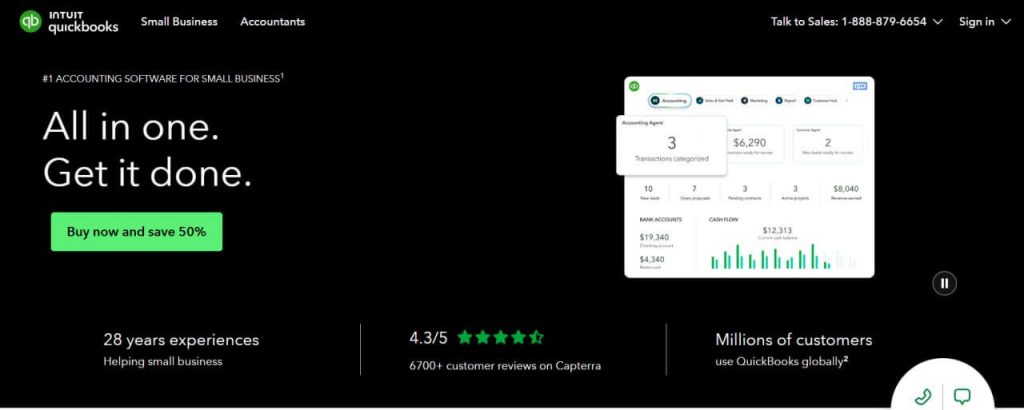
QuickBooks Online embeds AI across its core workflows to help business owners manage accounting without deep bookkeeping expertise. Its AI focuses on learning from day-to-day activity to reduce manual input, surface insights, and keep records current as the business grows.
Core features
- AI-based transaction categorization
- Automated bank reconciliation
- Natural-language financial assistant
- Expense and receipt tracking
- Invoice management and payment reminders
- Sales tax calculation and reporting
- Cash flow forecasting
Pricing
| Plan | Cost | What’s included |
| Simple Start | $35/month | Basic bookkeeping, receipt capture, income/expense tracking, sales tax, and mobile app |
| Essentials | $65/month | Everything in Simple Start, plus bill management, time tracking, and 3 users |
| Plus | $99/month | Everything in Essentials plus inventory tracking, project profitability, 5 users |
| Advanced | $235/month | Everything in Plus plus custom access controls, dedicated support, batch invoicing, custom fields |
Ideal for: QuickBooks Online suits small to mid-sized businesses across most industries, particularly those wanting a well-known brand with extensive support resources and integration options.
2. Xero

Xero is a cloud-first accounting platform with AI capabilities centered on reducing reconciliation effort and keeping books current with minimal manual input. Its machine learning focuses on recognizing transaction patterns, improving match accuracy, and streamlining bill handling and cash visibility as transaction volume grows.
Core features
- Machine-learning bank reconciliation
- Bill data extraction and coding
- Automated bill scheduling and payments
- Intelligent contact and vendor management
- AI-driven financial trend analysis
- Short-term cash flow forecasting
Pricing
| Plan | Cost | What’s included |
| Early | $15/month | 20 invoices, 5 bills, bank reconciliation, basic reporting, unlimited users |
| Growing | $42/month | Unlimited invoices/bills, multi-currency, purchase orders, expense claims, unlimited users |
| Established | $78/month | Everything in Growing plus project tracking, multiple currencies, expenses, and analytics |
Ideal for: Xero works best for service-based businesses, consultants, and freelancers who prioritize clean bank reconciliation and don’t need complex inventory management.
3. Sage Intacct
Sage Intacct is built for businesses that have outgrown basic bookkeeping and need structured financial control across entities, departments, and reporting dimensions. Its AI prioritizes accuracy and scalability for complex accounting processes instead of day-to-day transaction handling.
Core features
- Dimensional accounting across departments, locations, projects, and entities
- AI-suggested GL and dimensional coding
- AI-assisted month-end close management
- Intelligent cash flow forecasting
- Transaction and journal entry anomaly detection
- Multi-entity consolidation with intercompany eliminations and currency translation
Pricing
| Plan | Cost | What’s included |
| Core financials | Starting at $500/month | General ledger, accounts payable/receivable, cash management, basic reporting |
| + Multi-entity | Custom pricing | Core financials plus consolidations, intercompany eliminations, multi-currency |
| + Advanced modules | Custom pricing | Revenue recognition, subscription billing, project accounting, custom dimensions |
Ideal for: Sage Intacct suits mid-market businesses with $5-100 million in revenue, particularly those in professional services, software, nonprofit, or healthcare industries.
4. NetSuite
NetSuite is a full cloud ERP with accounting as one of its core modules, designed for businesses managing complex operations across finance, inventory, and commerce. NetSuite’s AI capabilities span workflows that focus on scale, control, and predictive insight.
Core features
- Machine-learning transaction categorization
- Real-time anomaly and duplicate detection
- Predictive analytics for revenue and cash flow
- Automated bank reconciliation at high volumes
- AI-assisted data entry and field population
- Financial planning and scenario modeling
Pricing
| Plan | Cost | What’s included |
| Starter | Starting at $1,000-$2,000/month | Core financials (GL, AP, AR), bank reconciliation, financial reporting, basic modules |
| Mid-market | $3,000-$10,000+/month | Starter plus multi-currency, multi-subsidiary, advanced reporting, additional modules |
| Enterprise | Custom pricing | Full ERP suite including advanced financials, customization, dedicated support, unlimited users |
Ideal for: NetSuite suits growing mid-market companies ($10-500 million revenue) and enterprises needing a unified system for financials, operations, and customer management.
5. Docyt
Docyt sits between self-managed accounting software and outsourced bookkeeping, combining AI-driven automation with built-in analytical assistance. It’s particularly strong in transaction-heavy environments and offers industry-oriented workflows, with a notable focus on hospitality and retail businesses.
Core features
- AI-based document and receipt processing
- Machine-learning transaction categorization
- Continuous financial dashboards and reporting
- Natural-language financial queries and explanations
- Automated bank reconciliation
- Industry-specific workflows and templates
- Integrations with POS systems, payment providers, and banks
Pricing
| Plan | Cost | What’s included |
| Basic | $200-300/month | Automated document processing, transaction categorization, basic dashboards |
| Standard | $400-600/month | Everything in Basic plus real-time reporting, multi-location support, dedicated support |
| Premium | $800-1,000+/month | Everything in Standard plus bookkeeper assistance, advanced analytics, priority support |
Ideal for: Docyt suits restaurant groups, retail chains, and businesses operating multiple locations where centralized financial management is important.
Finding the best AI accounting software for your business
The AI accounting market offers tools for every stage of growth, but the right choice depends less on advanced features and more on fit. Start by identifying where your accounting process breaks down, whether that’s transaction volume, reconciliation time, bill handling, or close complexity. Just as important, be honest about your team’s capacity to configure and monitor automation and about which tools in your existing stack must stay in place. The platforms that deliver the most value are the ones that align with how your business actually operates and get used consistently as complexity increases.
Key factors to evaluate
- Primary accounting pain points
- Transaction volume and complexity
- Required integrations
- Setup and ongoing oversight effort
- Scalability for future growth
Comparing AI accounting software based on the key factors
The following comparison highlights core differences across key evaluation criteria based on user reviews and platform analysis:
| Software | Main pain points solved | Transaction volume & complexity | Required integrations | Scalability |
| Quick Books | Manual categorization, sales tax compliance, invoicing, bank reconciliation | Low to medium volume, handles inventory & projects | 750+ apps, strongest third-party ecosystem | Grows with business to mid-market, then limitations appear |
| Xero | Bank reconciliation time, multi-user access costs | Low to medium volume, simpler operations | 1,000+ apps, strong international payment support, flexible ecosystem | Excellent for small business growth, unlimited users prevent cost jumps |
| Sage Intacct | Multi-entity consolidation, complex revenue recognition, dimensional reporting | High volume, complex multi-entity scenarios | Deep ERP/CRM integrations (Salesforce, ADP), fewer but more sophisticated | Built for $5-100M businesses, handles sophisticated growth |
| NetSuite | Fragmented systems, lack of real-time data across departments | Very high volume, enterprise complexity | Comprehensive but closed ecosystem, built-in modules preferred over third-party | Enterprise-grade scalability from $10M to $500M+ revenue |
| Docyt | Document processing chaos, multi-location financial visibility | Medium volume, hospitality/ retail specific needs | Industry-specific (POS, payment processors), fewer general integrations | Good for growing multi- location operations in target industries |
Common limitations of AI accounting software
AI accounting platforms automate large portions of bookkeeping, but they still have structural limitations that affect accuracy, visibility, and scalability for certain business models. Understanding these constraints helps set realistic expectations and identify where additional tooling or manual processes may still be required.
Key limitations include:
- Multi-platform data fragmentation: Most accounting systems handle bank feeds well but struggle with detailed data from ecommerce platforms and payment processors, resulting in incomplete or overly summarized entries.
- Loss of transaction-level detail: Gross sales, fees, taxes, refunds, and shipping charges are often consolidated into net deposits, obscuring performance drivers and complicating reconciliation.
- Inconsistent fee categorization: Diverse fee types from marketplaces and processors are difficult for AI to classify reliably, especially when descriptions vary or fees are bundled.
- Synchronization delays: Bank and payment data typically posts with a delay, limiting visibility into current cash position and near-real-time performance.
- Historical data migration challenges: Importing detailed historical transactions often requires manual cleanup or summary-only imports, reducing long-term analytical value.
- Limited channel-level profitability insight: Standard accounting structures lack built-in revenue and cost attribution by sales channel, forcing off-platform analysis for margin visibility.
How Synder bridges the gap between sales platforms and accounting software
To address these gaps, accounting automation tools focus on normalizing sales and payment data before it enters the accounting system, rather than correcting it afterward. Synder has become a go-to option for mid-size businesses by solving the upstream data problem directly. Its integrations with sales platforms and payment processors ensure accounting systems receive accurate, complete transaction context without manual intervention.
What Synder enables
- Direct integrations with sales and payment platforms: Shopify, Amazon, WooCommerce, Etsy, Walmart, Stripe, PayPal, Square, and 30+ more.
- Real-time transaction synchronization: Sales, refunds, fees, and payouts sync as they occur.
- Flexible data granularity: Per Transaction sync for detailed reporting or Summary Sync for high-volume operations.
- Complete financial breakdowns: Gross revenue, taxes, discounts, shipping, fees, and net deposits recorded separately.
- Advanced automation with Smart Rules: Consistent categorization by product, channel, location, and marketplace tax rules.
- Multi-currency handling: Accurate currency conversion using platform-native exchange rates.
- Historical data import: Past transactions imported with full detail preserved.
- Balance reconciliation verification: Period-based reconciliation confirms summarized transactions match expected clearing account balances before posting.
- Revenue recognition (RevRec): GAAP-compliant revenue deferral and recognition for subscription businesses, handling upgrades, downgrades, cancellations, and prorations automatically.
This gives businesses clear, channel-level cost visibility for inventory and margin decisions, without manual review or month-end cleanup.
Benefits you get with Synder
Like Dermeleve, an ecommerce company selling over-the-counter medications across Shopify, Amazon, wholesale partnerships, and Stripe, you can:
- Handle 170,000+ transactions per year across multiple channels without expanding your accounting team
- Maintain 99.5%+ reconciliation accuracy at scale, even as volume and channel complexity increase
- Run accounting operations with minimal manual effort, relying on automated transaction sync and fee categorization
- Avoid adding accounting headcount, deferring $60,000+ annually in staffing costs
- Keep month-end close predictable and controlled, with fewer adjustments and cleaner reporting
Ready to eliminate hours of manual transaction imports and reconciliation work? Test Synder free for 15 days or book a demo to explore how the platform can be configured for your specific workflows.
Bottom line: Making the right choice
The choice between traditional accounting software and AI-powered tools comes down to scale and data complexity. Traditional platforms work well at lower volumes, but they rely on manual rules and cleanup as transactions, channels, and fee structures increase. AI-powered tools earn their cost by reducing that manual effort through pattern recognition and automation.
Synder fits into this picture as a layer that extends traditional accounting systems rather than replacing them. It handles high-volume, multi-platform sales data before it reaches the ledger, preserving transaction detail and automating reconciliation. For growing businesses, this allows tools like QuickBooks Online, Xero, NetSuite, or Sage Intacct to remain usable as complexity increases, while AI and automation absorb the operational load that would otherwise require more staff or manual processes.
FAQ
Is there AI bookkeeping software?
Yes. AI bookkeeping software is widely used to automate categorization, reconciliation, and reporting. Examples include QuickBooks, Xero, Sage Intacct, and NetSuite, often paired with automation tools like Synder, to reduce manual bookkeeping effort and improve accuracy, especially for businesses handling high transaction volumes or multiple sales channels.
Is there a ChatGPT for accounting?
There is no single “ChatGPT for accounting,” but many accounting platforms now include AI assistants that answer questions, explain variances, and generate reports using natural language. These tools rely on your accounting data and system rules rather than general knowledge models.
Will CPAs be replaced by AI?
No. AI is changing how CPAs work, not eliminating the role. Automation reduces time spent on data entry and reconciliation, allowing CPAs to focus on review, advisory, compliance, and decision support. Human judgment and accountability remain essential.
How to incorporate AI in your accounting workflows?
Start by identifying high-volume, repetitive tasks such as transaction categorization, reconciliation, or bill processing. Introduce AI tools to automate those areas first, and use platforms like Synder to normalize sales and payment data before it reaches your accounting system.