.png)

If your finance team processes hundreds or thousands of transactions each month, reconciliation can quickly turn into one of the most time-consuming parts of the close. It’s no surprise that businesses are looking for a better way. The global account reconciliation software market is projected to reach $8.9 billion by 2033, reflecting how quickly companies are moving away from spreadsheet-heavy workflows.
So what actually changes when reconciliation becomes automated? This article will look at how automated reconciliation works, how it compares to manual processes, and what to look for in software that handles it well.
TL;DR
- Automated reconciliation replaces manual matching: software compares transactions across systems, flagging discrepancies instead of waiting for a human to find them.
- Manual reconciliation doesn’t scale: as transaction volume grows, spreadsheet-based processes become slower, more error-prone, and harder to audit.
- The right software reduces close time significantly: teams typically see faster month-end close cycles and fewer rollbacks after switching to automated tools.
- Synder automates reconciliation for ecommerce and SaaS: With Balance Reconciliation and Transaction Reconciliation, it catches discrepancies before they can cause real damage.
What is automated reconciliation?
Reconciliation simply means confirming that the financial records in different systems line up. The totals in your accounting software should match the deposits in your bank account, and those deposits should correspond to what your payment platforms report.
For example, a payout from Stripe that lands in your bank should match the sales, refunds, and fees recorded in Stripe, and the same amounts should appear correctly in your accounting system. If you’re also selling through Shopify or Amazon, these platform reports need to reconcile with the same bank deposits as well.
Automated reconciliation shifts that comparison work to software. Instead of exporting reports and sorting through spreadsheets to find where numbers diverge, the system brings data from each source together, compares the records, and highlights anything that doesn’t align.
Manual vs. automated reconciliation
Here’s how the two approaches compare across the dimensions that matter most to finance teams:
| Factor | Manual reconciliation | Automated reconciliation |
| Speed | Hours to days per cycle | Minutes to hours |
| Error rate | Higher – susceptible to human error | Lower – rules-based matching |
| Scalability | Degrades as volume grows | Handles high transaction volumes consistently |
| Audit trail | Manual documentation required | System-generated logs |
| Staff time required | High | Low – team reviews exceptions only |
The practical difference shows up at month-end. With manual reconciliation, a single unexplained discrepancy can hold up the close while someone traces it back through weeks of transactions. With automation, that same discrepancy is flagged when fixing it is still relatively straightforward.
How automation works with different types of reconciliation
Automation doesn’t apply the same way to every reconciliation process. The underlying logic is consistent, but what the software actually does varies depending on where the data comes from and what counts as a valid match.
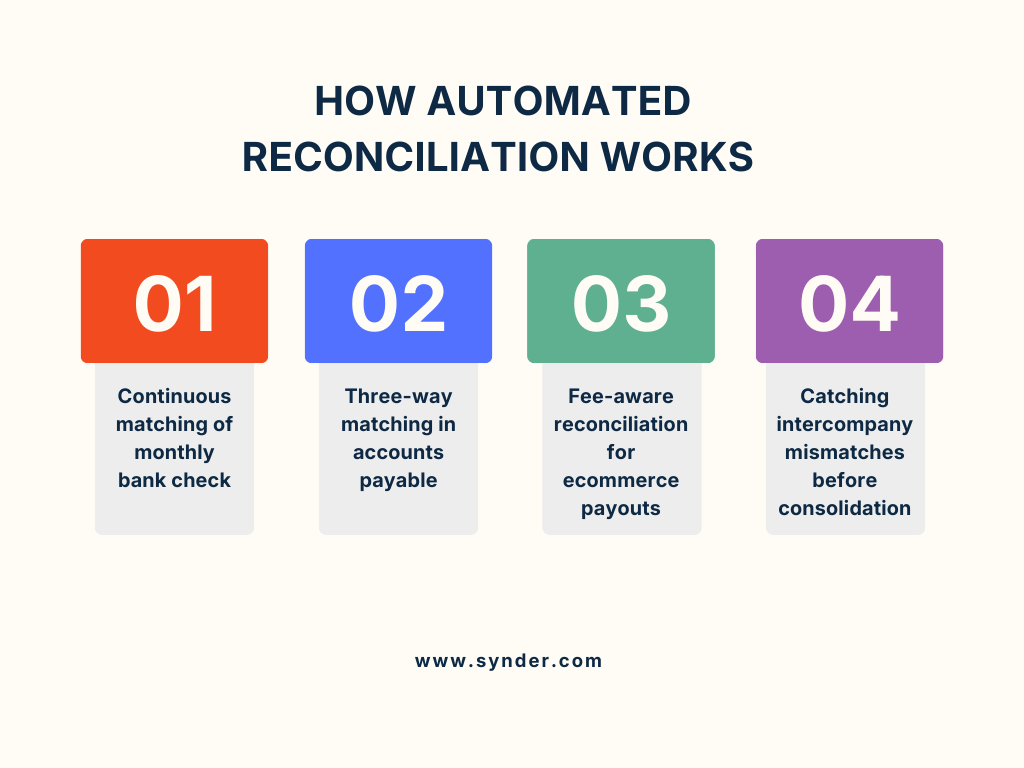
Matching of monthly bank check
Most businesses first encounter reconciliation automation here. The software connects directly to your bank feed and accounting system, matches deposits and withdrawals in real time, and flags anything that doesn’t line up: a duplicate entry, a timing difference, a missing transfer. What used to be a manual line-by-line comparison at month-end becomes a background check that runs whether anyone is looking or not.
Three-way matching in accounts payable
Automating accounts payable reconciliation is harder because it involves three-way matching:
- Purchase order
- Goods receipt
- Vendor invoice
All three must match before a payment is approved.
Automation handles the matching itself and routes exceptions to a human reviewer without someone manually tracking down every discrepancy across inboxes, PDFs, and spreadsheets.
Fee-aware reconciliation for ecommerce payouts
Accounts receivable reconciliation gets particularly complex for ecommerce businesses because the gross sales figure is almost never what hits the bank. Platform fees, refunds, chargebacks, and currency conversions all sit between the sale and the payout. Automation handles this by pulling the gross transaction data, the fee breakdown, and the payout amount in parallel and constructing the reconciliation automatically instead of leaving someone to reverse-engineer it from a bank deposit.
Catching intercompany mismatches before consolidation
For businesses with multiple entities, manual processes tend to break down entirely at close time. Two entities recording the same transaction from opposite sides need to agree on the amount, the date, and the account codes across time zones and sometimes currencies. Automation flags those mismatches early, rather than surfacing them during consolidation when there’s no clean window to fix them.
Automated reconciliation software: what it does and what to look for in practice
Dedicated reconciliation software connects to your data sources: payment processors, banks, accounting systems, ERPs, and handles the matching automatically. Most tools work by ingesting transactions from each source, applying configurable rules to find matches, and flagging exceptions for human review.
How to choose the right automated reconciliation software
Focus on a few practical factors:
- Native integrations with the platforms you actually use (Stripe, Shopify, Amazon, etc.).
- Scalability to handle your transaction volume without slowing down or getting expensive.
- Clear audit trail with timestamps and user activity logs.
- Early discrepancy detection so issues appear before incorrect data reaches your accounting system.
How Synder handles automated reconciliation
Synder is an accounting automation tool that helps businesses sync ecommerce and payment data from 30+ platforms with their accounting software, and its reconciliation functionality reflects that ecommerce-first focus. It has several distinct layers.
Balance Reconciliation verifies your account’s closing balance against synced transactions. Before syncing anything to your books, you confirm that your account balances match the expected starting and ending balances from your payment platform. You enter the beginning balance, ending balance, and date range, select the transactions to include, and the system confirms when your balance difference reaches zero. It works across Stripe, Shopify, PayPal, and other connected platforms.
For Stripe users, Synder supports fully automated Transaction Reconciliation in both Per Transaction mode with QuickBooks Online and Summary Sync mode with any connected accounting system, pulling data via API from both sides in the Per Transaction mode, and from Synder directly in the Summary Sync mode. No file uploads needed either way.
For other platforms, reconciliation uses either a guided upload flow where Synder tells you exactly which file to export, or a custom column mapping you save as a reusable template – a one-time setup that applies every time you reconcile that platform. Either way, you’re comparing thousands of transactions in a couple of hours rather than spending days hunting through spreadsheets for the one line that doesn’t add up.
Ready to experience automated reconciliation first-hand? Start a free trial of Synder. Want to walk through how exactly reconciliation works for your setup? Book a demo with Synder Team to see it with your actual integrations.
If you’re comparing tools to handle this level of complexity, it’s worth seeing how the top solutions stack up. Read about 7 best accounting automation software in 2026.
Key benefits of automated reconciliation for finance teams
The most obvious benefit is time saved, but the downstream effects are just as meaningful. Finance teams consistently report four key improvements after implementing automated reconciliation:
- Faster close cycles. Automated matching directly shortens month-end timelines – with the right setup, you can cut month-end close time by 92%, bringing an 8-hour process down to minutes.
- Cleaner audit trails. Every match and exception is logged automatically, simplifying compliance and auditor requests.
- Earlier discrepancy detection. Errors surface when they’re small and recent, not after months of compounding.
- Reduced key-person dependency. When reconciliation lives in a documented workflow, it’s not derailed if someone is out during close week.
For businesses operating across multiple sales channels or payment processors, the accuracy gains compound quickly. Companies running transactions through Stripe, PayPal, and Shopify simultaneously can reach 99.5%+ reconciliation accuracy across all channels, and cut 70+ hours of monthly manual work once the matching is no longer done by hand. That’s exactly where manual processes break down, and automation earns its place.
Automated reconciliation: putting it all together
The shift from manual to automated reconciliation changes how finance teams relate to their data. When reconciliation is a monthly scramble, discrepancies are a source of stress. When it’s automated and continuous, they become useful signals: early warnings of processing errors, fee changes, platform issues, or internal mispostings you’d want to know about anyway.
For business owners and CFOs evaluating options, the core question is how much reconciliation complexity their current setup actually involves. A single Stripe account syncing to QuickBooks is straightforward. When you’re dealing with multiple sales channels, different currencies, and thousands of transactions each month, purpose-built automation starts to make a real difference. At that point, the time spent fixing reporting errors, chasing discrepancies, and preparing for audits often costs more than the software that could handle the process automatically.
FAQ
What is automated reconciliation?
Automated reconciliation is a process where software compares financial records from multiple sources, such as bank statements, payment processors, and accounting ledgers, to identify and flag discrepancies without manual data entry. It replaces spreadsheet-based matching with rule-driven automation.
What is the difference between manual and automated reconciliation?
Manual reconciliation requires someone to export, compare, and match records by hand, which is slow, error-prone, and difficult to scale. Automated reconciliation does the matching using software, flags exceptions for human review, and logs everything in an auditable trail.
What are the main types of reconciliation?
The most common types are bank reconciliation – compares internal records to bank statements, accounts payable reconciliation – matches what you owe vendors to your ledger, accounts receivable reconciliation – confirms payments received match recorded invoices, and intercompany reconciliation – ensures transactions between entities within the same organization balance correctly on both sides.
How to choose the right automated reconciliation platform?
Match the software to your actual data sources, sync modes, and accounting system. Prioritize native integrations with your payment platforms, clear audit trails, appropriate transaction volume limits, and visibility into discrepancies before they reach your general ledger.