.png)

More than 36,000 small, midsize, and large businesses run their accounting on NetSuite, and almost none of them operate NetSuite in isolation. Orders come from ecommerce platforms. Payments settle through processors. Customer data lives in CRMs. Each connection decides how clean or painful your financial operations will be six months from now. That’s why integrations tend to matter more after going live, not before.
Choosing the right NetSuite integration is less about adding features and more about protecting how data behaves once it enters the ERP. Timing, transaction structure, and error handling all affect reporting accuracy and close cycles. This guide looks at how NetSuite integrations work, which platforms are most commonly connected, and which automation tools actually hold up when volume and complexity increase.
TL;DR
- NetSuite integrations influence accounting accuracy and review effort, not just data transfer.
- Ecommerce connectors and accounting automation tools solve different problems and should be evaluated separately.
- Software like Synder focuses on how transactions behave inside NetSuite, helping reduce reconciliation work.
- The best choice aligns with your current finance workflows rather than an ideal future setup.
How do NetSuite integrations work?
Think of NetSuite integrations like traffic control, not data delivery. The data is already moving. Orders, payments, refunds, and fees are coming in whether you’re ready or not. The integration decides whether that traffic flows in an orderly way or ends up piling into the same lane at the worst possible moment. Most issues show up later, when reports are due and the numbers look familiar but not quite right.
In practice, integrations translate real financial events into NetSuite records. The risk is not in connecting systems, but in how much context gets lost along the way. Net payouts, delayed refunds, and tax components that bypass revenue all introduce accounting edge cases. Each one affects how transactions are recorded and reviewed later. When an integration treats everything as a single entry, finance teams pay for it with manual corrections and long review cycles.
Not all integrations play the same role, which is where many evaluations go off track. Broadly, NetSuite integrations tend to fall into two groups, each solving a different problem.
You will usually see:
- Commerce and operational integrations, such as ecommerce platforms, CRMs, and POS systems, that generate transactions and customer activity.
- Accounting automation and connector tools that focus on how those transactions are structured, timed, and posted inside NetSuite.
That distinction is intentional in this guide. The next section looks at the most common platforms businesses connect to NetSuite. After that, the focus shifts to accounting automation solutions that determine whether those connections actually work at scale.
Most popular platforms connected with NetSuite
Most NetSuite environments rely on a small set of external systems to bring revenue and customer activity into the ERP. These connections determine what kind of accounting complexity follows.
- Ecommerce platforms and marketplaces. Ecommerce platforms and marketplaces are where most revenue activity originates. Systems like Shopify, WooCommerce, Adobe Commerce, and Amazon generate high-transaction volume, frequent refunds, partial shipments, and delayed payouts. Once this data reaches NetSuite, timing gaps between sales and cash, multiple platform fees, and marketplace-specific adjustments start to matter.
- CRMs and customer lifecycle systems. CRMs such as HubSpot and Salesforce are typically connected to NetSuite to sync customer, deal, and pipeline data. Challenges appear when sales activity tracked in the CRM doesn’t align with how revenue is recognized or cash is collected in NetSuite. Differences in deal timing, contract structure, and lifecycle stages often surface during reporting and close.
- Payment and retail systems. Payment and retail systems like Stripe or Clover handle daily cash activity, batches, tips, and adjustments. When this data flows into NetSuite, accuracy depends on how well settlements and cash movements are represented. Poor handling of these flows can lead to discrepancies between bank activity and accounting records.
These platforms explain where transactions come from. What they don’t solve is how those transactions should land inside NetSuite. That is where accounting automation and connector solutions make the difference, which is the focus of the next section.
Top NetSuite integrations and connectors
Once data starts flowing into NetSuite, connector tools decide whether that flow stays manageable or slowly turns into manual work. These solutions bridge your platforms and NetSuite, shaping how transactions are posted, timed, and reconciled.
1. Synder
Synder is an accounting automation software built for NetSuite environments where transaction structure, timing, and reconciliation accuracy matter. It connects NetSuite with 30+ platforms like Shopify, Amazon, Stripe, PayPal, and others.
Synder posts transactions using the Summary Sync mode, grouping activity by payout or day in a way that mirrors how money actually moves. Sales, refunds, fees, and taxes are still separated correctly, but NetSuite stays readable and reviewable even as volume grows.
A key part of this process is balance reconciliation. Synder tracks platform balances and clearing accounts alongside posted entries, allowing finance teams to verify that what NetSuite shows matches what payment platforms and marketplaces report.
Key features
- Multi-channel sync for sales, refunds, taxes, and fees
- Clearing account logic designed around payouts
- Smart Rules for categorization and posting behavior
- Inventory and COGS support across sales channels
- Revenue recognition aligned with GAAP and ASC 606
Pricing
| Pricing plan | Price (billed annually) | Features |
| Basic | $52/month | Up to 500 transactions per month, two connected platforms, daily sync frequency, and core inventory and multi-currency support |
| Essential | From $92/month | 500 to 3,000 transactions per month, unlimited platform connections, hourly syncs, and expanded inventory tracking |
| Pro | From $220/month | Up to 50,000 transactions per month, advanced product mapping, bundle and assembly support, and guided onboarding |
| Premium | Custom pricing | Multi-entity structures, tailored onboarding, and priority level support |
When to choose
Synder is a fit for mid-market NetSuite teams processing thousands to tens of thousands of transactions per month, where posting every individual order would overwhelm the general ledger. It’s commonly used by ecommerce and SaaS companies that rely on payout-based settlements and need summarized entries, clearing accounts, and balance reconciliation to keep month-end close predictable and auditable.
Want to see how Synder fits into a NetSuite setup? Try a free account or book a demo to explore how transaction data, payouts, and clearing accounts can stay aligned without extra cleanup.
2. Zapier
Zapier connects NetSuite to other tools through custom automation workflows called Zaps. Each Zap is built around a simple idea: when something happens in one system, do something in another. For example, a new order or customer record can trigger the creation of a corresponding record in NetSuite. You assemble these flows yourself using templates or from scratch, without writing code.
Key features
- Custom workflow builder with triggers and actions
- Prebuilt templates for common ecommerce and accounting tasks
- Multi-step automations with filters and conditional logic
- Ability to connect NetSuite workflows with many other business apps
Pricing
| Pricing plan | Price (billed annually) | Features |
| Free | $0 | 100 tasks per month, single-step automations, up to 5 Zaps, and 15-minute update intervals |
| Starter | $19.99/month | 750 tasks per month, multi-step automations, up to 20 Zaps, basic filters, and 15-minute update intervals |
| Professional | $49/month | 2,000 tasks per month, unlimited Zaps, access to premium apps, webhooks, 2-minute update intervals, and automatic replay for failed tasks |
| Team | $69/month | 2,000 tasks per month, unlimited users and Zaps, shared workspaces, 1-minute update intervals, and priority support |
| Enterprise | Custom pricing | Custom task limits, advanced security controls, SAML SSO, dedicated support, and custom data retention policies |
When to choose
Zapier is a reasonable option for low-volume scenarios where you need custom automation around NetSuite records and are comfortable defining the logic yourself. It’s best used as a supporting layer, not as the system responsible for keeping accounting data accurate end-to-end.
3. Skyvia
Skyvia is a cloud-based integration platform used when NetSuite needs to exchange data with multiple systems beyond core ecommerce or payments. It works as a general-purpose connector, letting you move records between platforms such as CRMs, databases, cloud data warehouses, and other ERPs using configurable mappings and schedules. In a NetSuite setup, it’s often utilized to push orders, customers, or reference data into the ERP rather than manage full accounting flows.
Key features
- Connector library for apps, databases, cloud services, and ERPs
- Workflow orchestration with triggers, actions, and mapping logic
- Real-time or incremental sync using change data capture
- Support for data imports, exports, ETL, and reverse ETL pipelines
Pricing
| Pricing plan | Price (billed annually) | Features |
| Free | $0 | Up to 10,000 records per month, 2 scheduled integrations, daily sync schedule |
| Basic | $79/month | 5 scheduled integrations, daily scheduling, basic field mapping |
| Standard | $159/month | Up to 50 scheduled integrations, hourly scheduling, and advanced mapping |
| Professional | $399/month | Unlimited scheduled integrations, minute-level scheduling, and advanced mapping |
| Enterprise | Custom pricing | All features, enhanced security controls, and tailored support |
When to choose
Skyvia makes sense when NetSuite needs flexible data movement across many systems and accounting logic is handled elsewhere. It fits teams that are comfortable managing integrations as a separate layer and want broad connectivity rather than accounting-specific automation.
4. Entriwise
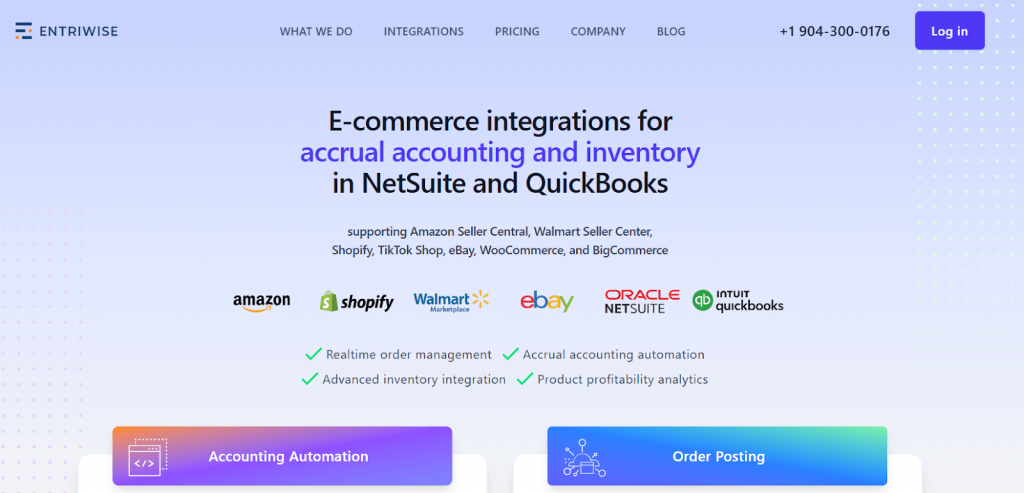
Entriwise is built with a clear priority on marketplace data, especially Amazon. It’s typically used when finance teams want detailed visibility into how orders, fees, refunds, and reimbursements move into NetSuite. Instead of summarizing activity too early, Entriwise allows you to decide how frequently data is imported and how much detail is preserved, which appeals to teams that want tighter control over marketplace-driven numbers.
Key features
- Import of Amazon orders, fees, refunds, and reimbursements into NetSuite
- Flexible sync schedules, including hourly, daily, or statement-based
- Automatic reconciliation logic with duplicate detection
Inventory syncing with SKU mapping, bundles, and assemblies - Product and channel-level profitability analytics
- Support for multiple ecommerce channels in one setup
Pricing
| Pricing plan | Price (billed annually) | Features |
| Lite | $46/month | Up to 1,000 transactions per month, unlimited ecommerce channels, unlimited users |
| Standard | $41/month | Inventory integration and stock syncing |
| Professional | $99/month | Product level profitability analytics |
| Enterprise | $166/month | Advanced order management and ad profitability analytics |
When to choose
Entriwise works well for Amazon-centric businesses that want granular marketplace data inside NetSuite. If most revenue comes from Amazon and detailed fee and reimbursement tracking matters, it can be a strong option. For businesses running many sales channels, its marketplace focus can limit the broader financial view.
5. FarApp
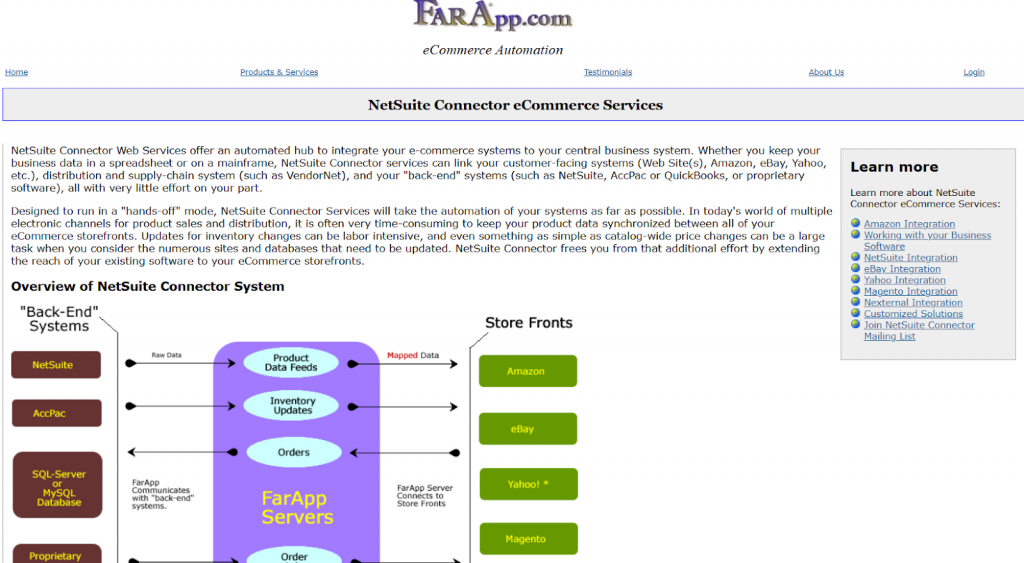
FarApp is a NetSuite-focused ecommerce integration built to translate online sales activity into NetSuite records using predefined logic. It’s often chosen by teams that want ecommerce data to follow NetSuite conventions closely without building custom workflows.
Key features
- Ecommerce integrations designed specifically for NetSuite
- Support for orders, customers, payments, refunds, and taxes
- Posting logic aligned with NetSuite record structure
- Multi-store handling
- Multi-currency support
Pricing
| Pricing plan | Price (billed annually) | Features |
| FarApp subscription | $200/month | All features available |
When to choose
FarApp works best for businesses with stable ecommerce processes that align well with NetSuite’s standard accounting structure.
6. Boomi
Boomi is an integration platform used when NetSuite needs to connect with a wide range of systems across finance, operations, and data infrastructure. It acts as middleware rather than an accounting-specific connector, giving teams the ability to design custom data flows and transformations that fit complex environments.
Key features
- Integration platform with support for NetSuite and enterprise systems
- Visual tools for building and managing data flows
- Support for complex transformations and multi-system orchestration
- Monitoring and error handling for large-scale integrations
Pricing
Pricing is custom and typically based on usage, number of connections, and deployment complexity.
When to choose
Boomi is a fit for organizations with complex integration needs and internal technical resources to manage and maintain custom workflows around NetSuite.
7. Jitterbit

Jitterbit is typically used in setups where NetSuite needs to exchange data with several systems that don’t follow the same structure or timing. It allows teams to define how data is transformed and when it’s moved, rather than relying on predefined accounting logic. Because of that, it’s often treated as an integration layer rather than a finance tool.
Key features
- Configurable workflows for moving data between NetSuite and other systems
- Data mapping and transformation tools
- Scheduled and event-based sync options
- Monitoring and basic error handling
Pricing
Pricing is custom and generally based on data volume, number of integrations, and deployment scope.
When to choose
Jitterbit may be considered when integrations around NetSuite need to be customized and managed internally, and when accounting behavior is handled outside the integration tool itself.
8. Workato
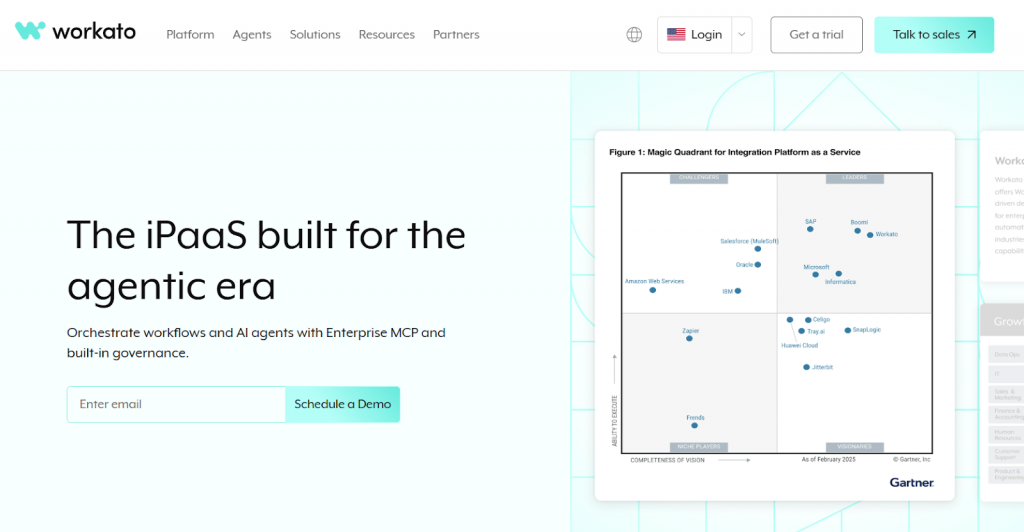
Workato usually enters the picture when NetSuite is only one part of a much larger process chain. Instead of focusing on how transactions are posted, it focuses on what should happen next when something changes: a deal closes, an order is approved, or a customer status updates. Those events can trigger actions across several systems, with NetSuite acting as one checkpoint rather than the destination.
Key features
- Recipe-based workflows built around business events
- Connectors for NetSuite, CRMs, ecommerce platforms, and internal tools
- Conditional logic and multi-step process automation
- Governance and monitoring for controlled environments
Pricing
Pricing is custom and depends on usage volume, number of workflows, and organizational needs.
When to choose
Workato fits teams that need to automate cross-functional processes where NetSuite data participates but doesn’t define accounting outcomes on its own.
9. Patchworks
Patchworks is designed for ecommerce businesses that use NetSuite together with platforms like Shopify, WooCommerce, and Adobe Commerce. It focuses on keeping orders, inventory, products, and customer data aligned between storefronts and NetSuite, without requiring teams to build or maintain custom integration logic.
Key features
- Prebuilt connectors for NetSuite and major ecommerce platforms
- Sync of orders, inventory, products, and customers
- Support for multi-store and multi-channel setups
- Error handling and retry mechanisms
Pricing
Pricing is custom and depends on connected platforms and transaction volume.
When to choose
Patchworks fits ecommerce-focused teams that want a platform-specific connection between their storefronts and NetSuite.
10. SnapLogic
SnapLogic is an integration platform as a service that connects NetSuite with a wide range of cloud and on-premises applications through visual workflows and prebuilt connectors. SnapLogic lets businesses build and automate data flows between NetSuite and systems like CRMs, BI tools, and other enterprise apps, with configurable mappings and error-handling controls.
Key features
- iPaaS platform with drag-and-drop workflow builder
- Prebuilt connectors for cloud apps and APIs
- Hybrid cloud and on-premises data integration
- Monitoring, logging, and error management
Pricing
SnapLogic offers a predictable subscription pricing model that typically starts at around $9,995 per year for basic usage, with costs rising significantly for larger teams and enterprise-scale deployments.
When to choose
SnapLogic fits organizations that need a unified integration layer for systems beyond core ecommerce or payments and want the flexibility to automate flows across apps without building each connection from scratch.
11. nChannel
nChannel focuses on keeping NetSuite inventory and orders aligned with ecommerce and retail channels like Shopify, Magento (Adobe Commerce), and BigCommerce. Its core strength is bidirectional sync, making sure stock changes, order updates, and customer data stay consistent between storefronts and NetSuite as activity happens.
Key features
- Two-way sync for orders, inventory, products, and customers
- Connectors for major ecommerce platforms and retail systems
- Rule-based control over how data posts into NetSuite
- Conflict detection and error notifications
Pricing
Pricing is custom and depends on connected channels and transaction volume.
When to choose
nChannel is a solid option when inventory accuracy across multiple sales channels matters more than detailed accounting automation inside NetSuite.
How to choose the best integration software for your business
By the time NetSuite is in place, the question is rarely whether to integrate, but how much control you actually need. Most problems appear later, when volume grows or reviews get stricter. A good choice usually comes down to a few practical checks.
When evaluating integration software, it helps to look at:
- Transaction behavior, including how sales, fees, taxes, refunds, and payouts are represented.
- Timing control, especially how postings align with cash movement and reporting periods.
- Reconciliation support, such as clearing accounts and balance checks against source platforms.
- Flexibility of detail, whether you can choose summaries or transaction-level entries.
- Error visibility, with clear signals when something fails or goes out of balance.
It’s also worth asking one uncomfortable question early: who is expected to fix issues when something changes, the tool or your team? The answer often tells you whether an integration will stay manageable months from now.
Conclusion
As NetSuite becomes the system of record, integration quality directly affects how confidently businesses can work with the numbers. The tools covered in this guide reflect different approaches to how transactions are posted, from summarized commerce sync to review-ready entries. Those choices determine how often issues emerge and how much time it takes to explain numbers.
Automation is what turns NetSuite integrations from simple data pipes into usable accounting workflows. When posting logic, reconciliation, and categorization are handled automatically, accounting teams spend less time verifying numbers and more time reviewing results they can trust. That is ultimately what determines whether NetSuite supports day-to-day accounting or becomes another system that needs constant manual oversight.
FAQ
What are NetSuite integrations?
NetSuite integrations are connections that allow external systems like ecommerce platforms, marketplaces, payment processors, and CRMs to exchange data with NetSuite. They control how transactions, customers, inventory, and financial data enter the ERP.
Does NetSuite have an API?
Yes. NetSuite provides REST and SOAP APIs that enable external systems and integration tools to send and retrieve data securely. Most integrations rely on these APIs to post transactions and sync records.
How much does NetSuite integration software cost?
Pricing varies widely. Simple connectors can start at tens of dollars per month, while enterprise or high-volume integrations are usually priced based on transaction volume, connected platforms, and required complexity.
Does NetSuite support EDI integrations?
Yes. NetSuite supports EDI through built-in capabilities and third-party EDI providers. These integrations are commonly used for retail, wholesale, and supplier data exchange.