




ChatGPT can shave hours off the work that fills most accountants’ days, but only if you’re clear on where it actually helps and where it shouldn’t be used. When handled well, it speeds up things like data extraction, draft entries, formulas, emails, and prep work, but at the same time, it can just as easily invent standards, make up numbers, or expose sensitive data if you rely on it without checking.
This guide is for the people doing the work: practicing accountants, bookkeepers, controllers, CFOs, and the partners running small and mid-sized firms. We’ll cover what ChatGPT is in the context of accounting, a prompting framework that produces usable output, the failure modes you need to plan around, and how AI tools fit alongside the accounting automation software you already use. The goal is a working understanding you can apply to your next month-end close.
TL;DR
- ChatGPT is a support tool, not a system of record: It helps with drafting, summarizing, and explaining, but it doesn’t post entries, reconcile accounts, or replace accounting software.
- It works best on language-heavy tasks: Data extraction, emails, summaries, Excel help, and first-draft analysis are strong use cases when prompts are structured clearly.
- Human review is always required: Hallucinations, outdated information, and lack of accountability mean outputs must be verified before use in any material work.
- AI is shifting the accountant’s role, not removing it: Routine tasks are getting compressed, while demand for judgment, review, and advisory work is increasing.
- Best results come from combining tools: ChatGPT handles communication and analysis, while automation tools manage transaction sync, reconciliation, and data accuracy.
What ChatGPT is and isn’t for accountants
ChatGPT is a large language model from OpenAI. It generates text by predicting the next plausible word based on patterns in its training data, plus whatever you put in the prompt or attach as a file. That’s an important thing to remember whenever you’re tempted to treat its answers as authoritative: it isn’t reading your books, it isn’t connected to the IRS, and it doesn’t know your client’s chart of accounts unless you’ve told it.
In an accounting context, that means ChatGPT is genuinely good at language-shaped tasks, like summarizing a 50-page exposure draft, rewriting an angry email so it doesn’t burn a client relationship, explaining what an INDEX-MATCH formula is doing, and drafting a memo on a routine policy question. It’s noticeably weaker at anything that requires precise, current, jurisdiction-specific facts unless you give it those facts directly. And it’s a non-starter for tasks that require legally signed-off accuracy without human review.
The 2025 AI Index from Stanford’s Institute for Human-Centered AI found that the share of organizations reporting AI use jumped from 55% in 2023 to 78% in 2024, while generative AI use in at least one business function more than doubled, from 33% to 71%. Accounting is squarely inside that wave. The question for most firms now is how to do it without giving up control of the work product.
| A useful frame: think of ChatGPT as a junior staff member who reads at graduate level, drafts quickly, never tires, and occasionally makes things up with total confidence. You’d review their work, be specific about what you want, and you wouldn’t hand them a stack of client SSNs and walk away. The same instincts apply here. |
How ChatGPT can help accounting firms and in-house teams
The economics of an accounting practice come down to billable hours and quality of judgment, and ChatGPT pushes on the first variable hard. Thomson Reuters’ 2024 Future of Professionals Report, which studied more than 2,200 tax, legal, and compliance professionals, found that respondents expect AI to free roughly 4 hours per week in year one and up to 12 hours per week within five years – the equivalent of adding an extra colleague for every ten team members. Four hours a week, across a 40-person firm, is roughly four full-time-equivalent days returned to the practice every week.
That time has to go somewhere. The Intuit QuickBooks 2025 Accountant Technology Survey reported that 98% of accounting firms used AI to help clients in the past year, and 64% plan to invest in or upgrade AI in the coming year, up from 48% in 2023. The firms moving fastest are shifting toward advisory, fractional CFO services, and CAS (client accounting services), which eventually pays better and is harder to commoditize.
For in-house finance teams, the calculation is similar but applied differently. Instead of growing bills, a controller with a four-person team is trying to close faster, produce better board-ready reporting, and stop drowning in reconciliation work.
ChatGPT is most useful at the edges of the close:
- cleaning up data export
- drafting commentary for variance analysis
- explaining one-off transactions to non-finance leadership
- writing the procedural documentation, nobody ever has time to write
What ChatGPT doesn’t do is the accounting itself:
- it doesn’t post entries
- It doesn’t sync transactions across platforms
- It doesn’t reconcile bank feeds against your sales channels
That distinction matters when you’re deciding what tools belong in the stack and what role each one plays.
Seven practical ways accountants are using ChatGPT with prompts
These are the use cases that really work. They’re based on how accountants are already using these tools day to day, what comes up in real demos, and what we keep seeing in firm setups. Each one includes a prompt you can tweak for your own work.
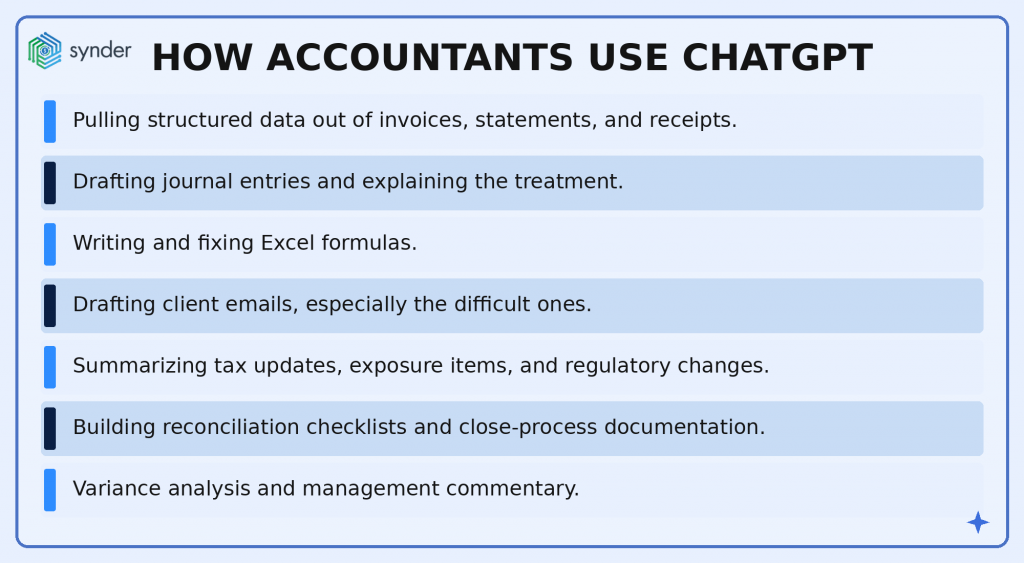
1. Pulling structured data out of invoices, statements, and receipts
Invoice data entry is the canonical busywork problem. ChatGPT, especially with file upload enabled, can take a PDF invoice or image and return clean, structured fields: invoice number, vendor, dates, line items, totals, and is ready to paste into a spreadsheet or import into the accounting system.
The trick is giving it a schema instead of asking for “the data.”
Try: “Act as a data-extraction specialist. From the attached invoice, extract these fields exactly: invoice_number, vendor_name, invoice_date (YYYY-MM-DD), due_date (YYYY-MM-DD), subtotal, tax, total. Return the result as a single CSV row with a header row above it. If a field is not present in the invoice, write MISSING. Do not infer or estimate any value.”
The “do not infer” line matters. Without it, the model will sometimes guess at a missing field instead of admitting it isn’t there, which is exactly the failure mode you don’t want in a books-of-record workflow.
For bank statements, the same pattern works with a wider schema formatted as a markdown table:
- Date
- description
- Reference
- Withdrawals
- Deposits
- Running balance
For a small coffee shop running Square with around 2,000 transactions a month, that schema-and-CSV approach turns a half-day of receipt triage into something a single afternoon handles.
2. Drafting journal entries and explaining the treatment
ChatGPT will draft a journal entry for almost any scenario you describe. The risk is that it’ll do so confidently even when the treatment is wrong, so the human-review-before-posting rule is non-negotiable. Where it’s actually useful is producing a first draft plus a written rationale that you can validate against the standard.
A working prompt: “Act as a senior accountant with 10 years of US GAAP experience. Scenario: [describe the transaction in plain English, including amounts, dates, accounts, and any context]. Provide: (1) the journal entry in debit/credit format, (2) a 2-3 sentence rationale citing the relevant ASC standard or principle, (3) any disclosure considerations. If the scenario is ambiguous or you would need additional information to give a confident answer, list the questions instead of guessing.”
That last clause telling it to ask rather than guess, is one of the most under-used prompt elements in accounting use. It greatly cuts hallucinations because it gives the model a permitted exit when it doesn’t actually know.
3. Writing and fixing Excel formulas
This is the use case that converts skeptics. Ask ChatGPT to write a formula that pulls revenue for the North and East regions for the current month from a named range, and it will. Paste a broken IFERROR/INDEX/MATCH nightmare and ask it to explain what’s happening line by line, and it does that too. Ask it to write VBA to auto-generate pivot tables across a sales dataset, and you get working code on the second or third try.
A few practical things to include in the prompt:
- Describe the data structure first (sheet name, column headers, named ranges, sample row).
- State the desired output.
- Ask for the formula.
If the formula doesn’t work, paste the error message and the cell reference and ask for a corrected version, don’t start over. For VBA and Office Scripts, expect to iterate; the first version often references a property that doesn’t exist on your Excel version, and feeding the error back fixes it.
4. Drafting client emails, especially the difficult ones
The most common use case in accounting practices: rewriting an email you drafted at 11 p.m. into something you can send at 9 a.m. the next morning. “Rewrite this email in a friendly, professional tone. Keep it under 120 words. Make the request clear without sounding accusatory. Preserve the deadline and the specific documents listed.” That prompt, applied to a frustrated message about missing receipts, produces something usable in seconds.
The same pattern handles delicate situations, like fee increases, scope-creep pushback, year-end document chase emails, declining a request, explaining a tax outcome a client won’t like.
A good rule: write what you actually want to say in plain language, then ask ChatGPT to put it in the voice and tone you want to send. You stay in control of the substance while it handles the diplomacy.
5. Summarizing tax updates, exposure drafts, and regulatory changes
When a new IRS notice or FASB exposure draft drops, partners need a fast read on what it changes, what it leaves alone, and which clients are affected. ChatGPT does first-pass summaries well if you give it the source document directly rather than asking it to find one – its trained knowledge has a cutoff, and it will cheerfully invent a citation that doesn’t exist.
Try: “Attached is [document name]. Produce a one-page summary structured as: (1) what changed, (2) effective date, (3) who is affected, (4) actions firms or clients need to take, (5) open questions or areas of judgment. Do not introduce information that isn’t in the attached document. If the document is silent on any of the five points, write ‘not addressed.'”
A structured constraint like that beats “summarize this” by a wide margin and produces something a partner can scan in 60 seconds before deciding which clients need a call.
6. Building reconciliation checklists and close-process documentation
Every firm has procedural knowledge that lives in one person’s head. ChatGPT is genuinely useful for getting it on paper.
Prompt: “Create a step-by-step monthly close checklist for a small ecommerce client using QuickBooks Online with Stripe and Shopify as primary sales channels. Include reconciliation steps, common error checks, and review points. Format as a numbered list with sub-bullets for each main step.”
The output isn’t ready to ship as-is because it’ll miss things specific to your firm’s policies, and it’ll include generic items that don’t apply. But it’s a usable starting draft that turns a half-day documentation project into an hour of editing.
The same approach works for inventory management procedures, AP cutoff checklists, and sales tax filing prep.
7. Variance analysis and management commentary
For controllers and CFOs, the slowest part of board reporting often is writing the narrative around numbers. Drop a budget-vs-actual table into ChatGPT with context on the business and ask it to produce three to five bullet points of variance commentary, calling out drivers, anomalies, and questions for management to investigate. Specificity matters here as much as anywhere.
Use: “You are the controller of a US-based SaaS company with $4M ARR. Below is the budget-vs-actual P&L for Q3. Identify the three most material variances by absolute dollar amount, describe the likely operational driver, and flag any line items that warrant follow-up before the board meeting. Use plain language; do not use jargon.” That kind of brief produces output that reads like a draft from a thoughtful junior analyst rather than a generic auto-summary.
A simple framework for writing prompts that work
If there’s one investment that returns disproportionately in AI-for-accounting work, it’s spending an hour learning to prompt well. Brianne Smith, CPA/PFS, PhD, an assistant professor of accounting at Auburn University at Montgomery and a financial adviser, has described the workflow her students use for AI-assisted data analysis as
Ask the question, master the data, perform the analytics, share the story.”
Brianne Smith, CPA/PFS, PhD
The practical version comes down to four elements you put into every serious prompt:
- Role. Tell the model who it is. “Act as a senior accountant with 10 years of US GAAP experience” and “Act as a tax research analyst” produce noticeably different outputs from the same scenario. The role anchors vocabulary, depth, and assumed framework.
- Context. Give it the facts of the situation. Industry, jurisdiction, accounting framework (US GAAP, IFRS, cash basis), time period, the specific accounts involved, the data structure of any attachment. The more concrete the context, the less the model has to fill in from generic patterns.
- Task and output format. State exactly what you want produced and how it should be structured. “Three bullet points,” “a CSV row with header,” “a 200-word memo with three sections,” “a numbered list of 10-15 steps.” Format constraints reduce sprawl and make the output reviewable.
- Constraints and exit conditions. Tell it what not to do, and what to do when it doesn’t know. “Do not infer values not present in the source document. If a field is missing, write MISSING. If you need additional information to answer confidently, list the questions instead of guessing.” This is the single most effective hallucination-reducer most users never add.
Don Tomoff, CPA, a director at Invenio Advisors, captured the discipline this requires in a Journal of Accountancy interview:
You want to explain as precisely as you can what you want. You don’t want to eat the elephant in one effort, because it will stop on you if you give it too much to digest. It’s iterative.
Don Tomoff, CPA
The implication for accountants is direct: complex tasks should be decomposed. Don’t ask for a full audit memo in one prompt. Ask for the issue identification, then the standard-by-standard analysis, then the recommendation, then the executive summary.
Where ChatGPT falls short and what to do about it
The failure modes are well documented and worth taking seriously because each one maps to a specific operational risk in an accounting context.
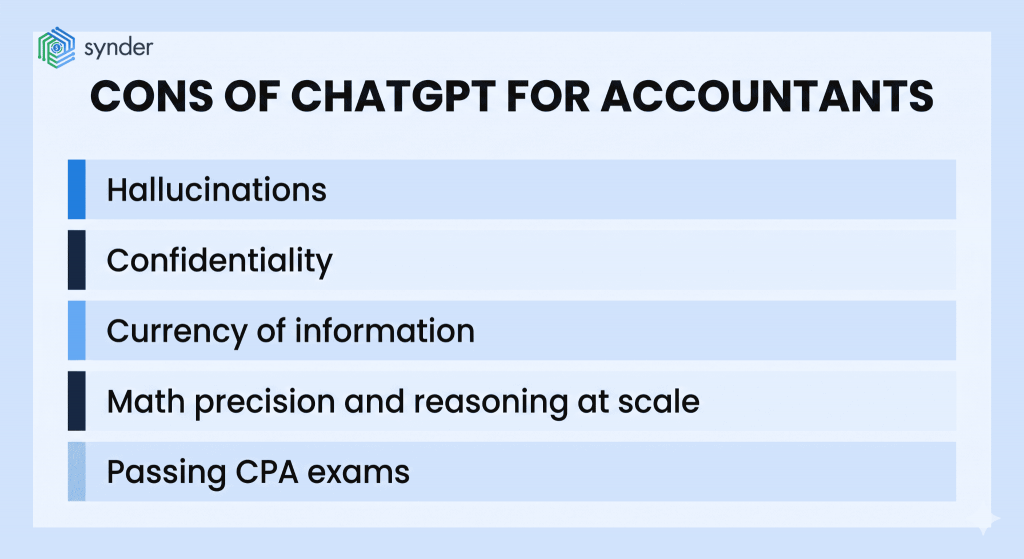
Hallucinations
Large language models generate the most likely next sequence of words, not the truest one. That distinction shows up in accounting as fabricated ASC citations, invented IRS form numbers, made-up case law, and confident summaries of articles that don’t exist. The CPA Journal documented one stark example where ChatGPT produced eight references to CPA Journal articles, none of which existed.
The mitigation is simple in principle: never use a citation, statute reference, or technical fact from ChatGPT without verifying it in a primary source. The mitigation is hard in practice because the output looks plausible, which is exactly the design goal of a language model.
Confidentiality
The standard consumer-tier ChatGPT product processes inputs on OpenAI’s infrastructure, and its data-handling terms aren’t acceptable for unredacted client data in most professional settings. AICPA guidance and most state-board cybersecurity requirements push toward enterprise-tier deployments with retention and training opt-outs, or toward AI tools embedded in accounting platforms with explicit data agreements.
Treating consumer ChatGPT as a place to paste a client’s bank statement is a defensible-control problem, not just an etiquette one.
Currency of information
Tax laws change, standards get updated, and court cases get decided, while ChatGPT still relies on a training cutoff, and even with web access, it does not carry the same authority as the actual statute or official guidance. For anything time-sensitive, such as tax deadlines, rate changes, regulatory amendments, confirm against the source document before acting.
Math precision and reasoning at scale
Modern models are much better at arithmetic than the early versions were, but they still make calculation errors on complex multi-step problems and can miss edge cases in ratio analysis or revenue recognition logic. For anything with material money attached, the model’s number is a draft, and a reliable answer is the spreadsheet or accounting system calculation.
Passing CPA exams
This brings up one of the most-asked questions about ChatGPT and the accounting profession: can ChatGPT pass the CPA exam? Research published in Review of Accounting Studies in 2024 by Eulerich, Sanatizadeh, Vakilzadeh, and Wood tested it directly. GPT-4 with reasoning tools scored 85.1% across the CPA, CMA, CIA, and EA exams, passing all four, while GPT-3.5 had scored just 53.1%.
The honest reading: a current-generation model can pass the exam under controlled conditions, but passing a multiple-choice and structured-response exam isn’t the same as practicing as a CPA. Exam content tests recognition of standards in clean fact patterns; practice involves judgment, client communication, multi-period continuity, and accountability. The gap between those two is where the profession lives.
Use cases vs limitations at a glance
| Use case | What ChatGPT does well | Where it fails | Required human step |
| Invoice and statement data extraction | Pulls structured fields from PDFs and images quickly | Misreads handwriting, low-quality scans, non-English fields | Spot-check 10-20% of records against source |
| Journal entry drafting | Produces entries with rationale for routine scenarios | Cites wrong ASC sections, misses disclosure requirements | Verify treatment against current standard before posting |
| Excel and VBA formulas | Writes and explains formulas, debugs errors iteratively | First-attempt VBA often references missing properties | Test on a copy, never the live workbook |
| Client email drafting | Adjusts tone, length, and clarity instantly | Can sound generic or slip in inaccurate technical claims | Read every word before sending |
| Tax and standard summaries | Compresses long documents into structured summaries | Invents citations for “additional context” outside the source | Verify any reference not present in the attached document |
| Reconciliation checklists | Produces serviceable first-draft procedures | Generic items that don’t apply, missing firm-specific steps | Edit against your actual close process |
| Variance commentary | Reads tables, produces narrative drivers | Speculates about causes it has no way to know | Confirm drivers with operations before circulating |
| Tax return preparation | Should not be used as a primary tool | Confidentiality, currency, accuracy of jurisdiction-specific rules | Use specialized tax software; ChatGPT for research only |
| Audit opinion or attestation | Should not be used to form a conclusion | No professional accountability, no working papers, no review | Full traditional audit procedures and human judgment |
How ChatGPT fits alongside accounting automation software
In an accounting context, ChatGPT is more of a sharp general-purpose tool, not a system of record. The work that runs a business, like pulling Stripe transactions into QuickBooks Online, matching Shopify payouts to bank deposits, allocating fees and refunds, syncing across multiple sales channels into a single ledger, needs purpose-built integration software. ChatGPT can help you write the procedures around those workflows, summarize the reports they produce, and draft client communications about them, but it can’t do the syncing.
At that point, dedicated accounting automation tools start to make sense. Synder is an accounting automation tool that helps businesses sync ecommerce and financial data across 30+ platforms, including Stripe, Shopify, Amazon, Square, PayPal, and others, into QuickBooks Online, Xero, Sage Intacct, NetSuite, or Intuit Enterprise Suite. It handles transaction-level sync, summary sync, multi-entity reconciliation, and the kind of high-volume, exactly-categorized data flow that accountants need to be able to trust without re-checking every line.
The complementary relationship looks like this:
A US firm offering outsourced bookkeeping and Virtual CFO services for tech startups, was spending days each month manually entering Stripe transactions into QuickBooks Online. After moving that flow to automated transaction sync, they reclaimed 96 hours per year on manual data entry and cut month-end reconciliation from hours of work to a review-and-confirm step.
The firm then used that recovered capacity for higher-value advisory work – the shift the BLS data describes at the profession level.
| Takeaway: ChatGPT is the right tool for drafting the variance commentary they share with clients each month, and Synder is the right tool for making sure the data they’re commenting on is actually correct. |
If you want to see how an automation layer fits with the AI tools in your stack, you can book a demo with Synder and watch the data flow end-to-end with your own platforms.
Will AI replace accountants? What the data shows
The replacement question has been the loudest part of every AI-and-accounting conversation since late 2022. The data is more measured than the headlines.
The Bureau of Labor Statistics’ Occupational Outlook Handbook, last updated in August 2025, projects that employment of accountants and auditors will grow 5 percent from 2024 to 2034, faster than the average for all occupations, with about 124,200 openings projected each year over the decade. The 2024 median annual wage was $81,680. The BLS does not foresee AI shrinking the field; it explicitly notes that automation of routine tasks, such as data entry, will instead make accountants’ advisory and analytical duties more prominent. That’s a structural shift in what the work is, not a deletion of who does it.
Practitioner observation tracks the data. Pascal Finette, an AI consultant interviewed by the Journal of Accountancy in late 2025, noted that early predictions of ChatGPT replacing tax preparation didn’t materialize, while the share of accountants in the room at digital CPA conferences who reported using AI went from roughly a quarter in 2023 to essentially everyone a year later. The technology spread, but the jobs didn’t disappear, plus the skill mix changed.
What this means for training and career paths
Where the pressure does land is on entry-level work that has historically been the training ground for new accountants: the manual data entry, the basic reconciliations, the first-draft schedules. If a third-year staff member used to spend their first six months learning tasks that AI now drafts in minutes, the firm has to rebuild the training pipeline around different skills: prompt design, output review, professional skepticism applied to AI-generated drafts, advisory positioning. Firms that make that investment will widen their margins, and firms that don’t will struggle to retain ambitious staff, who quickly figure out where the leverage is.
For accountants reading this who are anxious about job security, the honest answer is that the profession isn’t going anywhere, but the version of the job that’s most automatable is. Accountants who treat ChatGPT as a power tool (learning to prompt well, review output critically, spend the recovered time on advisory, analytics, and client relationships) are positioned to do better work for more pay than the version of the role that’s just moving numbers around.
Conclusions on using ChatGPT for accounting
ChatGPT is the most useful general-purpose tool to land in an accountant’s workflow in years, and it’s also the most over-promised. The realistic version is that it drafts, summarizes, extracts, and explains, but it doesn’t do the accounting, and it still requires human review every time something material is at stake. Treat it as a productivity layer that sits on top of the work you already do, not a replacement for the systems that produce your books of record.
Accountants get the most out of ChatGPT when they stay specific: clear roles in the prompt, relevant context about the engagement, defined output formats, and explicit instructions for what to do when the model doesn’t know. That discipline, paired with traditional professional skepticism applied to every AI-generated draft, is what separates a useful tool from a liability.
The technology will keep getting better, but the underlying skills of careful prompt design, source verification, and knowing when to use AI and when to put it down are the ones worth investing in now.
FAQ
Is using ChatGPT for client work an ethics violation?
It depends on what you input and what you do with the output. Most state boards and the AICPA frame the issue around confidentiality, supervision, and competence, and don’t ban AI use outright. Pasting client-identifying data into a consumer-tier model raises real confidentiality concerns, while using ChatGPT to draft an email or summarize a public document does not. Check your firm’s policy, your engagement letters, and your jurisdiction’s specific guidance before using AI on client deliverables.
What’s the difference between ChatGPT and accounting software with AI built in?
ChatGPT is a general-purpose language model. It means you bring the data, the context, and the judgment. Accounting software with embedded AI (in QuickBooks, Xero, NetSuite, and most modern automation tools) operates on your live data within defined workflows: categorization, anomaly detection, transaction matching, suggested journal entries. The first one is a flexible drafting tool, and the second one is purpose-built for specific accounting tasks. Most firms end up using both for different jobs.
How do I keep ChatGPT from hallucinating accounting standards?
Three habits can cut the rate: attach the actual source document and tell the model not to introduce information from outside it, ask it to cite specific paragraph numbers (which makes invented citations easier to spot), and instruct it to ask clarifying questions instead of guessing when information is missing. None of this eliminates hallucinations, so you always have to use the verification step: never quote a standard, statute, or case from ChatGPT without checking the original source.
Can small firms compete with Big Four firms now that AI is widely available?
The balance has evened out more than it used to be, but it is still not fully level. Smaller firms can now match Big Four firms on routine work like drafting, summarizing, and data extraction, and they often move faster when it comes to adopting new tools. The difference is elsewhere, in proprietary AI systems, models trained on years of firm-specific work, and layered review processes that catch errors. For a small firm, the practical path is not to mirror the Big Four end-to-end, but to use AI to expand what each professional can deliver in the time they have.





Awesome!
The ability to practice and apply what you’ve learned in a hands-on way is invaluable. Your post provides excellent insights into how interactive tools can enhance accounting education.
Definitely! Interactive tools are the way forward.
Interesting post. I’m glad I came across this page. I’m going to save it so I can read any more upcoming posts.