Your Books Aren’t Telling You the Truth: From Founder Chaos to Financial Clarity
Register now ➔
Plus iconklarna logo
Try FREE for 15 days

Klarna QuickBooks Integration: Automate Your Bookkeeping from Checkout to Close

check icon
Sync Klarna and 30+ gateways to QuickBooks automatically
check icon
Reconcile every gateway through dedicated clearing accounts
check icon
Capture Klarna fees automatically without statement pulls
check icon
Match BNPL settlements, recognize revenue at sale date
check icon
Track VAT and taxes per transaction for accurate UK/EU reporting
QuickBooks logo 2025 black
Klarna logo
Smiling woman with curly hair wearing a navy blazer and green shirt writing on a tablet with a stylus.

How it works

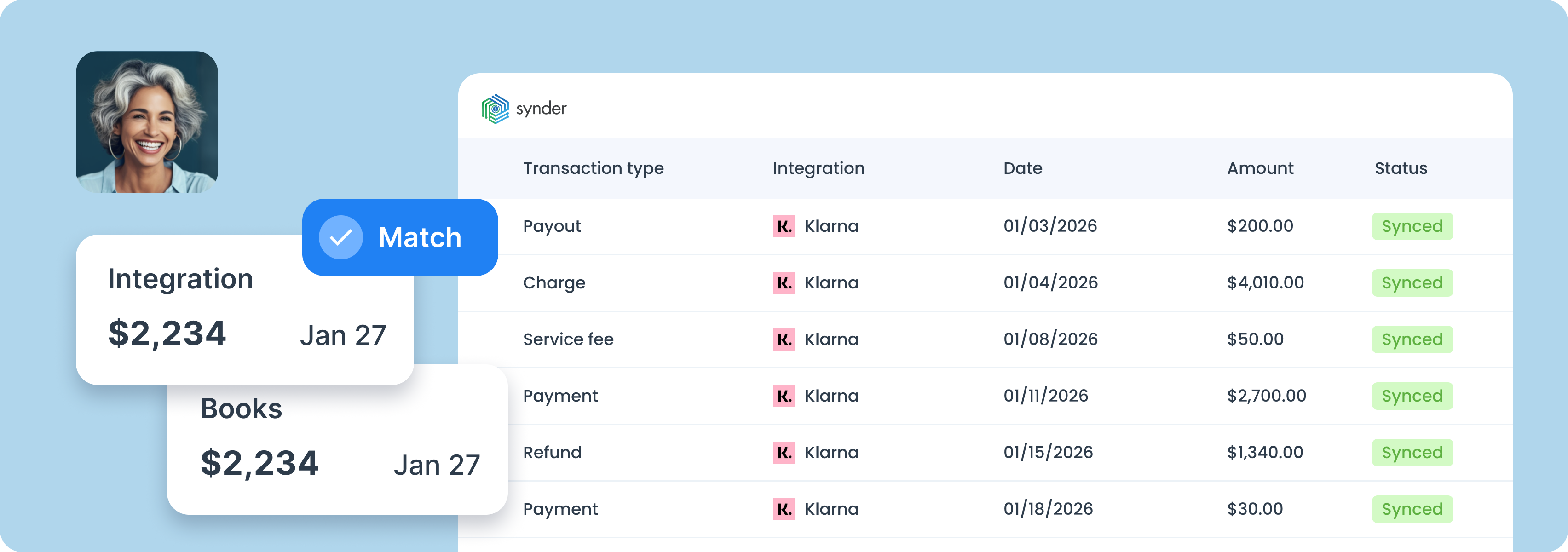
Dashboard showing financial integration with Klarna transactions including payouts, charges, fees, payments, and refunds dated January 2026, all synced, with user profile picture.Woman and bookkeeping happy with correct numbers

1. Integrate

Connect Klarna and QuickBooks to the Synder app.

2. Customize

Personalize Synder to align perfectly with your business needs.

3. Reconcile

Enjoy streamlined bookkeeping and smooth reconciliation.

Book a demo

What you get with Klarna and QuickBooks Online integration

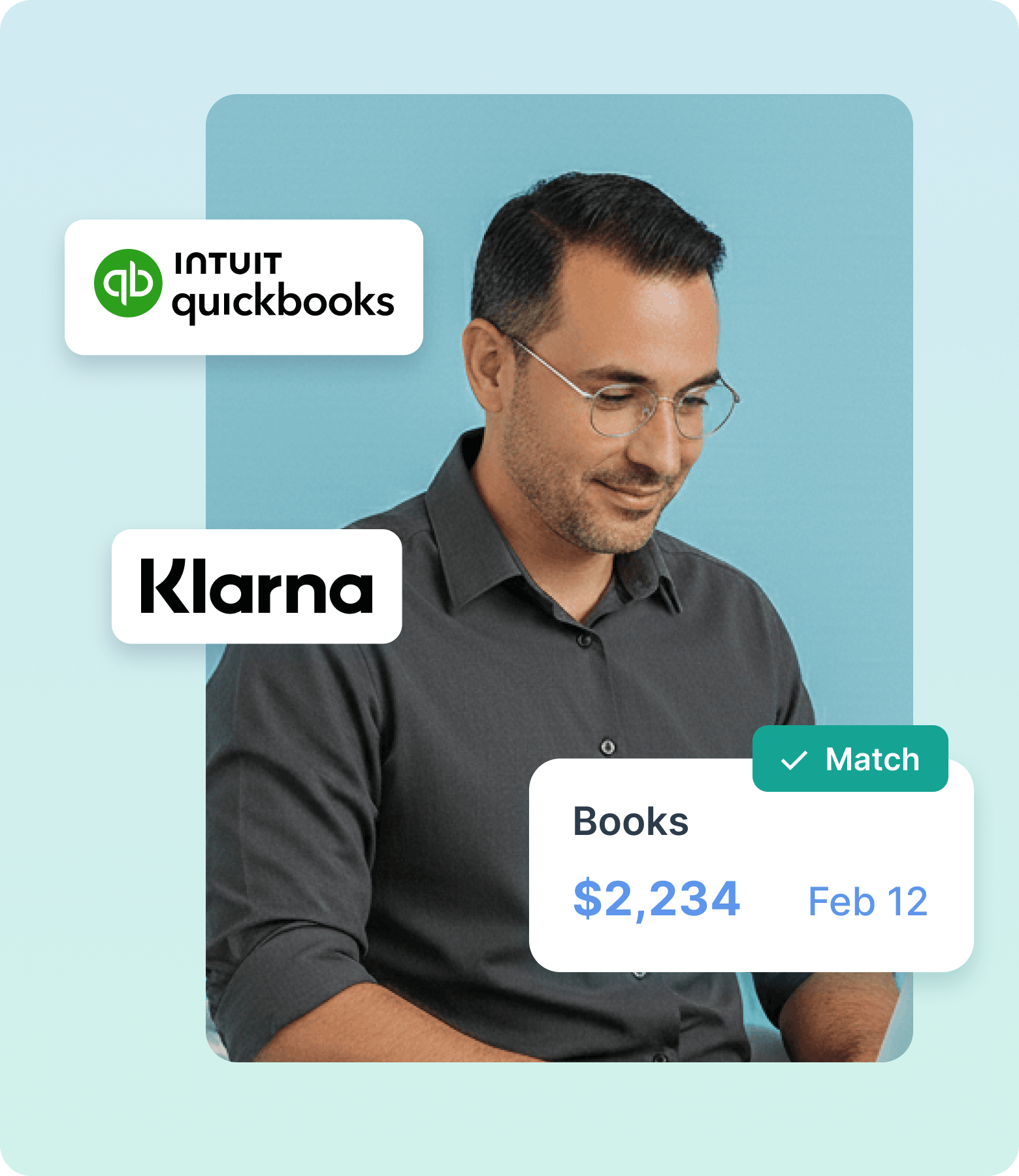
Man with glasses and dark shirt looking down, with QuickBooks and Klarna logos and a digital card showing Books $2,234 Feb 12 with a Match checkmark.

What you get with Amazon QuickBooks integration

Multi-gateway data sync

Synder connects Klarna, PayPal, Stripe, and 30+ other gateways to QuickBooks via API, automatically importing and categorizing detailed transaction data from every platform in one place. Whether Klarna runs through Shopify checkout or as a standalone gateway, Synder handles it.

Accurate reconciliation

Because every Synder entry always matches the actual bank deposit, reconciliation in QuickBooks is fast. A dedicated Klarna clearing account keeps payouts isolated, with a direct audit trail from bank deposit back to the original payout.

Automatic fee capture

Klarna processing fees are pulled directly from each settlement and recorded automatically in QuickBooks as expenses. Every fee is accounted for from day one, so your P&L always reflects the real cost of accepting Klarna payments.

Book a demo

BNPL accounting & revenue recognition

Synder connects to Klarna via API and converts each settlement payout into a fully detailed QuickBooks entry. Revenue is recorded at the transaction date, not when Klarna pays out, so your books stay accurate regardless of the installment schedule.

VAT & tax tracking

Synder captures VAT and GST on Klarna transactions as separate line items in QuickBooks. For UK/EU sellers managing VAT returns, every transaction carries the right tax data from the start. And if you need more control, Smart Rules let you apply custom categorization logic by tax jurisdiction or chart-of-accounts structure.

Try Synder now

Book a demo with our specialist

To find the best solution for your business, book a call with our accounting automation expert. We'll dive into your needs and show how Synder can optimize your bookkeeping processes. Let us walk you through it!

Get a guided tour
Discuss your pain points
Find a solution

QuickBooks Online + other platforms you use

check sign
30+ pre-built integrations, unlimited custom builds
check sign
Easy multichannel reconciliation
check sign
Unified financial reporting across all platforms
Woman happy with seamless accounting integrations
accountant professional

Are you an accountant?

Discover how to boost your online and subscription-based clients' success while saving time and increasing accuracy.

Explore accountants’ page

Why should you choose Synder?

Compliance-first security

SOC 2 Type 2 certified, GDPR and HIPAA compliant, with end-to-end encryption built in. Synder keeps your data secure, helps you pass audits, and scales safely as you grow.

Reliable support

Synder's support team knows ecommerce accounting inside and out. Get help whenever you need it - chat, email, video call, or screen share. You're never stuck sorting things out alone.

Committed to your needs sync

Set up transactions exactly how you need them: rename line items, pull in custom data, adjust tax codes, and map everything to match your workflow perfectly.

Detailed reporting

Synder breaks down revenue by product, location, payment method, or date, from monthly snapshots to year-end reports. Get the data you need to make decisions.

What other Synder users say

"Of all the apps that I use to help make QuickBooks more functional, Synder is the one I have the least complaints about. Before Synder, when our bookkeeper had to do it manually, it was taking between 5-10 hours a week of importing data, adding data, changing forms and sheets. With over 150k records now processed automatically, it's been a huge savings of both time and money."

Meghan S.
Operations Manager at Rad
RAD logo with gradient green to blue letters inside connected circular shapes.
Quotes
Accounting software trusted by over 5,000 users and partners
Stars
Based on 3,400+ reviews

FAQ

See other QuickBooks integrations

Shopify logo
QuickBooks Online + Shopify
Walmart logo
QuickBooks Online + Walmart
QuickBooks Online + eBay
QuickBooks Online +
Etsy
Close Cookie Preference Manager
Privacy Overview
This website uses cookies to improve your experience while you navigate through the website. Out of these, the cookies that are categorized as necessary are stored on your browser as they are essential for the working of basic functionalities of the website. We also use third-party cookies that help us analyze and understand how you use this website. These cookies will be stored in your browser only with your consent. You also have the option to opt-out of these cookies. But opting out of some of these cookies may affect your browsing experience.
Strictly Necessary (Always Active)
Cookies required to enable basic website functionality.
Made by
Oops! Something went wrong while submitting the form.