
Most finance teams doing revenue recognition manually are working with numbers they can’t fully trust. A survey of CFOs and finance leaders at SaaS companies found that more than half reported revenue recognition challenges consistently lead to increased manual interventions and delays in financial reporting. And these are not some edge cases, but routine month-end work. If at low transaction volumes, you can catch mistakes on review, at scale you stop catching them in time.
Revenue recognition software exists to close that gap. It automates the process of determining when revenue is earned versus received, creates compliant recognition schedules, and posts accurate journal entries to your general ledger, so finance teams can close faster and auditors can follow the numbers without having to piece everything together. This article analyzes how the underlying standard works, what to look for in a tool, and which platforms are worth evaluating in 2026.
TL;DR
- Revenue recognition software automates ASC 606/IFRS 15 compliance: it creates recognition schedules, manages deferred revenue, and posts journal entries so finance teams don’t have to do it manually across hundreds of contracts.
- The five-step model is the framework, but implementation is where it gets hard: performance obligations, variable consideration, and mid-cycle contract modifications require software that can handle edge cases, not just straight-line amortization.
- Subscription businesses face the heaviest burden: upgrades, downgrades, prorations, multi-element bundles, and Net 60 invoices create complexity that purpose-built tools address far better than generic accounting software.
- The right tool depends on your accounting system, transaction volume, and whether you need standalone recognition or a platform integrated with billing: different tools serve different segments, from early-stage startups to enterprise finance teams.
What is revenue recognition?
Revenue recognition is the accounting rule that says you can only record revenue when you’ve actually earned it, not when the customer paid. For a one-time product sale, that’s usually the same moment, but for a subscription, it isn’t. A customer who pays $24,000 upfront for a two-year contract has given you cash, but you’ve only earned $1,000 of it by the end of month one. The rest sits on your balance sheet as deferred revenue until the service is delivered.
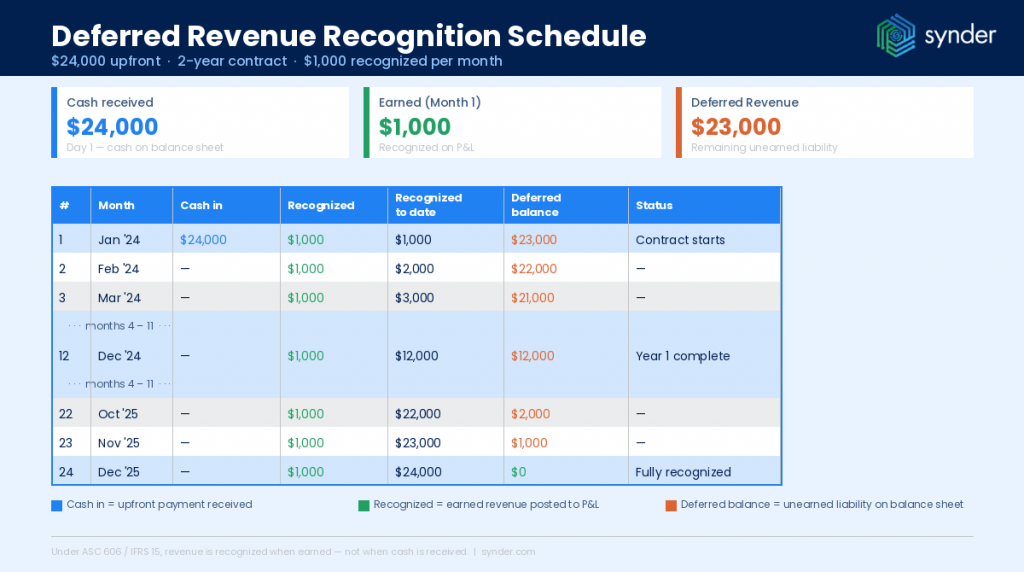
That gap between cash and earned revenue is manageable when you have 30 customers. It becomes a genuine operational problem when you have 300, and a finance risk when you have 3,000.
The standard behind the process: ASC 606
The US GAAP framework governing all of this is ASC 606, which replaced a patchwork of industry-specific revenue guidance in 2019 and now applies to every entity that enters into contracts with customers: public companies, private companies, nonprofits, and everyone in between. Its counterpart internationally is IFRS 15, which operates on the same logic.
ASC 606 requires companies to apply a five-step model to every revenue contract:
- Identify the contract with the customer – written, verbal, or implied, with enforceable rights on both sides.
- Identify the performance obligations – each distinct good or service promised in the contract.
- Determine the transaction price – including estimates for discounts, refunds, rebates, and variable components.
- Allocate the transaction price – across each performance obligation based on its standalone selling price.
- Recognize revenue – when, or as, each performance obligation is satisfied.
The framework itself is clear, but applying it in practice is where things tend to get complicated.
How does revenue recognition work for usage-based pricing?
Usage-based pricing adds some complexity beyond standard subscriptions. Under ASC 606, variable consideration – charges that depend on how much a customer uses – must be estimated, constrained, and recognized as the usage occurs.
For a SaaS product that charges a base monthly fee plus per-API-call overage, the base fee recognizes ratably, but the usage component recognizes at the end of each billing period once actual consumption is known.
Tools that handle usage-based recognition natively need to ingest usage events, apply constraints on variable consideration, and update recognition schedules dynamically without requiring a developer to write rules for each new pricing tier.
Why revenue recognition matters for subscription businesses
A SaaS contract rarely contains a single performance obligation. The software license, onboarding services, customer support, and training may each be distinct, meaning revenue for each must be recognized separately, at its own standalone selling price, on its own timeline.
Add annual prepayments, mid-cycle upgrades, partial-period prorations, and multi-year contracts with variable renewal terms, and you have a situation that requires a recognition event nearly every time something changes on a contract.
The real problem is running the calculation continuously, across every active subscription, every month, and keeping the numbers reconcilable when an auditor or investor asks to trace a P&L figure back to a specific contract.
That’s the gap ASC 606 compliance consistently exposes. And it’s the reason a question like “does QuickBooks have revenue recognition?” comes up so often: QuickBooks Online handles standard accrual accounting well, but it doesn’t generate recognition schedules for subscription changes, calculate prorations, or produce deferred revenue waterfall reports. These capabilities require a dedicated layer on top, which is what revenue recognition software provides.
The Excel problem: why spreadsheets break at scale
Before looking at software options, it’s worth being precise about what goes wrong with manual processes. Based on conversations with hundreds of SaaS finance teams, reconciliation and revenue recognition consistently rank as the most time-consuming monthly tasks, and the most error-prone.
Excel doesn’t have automated data integration. Come ASC 606 season, finance teams have to manually extract data from their CRM, accounting solution, or ERP, sometimes from a custom system. Without a centralized source of truth, ensuring clean, accurate, timely data can feel like an uphill battle. It doesn’t matter how experienced the team is; eyes get tired, fingers misclick, and errors slip in.
There’s also a concentration risk problem. When recognition logic lives in a single spreadsheet owned by one person, any absence, like a sick day, a role change, a departure, puts the entire close process at risk. That’s not a sustainable model, especially for companies expecting investor scrutiny, an audit, or a fundraise.
One B2B SaaS business from our clients was managing hundreds of Stripe subscriptions, doing daily revenue recognition manually, handling combinations of advance billing, arrears billing, one-time charges, and recurring items, each requiring its own proration and recognition logic. Manual management meant consistent reconciliation gaps and no clear view of net revenue after discounts.
After switching to automated recognition, the company went from manual tracking of every subscription change to automatic detection of upgrades, downgrades, and cancellations across their entire customer base. Invoices with Net 60 payment terms, previously a manual headache, now start the recognition schedule at invoice date, not payment date. Discount reporting, which had been impossible to separate cleanly in the P&L, became granular enough to track at the same level as revenue GL entries.
That’s the problem revenue recognition software solves: replacing fragile manual logic with systematic, auditable automation.
Key features to look for in revenue recognition software
Not all tools in this category solve the same problems. The features that matter most depend on your business model and the complexity of your contracts, but the following capabilities separate adequate tools from genuinely useful ones.
- ASC 606/IFRS 15 compliance automation. The software should handle the full five-step model, including SSP allocation, variable consideration, and contract modifications, not just straight-line amortization. If you find yourself building spreadsheets on the side to handle edge cases, the tool isn’t doing its job.
- Subscription change detection. Upgrades, downgrades, pauses, cancellations, and plan switches mid-cycle should all be automatically detected and incorporated into the recognition schedule. This is where many tools fall short, requiring manual adjustments for every modification event.
- Deferred revenue management. The software should automatically post deferred revenue to the balance sheet at billing and recognize it on the P&L as earned. Waterfall reports, showing deferred revenue movement by period, should be available on demand, not assembled manually each quarter.
- Billing platform integration. Clean, real-time data from Stripe, Chargebee, or your billing system is the foundation of accurate recognition. Without a direct integration, the data pipeline creates its own reconciliation problem. Check whether the integration is native or relies on CSV imports.
- Audit trails. Audit teams expect a clear link from contract to revenue line item to disclosure note. Good software makes that trail easy to follow, producing disclosure-ready reports on demand so finance doesn’t lose days chasing down reconciliations every quarter.
- Support for multi-element arrangements and discounts. Contracts that bundle services, apply discounts at the contract level, or include variable components (usage fees, milestone bonuses) need allocation logic that can handle those structures. Revenue net of discounts, which is important for an accurate P&L, should be a standard output.
The table below summarizes the most important capability distinctions across common use cases:
| Capability | Why it matters | Watch-out if missing |
| Subscription change detection | Handles upgrades, downgrades, cancellations automatically | Manual adjustments required for every modification |
| SSP allocation | Required for multi-element contracts under ASC 606 Step 4 | Over- or under-stated revenue on bundled contracts |
| Deferred revenue waterfall | Shows earned vs. deferred by period, essential for investor reporting | Month-end assembly in Excel |
| Billing platform integration | Eliminates manual data extraction from Stripe, etc. | Data lag and reconciliation mismatches |
| Proration logic | Handles mid-cycle billing and partial periods | Revenue timing errors on upgrades/downgrades |
| Discount recognition | Captures net revenue accurately in the P&L | Gross revenue overstated; discounts buried |
| Audit trail | Contract-to-GL traceability | Extended audit timelines; hard-to-defend positions |
Best revenue recognition software in 2026
The tools below serve different business sizes and accounting setups. This isn’t a ranked list – the right choice depends on your accounting setup, how many transactions you’re dealing with, and whether you want a dedicated recognition tool or something built into a broader platform.
Synder RevRec
Synder RevRec is a revenue recognition module built specifically for SaaS and subscription businesses, sitting between your billing platform and your accounting system, creating recognition schedules and posting compliant journal entries automatically.
For Stripe, the connection is native and live: subscription data flows in directly, and any changes to active subscriptions are tracked in real time. For businesses on other billing platforms, like Chargebee, Recurly, custom systems, or anything that isn’t Stripe, RevRec supports data import via Excel, where invoices and refunds uploaded through a structured template generate the same schedules and journal entries.
| What separates Synder RevRec from simpler recognition tools is how it handles subscription complexity: advance billing, arrears billing, Net 60 invoices (recognition starts at invoice date, not payment date), mid-cycle upgrades and cancellations, and mixed billing cycles within a single customer account. The debits and credits report segments recognized revenue, deferred revenue, and discounts by customer and accounting category, so finance teams can audit every number before it hits the books. |
Core features:
- Native Stripe integration with real-time subscription change detection (upgrades, downgrades, cancellations, refunds, chargebacks)
- Excel import for non-Stripe billing platforms
- Three recognition methods: daily ratable, monthly ratable excluding last period, monthly ratable with first/last periods prorated
- Deferred revenue posting to balance sheet with period-by-period P&L recognition
- Revenue net of discounts for accurate P&L reporting
- Deferred revenue waterfall report – shows booked amount, recognized revenue by period, and remaining deferred balance, grouped by subscription, customer, or month; updates automatically as subscription schedules change
- Debits and credits report by customer and accounting category
- Customization rules support for RevRec journal entries – auto-apply classes, locations, and accounts on sync
- Batch data sync available for Xero, Oracle NetSuite, and Sage Intacct – ASC 606/IFRS 15-compliant schedules without increasing transaction volume
- Compatible with QuickBooks Online, Xero, Oracle NetSuite, Sage Intacct, and Puzzle
- Available together with Synder Sync – a tool for multi-channel transaction sync from 30+ platforms
| Pros | Cons |
| Once configured, runs largely on autopilot with minimal manual intervention | Initial setup has a learning curve, especially for teams new to accounting automation |
| Deep Stripe integration handles complex subscription scenarios out of the box | Platform can feel overwhelming before full configuration |
| Handles multi-currency transactions cleanly | Non-Stripe platforms require manual Excel imports |
| Responsive human support team with high user satisfaction ratings | |
| Customer-level reporting lets teams audit every number before it hits the books |
A CTO at a SaaS startup, described the practical value this way:
Synder RevRec appears to be the best and most automated way to get Stripe revenue recognition into QuickBooks. Being able to scale your business across tons of subscriptions in a cost-effective and scalable manner is critical as a startup.
Derek Sessions, CTO at Yoodli
Ideal for: SaaS companies using Stripe with 50–5,000+ active subscriptions who need GAAP-compliant recognition without a full ERP implementation. Particularly well-suited for companies preparing for their first financial audit, investor reporting, or Series A/B diligence.
If you want to see how Synder RevRec handles subscription changes and generates recognition schedules, you can start a free trial.
Stripe Revenue Recognition
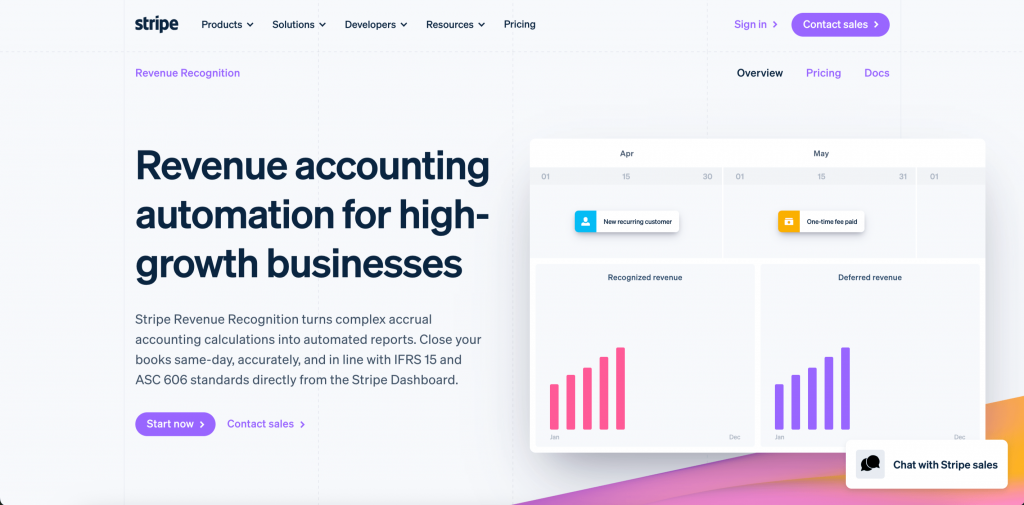
Stripe’s native Revenue Recognition module is built directly into the Stripe dashboard. It generates accrual-based recognition schedules for all Stripe transactions, such as subscriptions, one-time charges, usage-based billing, and invoices, without any additional data pipeline. Journal entries are produced automatically, including adjustments for credits, refunds, and disputes. It covers Stripe-originating transactions cleanly; revenue flowing through other platforms requires separate tooling.
Core features:
- Automatic recognition schedules for all Stripe transaction types
- ASC 606/IFRS 15 five-step model compliance
- Auto-generated journal entries including credits, refunds, and dispute adjustments
- Multi-currency support
- Drill-down audit trails for month-end close
- Real-time dashboards
| Pros | Cons |
| Zero friction for Stripe-native teams – no integration layer needed | Revenue Recognition is a paywalled add-on, not included in base Stripe plans |
| Same-day close achievable for straightforward subscription structures | Only covers Stripe-originated revenue; other platforms require separate tooling |
| Clean audit trails and auto-generated journal entries including refunds and disputes | Many features considered standard in dedicated RevRec tools require paid upgrades |
| No additional vendor relationship to manage | Complex subscription modifications and multi-element bundles are limited compared to purpose-built tools |
Ideal for: Early-stage SaaS companies with 100% Stripe billing and straightforward subscription structures that need low-friction ASC 606 compliance without adding a separate tool.
Maxio (formerly SaaSOptics + Chargify)
Maxio combines subscription billing management with revenue recognition and SaaS metrics in one platform. Its revenue recognition module handles multi-element arrangements, contract modifications, and variable consideration. Beyond compliance, Maxio’s reporting layer covers waterfall analysis, cohort MRR, and renewal forecasting — the output CFOs and board members typically request. The tradeoff is setup time: teams migrating from lighter tools report a longer onboarding curve.
Core features:
- Multi-element arrangement and variable consideration support
- Deferred revenue waterfall reporting
- MRR, ARR, and churn metrics alongside recognition schedules
- Contract modification handling
- GAAP-ready financial schedules
- Investor-grade SaaS reporting
| Pros | Cons |
| Revenue recognition engine is widely regarded as solid for GAAP calculations | Implementation consistently takes longer than expected – some users report 6–10 months |
| Dramatically reduces time spent on period-end reconciliation | Configuration changes require purchased support hours, which can make minor adjustments expensive |
| Investor-grade SaaS metrics (MRR, ARR, churn) alongside recognition schedules in one system | High account manager turnover and slow support response times are recurring complaints |
| Handles complex B2B subscription scenarios including contract modifications | Billing and recognition live in separate legacy modules (Chargify/SaaSOptics), which can create friction when running both together |
Ideal for: Mid-market B2B SaaS companies ($3M–$50M ARR) that want subscription billing and revenue recognition in one system with investor-grade metrics built in.
Zuora Revenue
Zuora Revenue is one of the more mature ASC 606 engines on the market, built for enterprise organizations with high-volume, high-complexity revenue portfolios. It handles multi-element arrangements, SSP analysis, contract modifications, multi-currency recognition, and automated disclosure generation. Implementation is significant – Zuora Revenue is configured, not plugged in, and changes to product structures or pricing models often require admin support or consulting cycles.
Core features:
- Multi-element arrangement support with SSP analysis and allocation
- Multi-currency recognition in 180+ currencies
- Automated disclosure generation
- Usage-based billing capabilities
- Contract modification and amendment handling
- Integration with Salesforce and major ERPs
| Pros | Cons |
| One of the most mature ASC 606 engines on the market with deep subscription object model | Minimum implementation cycle is typically around one year |
| Strong Salesforce connector; scales well for large enterprise deployments | Extremely high cost of ownership; not suitable for mid-market teams |
| Handles complex multi-element arrangements, usage-based billing, and 180+ currencies | The Revenue (formerly Leeyo RevPro) module is specifically criticized for requiring near-daily data fixes at some organizations |
| Real-time revenue visibility and robust reporting for finance teams | Not agile – pricing model changes or product restructuring often require consulting cycles |
Ideal for: Enterprise SaaS companies with complex multi-element contracts, dedicated RevOps or RevRec teams, and high transaction volumes who need a mature, deeply configurable engine.
Sage Intacct (with subscription revenue management)
Sage Intacct’s subscription revenue management module is built into its core financial platform, providing recognition and deferred revenue handling without requiring a separate point solution. Teams already on Sage Intacct can layer recognition directly onto their existing ERP. For those connecting Stripe, a third-party integration like Synder can run recognition schedules and post results to Intacct’s general ledger, combining billing intelligence with Intacct’s financial reporting infrastructure.
Core features:
- Native subscription revenue recognition within the ERP
- Deferred revenue scheduling and management
- Multi-entity support
- Integration with Salesforce CPQ for quote-to-revenue workflows
- Period management and financial close controls
- Compatible with third-party RevRec layers (e.g., Synder) for Stripe-connected workflows
| Pros | Cons |
| Recognition is built into the ERP – no separate point solution to manage or reconcile | Steep learning curve for teams coming from simpler systems like QuickBooks Online |
| Robust multi-dimensional reporting and multi-entity consolidation | Annual price increases since Sage acquired Intacct have been consistently double-digit |
| Intuitive interface rated highly across G2, Gartner, and TrustRadius | Advanced reporting customization requires significant system knowledge; some users report needing outside help for complex reports |
| Strong audit trails and period management controls | Some modules require additional fees for functionality teams expected to be included |
Ideal for: Mid-market companies ($5M–$100M revenue) already running Sage Intacct who want recognition built into their ERP rather than managed in a separate system.
NetSuite ARM (Advanced Revenue Management)
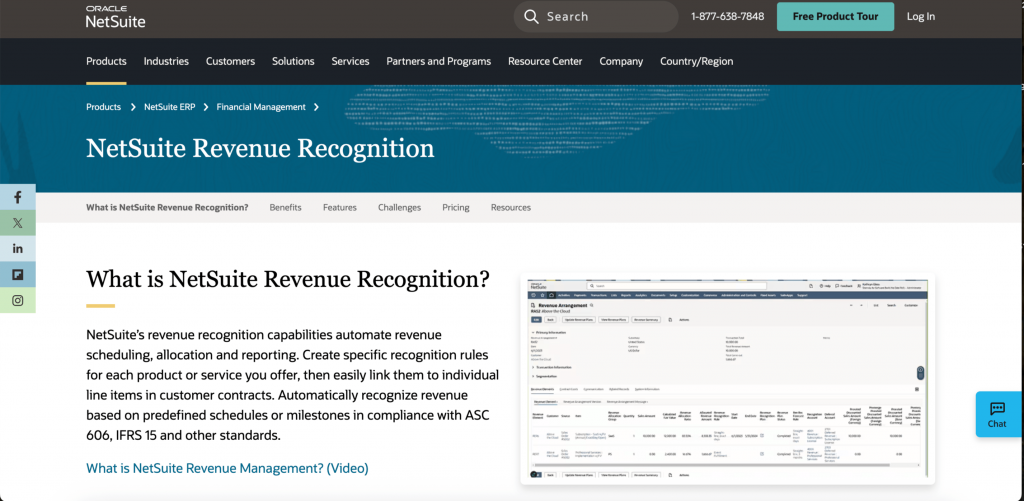
NetSuite’s Advanced Revenue Management module handles ASC 606 compliance within the NetSuite ecosystem, managing contract-based revenue, performance obligations, SSP allocation, and automated journal entry posting. It works best for stable revenue models; frequent contract modifications, mid-cycle billing changes, or complex usage-based pricing often require additional customization on top of the ARM module.
Core features:
- Contract-based revenue management within NetSuite
- Performance obligation identification and SSP allocation
- Automated journal entry posting
- Multi-element arrangement support
- Period-end close controls
- Compatible with third-party integrations (including Synder)
| Pros | Cons |
| Fully embedded in NetSuite — no separate vendor, integration, or reconciliation layer | ARM is an add-on; Revenue Recognition is not included in base NetSuite licensing |
| Highly customizable via SuiteScript and workflows for complex scenarios | Steep learning curve; requires dedicated NetSuite expertise to configure and maintain |
| Scales well for multi-entity, multi-subsidiary operations | Frequent contract modifications or dynamic pricing models often require customization beyond what ARM handles out of the box |
| Strong financial reporting and audit trail capabilities within the ERP | Licensing costs are high and implementation requires external consultants, adding significant total cost |
Ideal for: Mid-market to enterprise companies already on NetSuite with relatively stable subscription structures and internal NetSuite expertise to configure and maintain the module.
Chargebee (with RevRec)
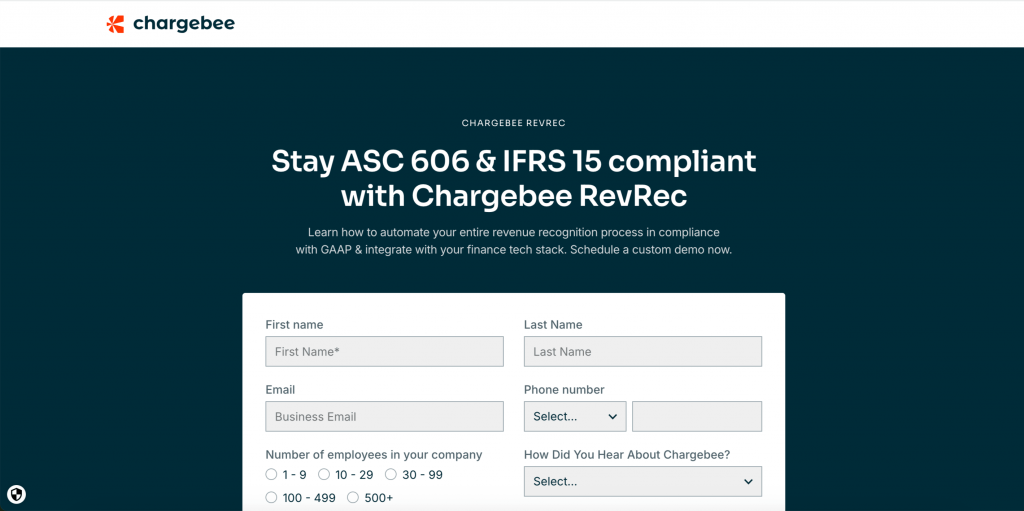
Chargebee is a subscription billing platform with ASC 606/IFRS 15 recognition capabilities built into its RevRec module. Because billing and recognition live in the same platform, subscription data flows into schedules without an integration layer. The recognition logic covers standard subscription structures well; teams with complex contract modifications, multi-element bundles, or aggressive usage-based pricing components may find it needs augmentation.
Core features:
- Recognition schedules generated natively from billing data
- Deferred revenue management and period-end reporting
- ASC 606/IFRS 15 compliance for subscription revenue
- Automatic adjustments for upgrades, downgrades, and cancellations
- MRR and ARR reporting alongside recognition output
| Pros | Cons |
| Billing and recognition in one platform – no sync delay between the two | Report generation UX is not intuitive; users report a significant learning curve for building custom reports |
| Intuitive interface rated highly on G2 for subscription management | Hard cap of 200,000 transactions per reporting period – larger datasets require external data pipelines |
| Automated dunning and retry logic alongside recognition reduces involuntary churn | Setup and initial configuration can be complex, particularly for non-standard revenue models |
| Strong API and integration support with Stripe, HubSpot, Salesforce, and QBO | RevRec has limited ability to update transactions via data import after the fact |
Ideal for: SaaS companies already in the Chargebee ecosystem with straightforward subscription structures that want recognition inside their billing platform without adding another system.
How to choose the right revenue recognition software
The revenue recognition software market is projected to reach $9.50 billion by 2030, driven by the near-universal adoption of ASC 606 and the complexity of modern subscription pricing models. That growth means more options, which makes the buying decision harder, not easier.
Here’s the framework that matters in practice:
- Start with your accounting system. The recognition tool needs to post clean, reconcilable journal entries to your general ledger. If your books are in QuickBooks Online or Xero, you want a tool with a verified, maintained integration, not a CSV export workflow. If you’re on NetSuite or Sage Intacct, check whether native modules or third-party integrations serve you better at your transaction volume.
- Map your billing complexity before evaluating demos. Walk into every demo with a list of your five hardest scenarios: what happens to recognition when a customer upgrades mid-cycle? When they cancel and receive a prorated credit? When you apply a discount at the contract level that doesn’t map cleanly to individual line items? The tools that can answer these questions clearly, without referencing custom implementation, are the ones worth shortlisting.
- Factor implementation costs honestly. Implementation costs typically range from 1 to 3 times the first year’s subscription, depending on complexity and data readiness. Timelines and budgets should account for data cleanup, integration development, revenue policy definition, testing, and training. A lower license fee paired with a six-month professional services engagement can cost more than a higher-priced tool with a two-week onboarding process.
- Think about your audit readiness horizon. If your first financial audit is two years away, a simpler tool may be sufficient. If you’re entering audit territory now, or if a fundraising process will involve investor scrutiny of your revenue accounting, you need a tool that produces audit-ready reports, such as contract-to-GL traceability, SSP documentation, and variance analysis, without manual assembly.
- Don’t underestimate the cost of switching. A tool that can’t scale with your contract complexity means reimplementation 18–24 months down the road. The long-term cost of underbuying almost always exceeds the upfront cost of selecting the right tool.
Conclusions on revenue recognition software
Revenue recognition has gone from a compliance checkbox to a core financial operations capability for SaaS and subscription businesses. At any meaningful scale, the issue is manual processes break. And here rises the question: which tool fits your accounting system, your billing complexity, and your team’s ability to implement and maintain it.
For early-stage companies using Stripe with straightforward subscription structures, Stripe’s native Revenue Recognition or a lightweight integration may be sufficient. For growth-stage companies with multi-element contracts, mixed billing cycles, and an upcoming audit, a purpose-built tool like Synder RevRec or Maxio provides the recognition depth and reporting granularity that compliance demands. For enterprises on NetSuite or Sage Intacct, native ARM modules or third-party integrations offer structured paths to ASC 606 compliance without displacing existing ERP infrastructure.
The software doesn’t change the accounting – the five-step model applies regardless. What it changes is how much of your finance team’s time goes into applying those rules, and how defensible the output is when an auditor or investor asks to see the work.
Read our articles about Accounts Payable automation software and Sales tracking software.
FAQ
What is revenue recognition software?
Revenue recognition software automates the process of recording revenue in the period it’s earned, not when cash is received. It creates recognition schedules based on contract terms, manages deferred revenue on the balance sheet, posts period-by-period journal entries to the general ledger, and generates audit-ready reports for ASC 606 or IFRS 15 compliance. For subscription businesses, it also detects and adjusts for mid-cycle contract changes like upgrades, downgrades, and cancellations.
When should a company switch from spreadsheets to revenue recognition software?
It usually starts to matter somewhere around 50–100 active subscriptions, or when your billing gets a bit more complex, like usage fees, mid-cycle upgrades, bundles, or annual plans recognized monthly. At that volume, the manual error rate on spreadsheets typically exceeds what a finance team can catch in review, and the time cost of month-end reconciliation starts exceeding the cost of purpose-built tooling. For companies approaching their first financial audit or a fundraising round, the switch usually needs to happen before, not after these events, since auditors expect clean, traceable recognition logic going back to contract start dates.
What do the best revenue recognition tools have in common?
Three capabilities consistently separate the tools finance teams trust from the ones they work around. The first is genuine subscription change handling: not just amortization of static contracts, but automatic detection and recomputation when a customer upgrades, cancels, or modifies mid-cycle. The second is direct, mapped integration with your accounting system: tools that write to QuickBooks Online, Xero, NetSuite, or Intacct with correct account codes and periods eliminate the reconciliation step that CSV exports create. The third is customer-level reporting – aggregated recognition totals don’t hold up under audit. The right automated solution typically reduces financial close cycles by 2–3 days versus manual approaches.
What’s the best software for revenue reporting?
The best tool depends on your business context. Synder RevRec and Maxio are strong choices for SaaS companies using Stripe and needing subscription-level recognition details connected to QuickBooks Online, Xero, NetSuite, or Sage Intacct. Zuora Revenue and NetSuite ARM are better fits for enterprise organizations with high-volume, high-complexity contracts. Stripe Revenue Recognition works well for early-stage companies with 100% Stripe billing and simpler contract structures.
Can revenue recognition tools integrate with ERP systems?
Yes. Most purpose-built revenue recognition tools offer direct integrations with major ERP and accounting platforms. Synder RevRec posts journal entries to QuickBooks Online, Xero, Oracle NetSuite, Sage Intacct, and Puzzle. NetSuite ARM is embedded in NetSuite. Zuora Revenue integrates with Salesforce and major ERPs. The quality of the integration – mapping accounts, classes, and periods correctly, and handling reconciliation – differs a lot between tools and is worth verifying before purchase.
Does QuickBooks have revenue recognition?
QuickBooks Online handles basic accrual accounting but doesn’t natively generate ASC 606-compliant recognition schedules for subscription businesses. It doesn’t automatically detect subscription changes, calculate prorations, or produce deferred revenue waterfall reports. Companies that need true ASC 606 compliance typically add a dedicated RevRec layer, like Synder RevRec, that connects to Stripe, generates recognition schedules, and posts compliant journal entries directly into QuickBooks Online.
What is the difference between ASC 606 and IFRS 15?
ASC 606 and IFRS 15 were developed jointly by FASB (US) and IASB (international) and share the same five-step framework. In practice, the standards are quite converged: the same performance obligation logic, transaction price allocation, and recognition timing rules apply under both. The meaningful differences appear in narrow areas: licensing (particularly intellectual property), sales with a right of return, and certain principal vs. agent considerations. For most SaaS and subscription businesses operating in both US and international markets, a tool that supports both standards handles 95%+ of scenarios identically, with any jurisdictional differences managed at the policy level, not through separate workflows.
How much does revenue recognition software cost?
Pricing varies widely by tier and complexity. Basic tools for early-stage companies can start below $100/month. Mid-market solutions like Synder RevRec and Maxio typically range from a few hundred to a few thousand dollars per month depending on transaction volume and features. Enterprise platforms like Zuora Revenue and NetSuite ARM are priced at six figures annually. For most tools, implementation costs add 1–3x the first year’s subscription fee, particularly for companies migrating historical data or configuring complex revenue policies.