.png)

Running a retail business means your POS system and your accounting software need to work together, yet for many store owners, they don’t. Sales data lives in one place, financial records in another, and reconciliation becomes a weekly ordeal involving spreadsheet acrobatics and manual re-entry.
This isn’t a niche issue. The global POS software market is expected to reach $38.82 billion by 2033, with retail as the largest segment. In other words, more businesses are relying on these systems than ever, and many still struggle to make them work together.
The right software setup fixes that. This article covers what retail POS and accounting software actually do, what to look for when choosing, and the best options on the market right now.
TL;DR
- POS and accounting software handle different stages of a sale: POS records the transaction and updates inventory; accounting software classifies, reports, and reconciles – and the two need to be connected to give you an accurate financial picture.
- Key features to look for include inventory sync, multi-channel support, real-time reporting, and a reliable integration path to your accounting system.
- Top POS options covered here: Square for Retail for small stores, Shopify POS for omnichannel sellers, and Clover for retailers who want hardware and software in one package.
- On the accounting side, QuickBooks Online and Xero are the most common pairings; both connect to major retail POS platforms and cover everything from bank reconciliation to sales tax and financial reporting.
- Synder automates the connection between POS systems and accounting software, syncing data from Square POS, Shopify POS, Clover, and 30+ other platforms into QuickBooks, Xero, NetSuite, or Sage Intacct without manual entry.
What retail POS and accounting software actually does
A point-of-sale system is where a transaction happens: a customer pays, the sale is recorded, and inventory is updated. At its core, it handles payment processing, receipt generation, and real-time stock tracking. Some POS systems go further, adding customer loyalty programs, employee management, and basic reporting. But even the most feature-rich POS isn’t a replacement for dedicated accounting software.
Accounting software, like QuickBooks, Xero, Sage, and their peers, handles the financial layer: categorizing income and expenses, calculating tax liabilities, generating profit and loss statements, and keeping your books in a shape your accountant (and the IRS) will appreciate.
What to look for in retail POS and accounting software
Before comparing specific tools, it’s worth knowing what features matter most for a retail context. Not all POS systems are designed for physical stores, and not all accounting software handles the volume or complexity that multichannel retail generates.
The features that tend to matter most:
- Inventory management: real-time stock tracking across locations and channels, with low-stock alerts and automatic updates on sale
- Multi-channel support: unified sales data from in-store, online, and marketplace channels, so your books don’t have to be manually reconciled by channel
- Detailed reporting: sales by location, product, time period, and payment method – the kind of granularity that helps with purchasing decisions and tax prep
- Payment flexibility: support for card, contactless, digital wallets, and buy-now-pay-later options, customers increasingly expect
- Accounting integration: a direct, reliable connection to your accounting system – ideally automated so data flows without manual exports and imports
Best retail POS and accounting software options
The tools below cover the most widely used POS systems for retail, plus the most common accounting software retailers pair with them. For each, we’ve noted core features, current pricing (from official sources), and who it makes sense for.
Square for Retail
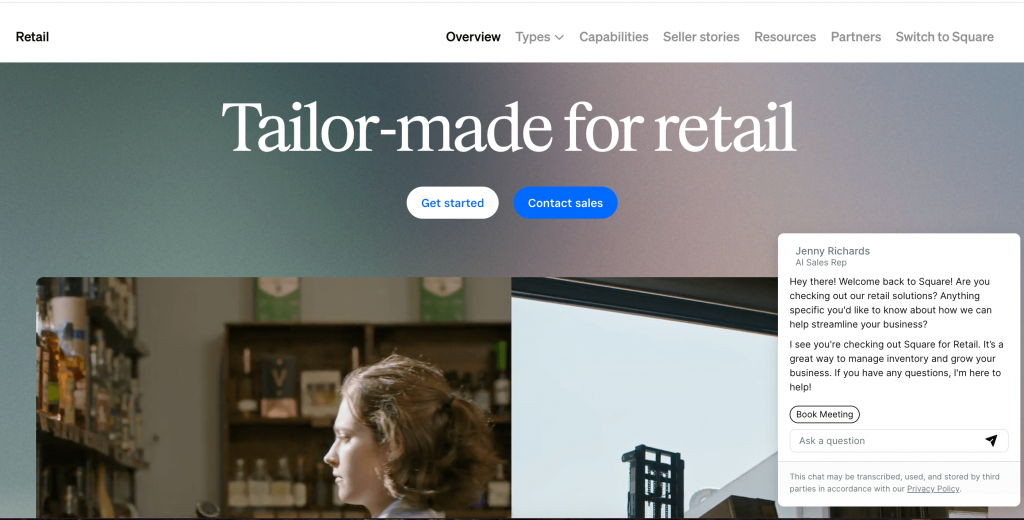
Square for Retail is probably the easiest retail POS to get started with. There’s a free tier, no upfront hardware cost if you start with a card reader, and the setup takes minutes. The Plus plan unlocks more advanced inventory and employee tools as your operation grows.
Core features:
- Real-time inventory tracking across multiple locations
- Customer profiles
- Sales reporting
- Team management
- Built-in payment processing
- Integrations with QuickBooks Online and Xero
Pricing:
| Plan | Price | What’s included |
| Free | $0/month + 2.6% + 10¢ per tap/dip/swipe | Basic POS, inventory, free online store |
| Plus | $89/location/month + 2.5% + 10¢ | Advanced inventory, cost of goods tracking, multi-location management |
| Premium | Custom pricing | Custom processing rates for high-volume sellers |
Ideal for: independent retailers, boutiques, and small multi-location stores that want a polished POS with zero upfront cost and a clear upgrade path.
Shopify POS
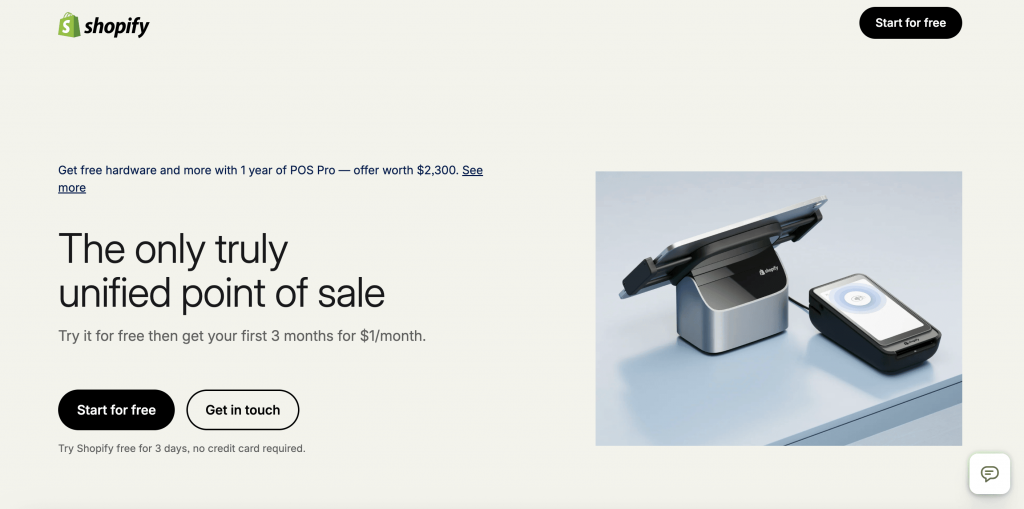
Shopify POS is the in-store arm of the Shopify commerce platform, built for retailers who also sell online. Inventory, customer data, and order history sync automatically across channels, which is the main reason to choose it over a standalone POS.
Core features:
- Unified online and in-store inventory
- Customer purchase history across channels
- Staff permissions
- Buy-in-store-ship-to-customer
- Integrations with QuickBooks, Xero, and Sage Intacct via third-party tools
Pricing:
| Plan | Price | What POS is included |
| Basic | $29/month (annual) | POS Lite |
| Shopify | $79/month (annual) | POS Lite |
| Advanced | $299/month (annual) | POS Lite |
| Retail | $79/month (annual) | POS Pro (1 location) |
| POS Pro add-on | +$89/location/month | For businesses on any plan needing full in-store features |
Ideal for: omnichannel retailers who sell online and in-store, and want a single platform managing both.
Clover
Clover bundles hardware and software into a single package, sold directly and through resellers with industry-specific plans for retail, restaurants, and services. It’s a practical choice for retailers who’d rather not source hardware and software separately.
Core features:
- Payment processing (card, contactless, digital wallets)
- Inventory tracking and management
- Customer database
- Loyalty and gift card programs
- Employee management
- App marketplace integrations for accounting and ecommerce
Pricing:
Clover’s retail pricing is based on software plan fees (when hardware is purchased upfront) or bundled monthly plans that include hardware leased over 36 months. The table below shows software-only monthly costs for retailers who purchase hardware outright.
| Plan | Software fee/month | What else is included |
| Starter | ~$14.95 | Basic POS, payments, simple inventory |
| Standard | ~$54.95 | Inventory management, customer database, itemized returns |
| Growth | ~$64.90 | Loyalty programs, advanced reporting, Clover Flex included |
Ideal for: small to mid-size retailers that want an integrated hardware-software package with built-in payment processing and a straightforward setup, especially businesses that don’t want to source hardware and software separately.
Lightspeed Retail
Lightspeed Retail is a cloud-based POS built for established retailers with larger inventories or multiple locations. It has more depth in inventory management than most options in this list, which is what justifies the higher price point for the right business.
Core features:
- Advanced inventory management
- Purchase orders
- Supplier catalogs
- Detailed sales analytics
- Loyalty programs (Core and Plus tiers)
- Ecommerce integration
- Accounting integrations via app marketplace
| Plan | Monthly price | What’s included |
| Basic | $109/month | Core POS, inventory, payments |
| Core | $179/month | Everything in Basic, plus ecommerce and advanced analytics |
| Plus | $339/month | Everything in Core, plus loyalty program and API access |
| Enterprise | Custom | Custom multi-location setup and dedicated support |
Ideal for: mid-size and growing retailers with complex inventory, multiple locations, or both, for apparel, sporting goods, electronics, and specialty retail.
QuickBooks Online (accounting side)
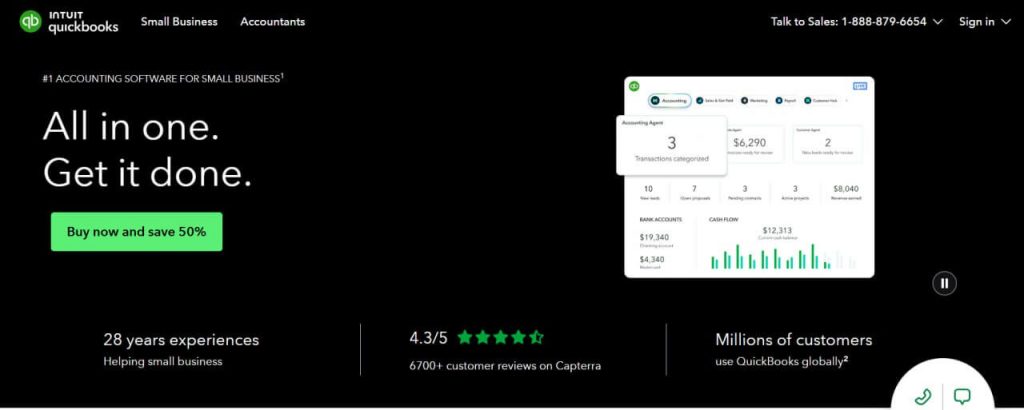
QuickBooks Online is the most widely used accounting platform in the US and the default pairing for most retail POS systems. It connects to Square, Shopify, Clover, and others either natively or via integration tools like Synder.
Core features:
- Income and expense tracking
- Bank reconciliation
- sales tax management
- Financial reporting (P&L, balance sheet, cash flow)
- Inventory tracking (Plus and Advanced)
- Payroll (add-on)
Pricing:
| Plan | Monthly price | What’s included |
| Simple Start | $30/month | Income and expense tracking, invoicing, bank reconciliation |
| Essentials | $60/month | Everything in Simple Start, plus bill management and up to 3 users |
| Plus | $90/month | Everything in Essentials, plus inventory tracking and project profitability |
| Advanced | $200/month | Everything in Plus, plus custom reporting, batch invoicing, and dedicated support |
Ideal for: retail businesses of any size that need a proper accounting platform to complement their POS, particularly if they’re already in the Intuit ecosystem or working with an accountant who uses QuickBooks.
| Learn more about 5 Best QuickBooks POS Software Options for Businesses in 2026. |
Xero (accounting side)

Xero is a cloud-based accounting platform with a strong following among small businesses and ecommerce retailers. Every plan includes unlimited users – a meaningful advantage over QuickBooks Online. And it integrates with Shopify, Square, and Clover via its app marketplace.
Core features:
- Bank reconciliation
- Invoicing and bills
- Sales tax management
- Financial reporting
- Multi-currency (Established plan)
- Inventory basics
- Broad app ecosystem covering POS, ecommerce, and payroll
Pricing:
| Plan | Monthly price | What’s included |
| Early | $25/month | Invoicing (up to 20/month), bill tracking (up to 5), bank reconciliation |
| Growing | $55/month | Everything in Early, plus unlimited invoices, bills, and bulk reconciliation |
| Established | $90/month | Everything in Growing, plus multi-currency, expense claims, and project tracking |
Ideal for: retailers who want a clean, modern accounting platform with unlimited users and a strong integration ecosystem – those already using Shopify or working with accountants who prefer Xero over QuickBooks.
Connecting your POS to your accounting system
Choosing the right POS and the right accounting software solves the first half of the problem. The second half is making sure they actually talk to each other reliably. Here’s how that typically works in practice.
- Check what your POS offers natively. Most platforms have some level of built-in accounting integration: daily summary exports, a direct QuickBooks or Xero connection, or a marketplace app. Start here, as it’s often enough for lower-volume operations with a single sales channel.
- Identify where native integrations fall short. Common failure points include high transaction volumes, multi-platform operations, edge cases like refunds and fees not mapping correctly, and sync errors that require manual fixes. If any of these apply, a native connection will create more work, not less.
- Add a dedicated integration layer. Synder is an accounting automation tool that syncs data from retail POS systems, like Square POS, Shopify POS, and Clover, as well as 30+ ecommerce and payment platforms, directly into QuickBooks, Xero, NetSuite, or Sage Intacct without manual entry. Sales, fees, refunds, taxes, and discounts flow into the right accounts automatically, with no spreadsheet in between.
In practice, retailers using such a solution like Synder save 70+ hours of manual work per month across multi-location operations, and recover 12–18 full workdays every year previously lost to duplicate data entry and reconciliation.
If you’re ready to ditch manually moving data between your POS and your books, start a free Synder trial to connect your platforms or book a demo to see exactly how Synder handles your specific setup.
Closing thoughts: Choosing retail POS and accounting software that works together
The right retail POS and accounting software setup is the one that fits your sales channels, your business size, and your accounting workflow without creating manual work when these systems meet. Square for Retail is the most accessible starting point for small stores. Shopify POS makes sense when online and in-store need to run as one. Clover suits retailers who want hardware and software in a single package. For the accounting side, QuickBooks Online is the most widely used option in the US, while Xero is a strong alternative for teams that want unlimited users and a clean integration with Shopify and other ecommerce platforms.
Whichever tools you choose, the integration between your POS and your books deserves as much attention as the software itself. Getting that connection right natively or through a dedicated tool like Synder is what keeps your financials accurate in real time.
FAQ
What is retail POS software, and how is it different from accounting software?
A retail POS system handles transactions at the point of sale. It processes payments, updates inventory, and records sales in real time. Accounting software records and classifies that financial data for reporting and tax purposes. They serve different functions and work best when connected, not used as substitutes for each other.
Can a POS system replace accounting software?
Not reliably. Most POS systems include basic reporting, but they don’t handle the full accounting workflow: expense tracking, bank reconciliation, tax management, payroll, or financial statements. For anything beyond simple sales reporting, you’ll need a dedicated accounting platform alongside your POS.
How do I integrate my retail POS with accounting software?
Most major POS systems offer native integrations or app marketplace connections to QuickBooks, Xero, or Sage. For more reliable, detailed syncing – especially with high transaction volumes or multiple platforms – many retailers use a dedicated integration tool like Synder, which automates the data flow and handles edge cases like refunds, fees, and multi-currency transactions.
What’s the best retail POS system for a small business?
Square for Retail is the most accessible starting point – it has a free plan, straightforward setup, and clear upgrade paths as your business grows. Shopify POS is a strong alternative if ecommerce is already part of your operation. Both integrate well with QuickBooks Online and Xero for the accounting side.