

If your company collects subscription payments through Stripe and uses NetSuite as its ERP, you’re sitting on a workflow that can be almost fully automated. According to 2025 research, 91.51% of SaaS finance teams say their automation setups require extra customization to handle subscription models correctly.
Automated revenue recognition for Stripe subscriptions in NetSuite means your system handles the entire accounting lifecycle: from creating a deferred revenue entry the moment a payment lands in Stripe, to spreading earned income across the right accounting periods, to closing out credit memos when someone cancels. When it works, your finance team stops manually touching subscription invoices and starts trusting the numbers instead.
The challenge is that Stripe and NetSuite speak different languages when it comes to revenue timing. This article explains how the integration works, how to set it up correctly, how subscription changes such as upgrades, downgrades, and cancellations flow through to NetSuite, and what to watch out for when things go wrong.
TL;DR
- Revenue recognition basics: Stripe collects cash; NetSuite applies timing rules under ASC 606: something has to connect the two so the right amounts land in the right periods.
- Two approaches exist: The native Stripe Connector for NetSuite works well when Stripe data is clean and correctly structured; Synder RevRec guarantees that data quality by pulling directly from Stripe and posting GAAP-compliant journal entries on its own schedule.
- The methods matter: Different accounting firms recognize revenue differently: daily ratable, monthly ratable, or first/last prorated, and your tool needs to support the method your books already use.
- Subscription changes are the real test: Upgrades, downgrades, and cancellations create prorations that must flow through to recognition schedules correctly, or your deferred revenue balance drifts.
- Common pitfalls are avoidable: Most failures come down to missing period dates, wrong account mappings, or recognition rules that weren’t assigned before go-live.
What is revenue recognition, and why does it matter in NetSuite?
Revenue recognition is the accounting principle that determines when a company records income: not when cash arrives, but when the service has actually been delivered. For a subscription business, this means a $1,200 annual plan paid upfront on January 1st gets recognized as $100 per month across twelve periods, not as $1,200 on day one. The full upfront amount sits in a deferred revenue account on the balance sheet until it’s earned.
This matters in NetSuite because incorrect revenue timing can distort your P&L, affect investor metrics, and create audit risk. Under ASC 606, companies must recognize revenue as they fulfill their performance obligations, so for most SaaS businesses, revenue is recognized gradually over the subscription term as customers receive access to the software.
NetSuite’s Advanced Revenue Management (ARM) module is designed to automate this by applying recognition rules to invoices and moving amounts from Deferred Revenue to income each period. However, ARM only works properly if the invoice data from Stripe, especially service period dates, syncs correctly, which is why the integration setup plays such an important role.
Learn more about revenue recognition and how to automate it.
Two ways to automate revenue recognition for Stripe subscriptions in NetSuite
There’s no single prescribed path here. How you connect Stripe to NetSuite for revenue recognition depends on your team’s technical capacity, the complexity of your subscription billing, and how much configuration overhead you’re willing to take on.
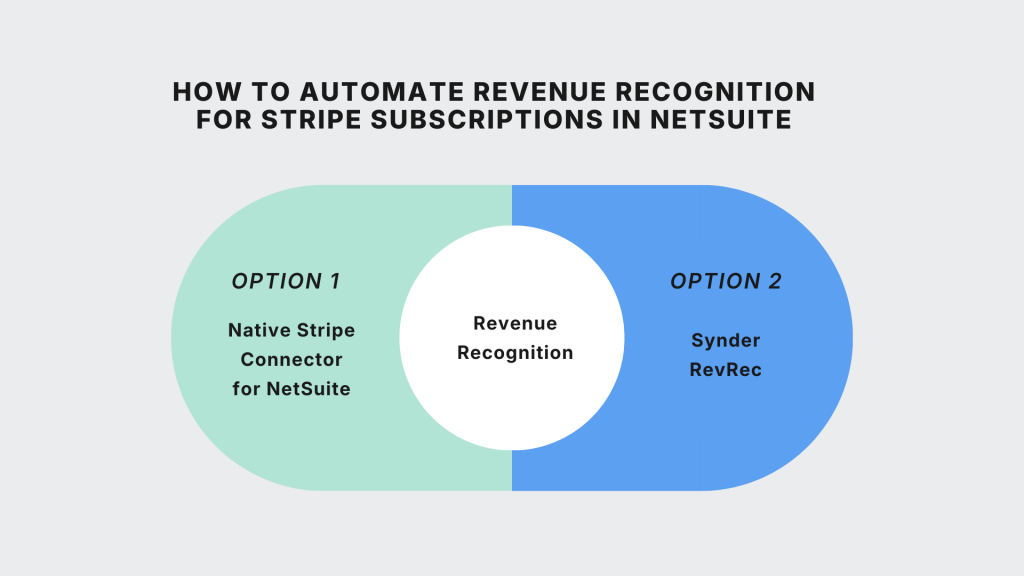
Option 1: The native Stripe Connector for NetSuite
The Stripe Connector for NetSuite (formerly SuiteSync, which Stripe acquired) is the official integration between the two platforms. It synchronizes data in real time: customers, invoices, payments, refunds, credit memos, and disputes all flow from Stripe into NetSuite as corresponding records.
For revenue recognition specifically, the connector passes Stripe subscription billing period start and end dates to NetSuite invoice line items. NetSuite ARM then reads those dates, matches them to the recognition rule assigned to the item, and creates a deferred revenue schedule. Each month, the period close triggers a journal entry that moves the earned portion from Deferred Revenue to your income accounts. When payment clears in Stripe, it’s applied against the NetSuite invoice and reconciled against the bank deposit.
This works well when everything is configured correctly. The connector requires working with an official implementation partner for setup (Stripe’s requirement, not optional), and a number of things must be in place before go-live:
- Stripe Billing must be configured to include period dates on line items, each NetSuite item must have a recognition rule assigned;
- Deferred revenue accounts must be correctly mapped per item.
If any of these are missing, NetSuite ARM either won’t schedule recognition at all or will recognize the full amount immediately, both of which create messy corrections later.
How to set up automated recognition with the connector
- Map Stripe products to NetSuite items: link each Stripe product/price to a NetSuite item with the correct recognition rule, income account, and deferred revenue account.
- Configure deferred revenue accounts: set the balance sheet account where unearned subscription revenue will be posted.
- Define recognition rules in NetSuite ARM: most SaaS companies use straight-line recognition by accounting period.
- Set customer matching logic: decide whether to auto-create NetSuite customers from Stripe or match them with existing records.
- Test the full lifecycle in sandbox: run subscription creation, payment, upgrade, downgrade, and cancellation to confirm schedules, postings, and credit memos work correctly.
- Check date handling: Stripe uses an exclusive end date while NetSuite uses an inclusive one. The connector adjusts this automatically by adding one day.
Option 2: Synder RevRec
Synder is an accounting automation platform that takes a different approach: instead of relying on data arriving correctly from Stripe, it connects directly to your Stripe and NetSuite accounts, reads every subscription invoice and billing event in real time, and builds the recognition schedule itself, then posts the resulting journal entries to your accounting system.
This means Synder isn’t dependent on Stripe Billing being configured a particular way. It picks up invoices automatically, constructs a revenue schedule based on the billing period, handles modifications to active subscriptions (upgrades, downgrades, cancellations, prorations) as they happen, and posts recognition journal entries that move amounts from Deferred Revenue on the balance sheet to income on the P&L each period. You can also import subscription data via Excel if you need to onboard historical invoices or use a billing source other than Stripe.
Where Synder goes further is in recognition method flexibility. Because different accounting firms and finance teams use different recognition approaches, and switching methods mid-stream requires recalculating from the beginning, Synder supports multiple methods at the product line level:
- Daily ratable: the most precise method; divides the invoice amount by the number of days in the billing period and multiplies by days covered each month. For a $1,200 annual subscription starting August 20, that’s $1,200 ÷ 365 = $3.29/day, so August gets $39.45 for 12 days covered.
- Monthly ratable (excluding last period): divides the invoice amount by the number of months in the billing period, excluding the last month, and recognizes an even amount each month. Simpler to explain but slightly less precise for partial first/last periods.
- Monthly ratable, first/last prorated: same monthly division, but prorates the first and last months based on actual days covered. For the same $1,200 annual subscription, August 2022 gets $38.71 (12/31 × $100) and August 2023 gets $61.29 (19/31 × $100), with $100 recognized in every month in between.
The right method depends on your accounting firm’s existing practices. Synder lets you apply recognition methods at the product line level, so you’re not forced to standardize everything on one approach if your subscription catalog is mixed.
Ready to see how Synder RevRec handles your Stripe subscription recognition? Start a free trial and connect your Stripe account or book a demo and we’ll walk through your specific billing setup.
Connector vs. Synder: which approach fits your situation?
Both paths get you to ASC 606-compliant recognition, but they make different trade-offs between control, flexibility, and setup effort. Here’s how they compare across the factors that matter most to finance teams:
| Factor | Stripe Connector for NetSuite | Synder RevRec |
| Setup | Requires an approved implementation partner; configuration-heavy | Self-service; connects to Stripe directly, no partner required |
| Data dependency | Relies on Stripe Billing sending correct period dates on line items | Reads billing data directly from Stripe; not dependent on Stripe configuration |
| Recognition methods | Straight-line by accounting period (NetSuite ARM rules) | Daily ratable, monthly ratable, monthly ratable first/last prorated — per product line |
| Subscription changes | Proration line items synced with own period dates | Real-time detection of upgrades, downgrades, cancellations; recognition schedule updated automatically |
| Discounts / coupons | Non-posting discount items; reduces recognized amount | Revenue recognized net of discounts; discount tracked at GL entry level |
| Multi-entity / multi-currency | Supported; posts to correct NetSuite subsidiary | Supported |
| Accounting platform | NetSuite only | NetSuite, QuickBooks Online, Xero, and others |
| Audit trail | NetSuite ARM schedule links back to Stripe source invoice | Journal entries reference Stripe invoice and billing period |
| Best for | Teams with a NetSuite implementation partner already in place and standard billing configuration | Teams that need self-service setup, flexible recognition methods, or use non-standard Stripe billing |
Revenue recognition complexities in subscription businesses
Subscription billing rarely stays static. Upgrades, downgrades, cancellations, and plan switches all change the revenue timeline, which makes recognition more complex. Because subscription revenue must be recognized over the service period, every billing change can affect how income is scheduled across accounting periods.
Below are two areas where these complexities typically appear.
How subscription changes flow through to NetSuite
Subscription changes, such as upgrades, downgrades, mid-cycle cancellations, or plan switches, are where recognition complexity usually increases. Stripe handles these events through prorations. When a customer changes a plan mid-period, Stripe calculates the unused portion of the original plan and the prorated amount for the new plan as separate line items on the same invoice.
How those prorations affect recognition depends on the integration path.
- Connector approach (Stripe Connector for NetSuite): proration line items sync to NetSuite with their own service period dates. NetSuite ARM then creates separate recognition schedules for each line item.
- Synder approach: subscription changes are detected in real time and the revenue recognition schedule updates automatically to reflect the new billing structure.
Several common scenarios illustrate how this works:
- Upgrade mid-cycle: Stripe creates two entries: a credit for unused time on the old plan and a charge for the remaining time on the new plan. Each line item has its own recognition schedule starting or ending mid-period.
- Cancellation with refund: a credit memo typically inherits the recognition schedule from the original invoice. If revenue has already been recognized in closed periods, manual reversals may be required when using the connector path. Automated recognition updates handle this adjustment automatically when using Synder.
- Trial conversions: trial periods usually generate $0 invoices that are skipped or recorded as zero-value transactions. Revenue recognition begins only when the first paid invoice is issued.
Unclosed recognition schedules or orphaned deferred revenue balances after subscription changes often signal that a proration event failed to sync correctly. Left unnoticed, these discrepancies can quietly distort the balance sheet until caught during reconciliation.
ASC 606 compliance and audit readiness
ASC 606 requires revenue to be recognized when (or as) performance obligations are satisfied. For subscription businesses, this means recognizing revenue gradually over the service period rather than at the moment payment is received.
Both approaches support this requirement and maintain an audit trail:
- Connector path: NetSuite ARM records the recognition schedule, links it to the original Stripe invoice, references the recognition template, and logs the accounting period for each journal entry.
- Synder path: each recognition entry references the Stripe invoice and the associated billing period directly, creating a clear transaction trail.
Multi-currency subscriptions are supported in both setups as well. Transactions remain recorded in their original currency, while exchange rates are applied when revenue is recognized.
For audit purposes, the requirement remains the same: every recognized revenue entry must be traceable back to the contract, the performance obligation, and the exact service period it represents.
How real companies handle complex revenue recognition
Syndic8, a B2B ecommerce data platform, faced revenue recognition challenges that highlight where standard connectors can reach their limits. Their Stripe billing setup included multiple unrelated subscriptions tied to the same customer, layered discount structures, and invoices issued with Net 60 payment terms.
After moving to Synder RevRec, Syndic8 was able to:
- Build accurate customer hierarchies in their accounting system
- Track discounts at the same level of detail as revenue GL entries
- Start revenue recognition on open invoices immediately, without waiting for payment
I don’t see any other good options out there to do daily revenue recognition and prorations on subscriptions, while mixing combinations of advanced/arrears billing and one-time/recurring items.
Joe DiNardo, COO at Syndic8
Common pitfalls when connecting Stripe to NetSuite for revenue recognition
Even with a well-chosen approach, several issues come up repeatedly and are worth anticipating before go-live.
- Missing period dates on Stripe invoice line items. If Stripe Billing isn’t configured to include period start and end dates at the line item level, the connector can’t pass them to NetSuite, and ARM won’t schedule recognition. Verify this before go-live – it’s the most common root cause of recognition failures.
- Incorrect deferred revenue account mapping. If revenue maps to an income account instead of a deferred revenue account, NetSuite recognizes the full invoice amount immediately. Always confirm item-level account assignments during setup.
- Recognition rules not assigned to proration items. Proration line items from mid-cycle changes need recognition rules just like regular subscription items. Without an assigned rule, the incremental revenue posts to income immediately rather than being deferred.
- Credit memo recognition logic across closed periods. Credit memos inherit the original invoice’s recognition schedule. A full refund issued after several periods have closed may create recognition entries across past periods that require manual reversal.
- Choosing a recognition method that doesn’t match your firm’s existing approach. If your books have been using daily ratable and you switch to monthly ratable, you’ll need to recalculate recognition from the beginning. Lock down your method before going live and make sure your tool supports it natively.
Conclusion: choosing the right path for Stripe subscription revenue recognition in NetSuite
Getting automated revenue recognition right for Stripe subscriptions in NetSuite ultimately comes down to one decision: how much of the data quality work do you want to manage yourself, and how much flexibility do you need in how recognition is calculated?
The native Stripe Connector for NetSuite is a solid choice when you have a NetSuite implementation partner in place, your Stripe Billing configuration is clean, and your recognition needs fit the standard straight-line ARM setup. Synder RevRec is the better fit when you need more control over recognition methods, discount handling, subscription change detection, or the ability to work across accounting platforms without heavy upfront configuration. Either way, the goal is the same: deferred revenue that’s accurate, period closes that don’t require manual heroics, and a P&L that reflects what you’ve actually earned.
FAQ
What is the difference between Stripe Revenue Recognition and NetSuite ARM?
Stripe Revenue Recognition is a reporting feature within Stripe that shows when revenue was earned based on your billing data. NetSuite Advanced Revenue Management (ARM) is an accounting module that creates the actual journal entries in your books. For GAAP-compliant financials, you need ARM – Stripe’s reports don’t replace formal accounting entries.
Does the Stripe Connector for NetSuite support the legacy revenue recognition module?
No. The current Stripe Connector for NetSuite supports NetSuite Advanced Revenue Management (ARM) only. The legacy “classic” revenue recognition module is not supported. If you’re still on the old module, you’ll need to migrate to ARM or use an alternative tool for recognition.
How do upgrades and downgrades flow through to NetSuite recognition schedules?
Stripe generates proration line items for mid-cycle plan changes, each with its own period dates. On the connector path, these sync to NetSuite and ARM schedules recognition for each independently. With Synder RevRec, subscription changes are detected in real time and recognition schedules update automatically.
Which revenue recognition method should I use for Stripe subscriptions?
It depends on your accounting firm’s existing practice and the accuracy you need. Daily ratable is the most precise as it recognizes revenue based on exact days covered each period. Monthly ratable methods are simpler and more consistent but slightly less accurate for partial first and last periods. Synder RevRec supports all three methods and lets you apply them at the product line level.
Can I automate Stripe revenue recognition in NetSuite without an implementation partner?
The official Stripe Connector for NetSuite requires an approved implementation partner for setup – that’s Stripe’s requirement. Synder RevRec is self-service: you connect your Stripe account directly, configure recognition methods and account mappings, and the recognition runs from there without needing external implementation support.