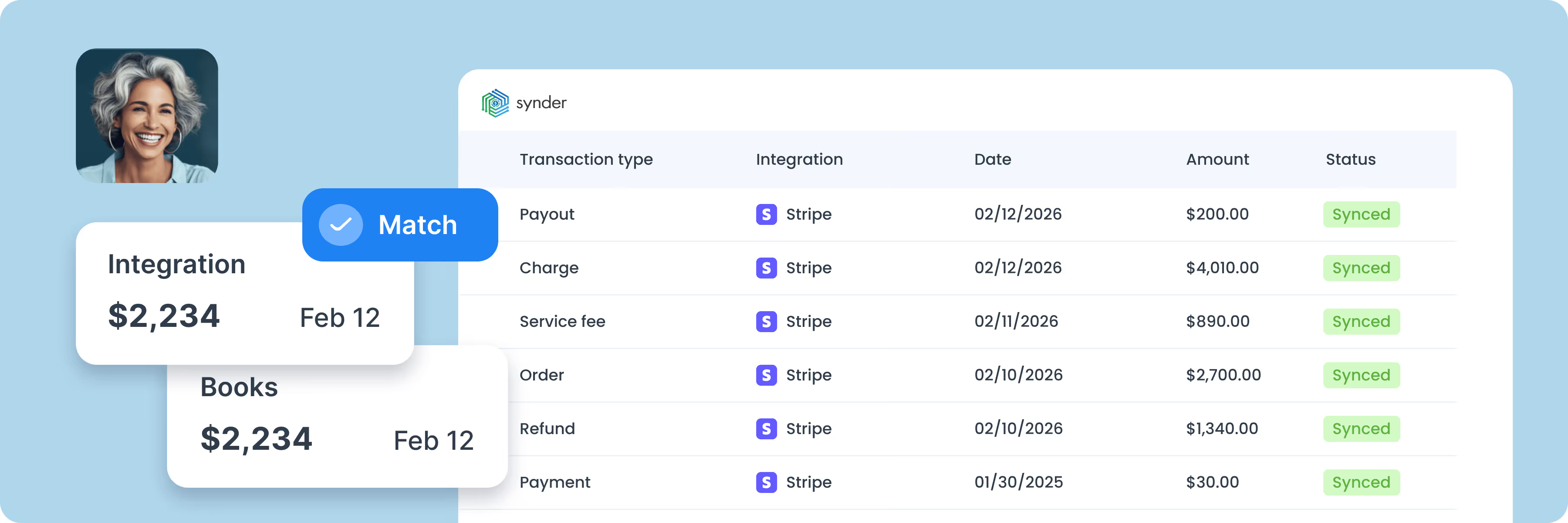
Connect Stripe and Xero to the Synder app.
Personalize Synder to align perfectly with your business needs.
Enjoy streamlined bookkeeping and smooth reconciliation.

Every Stripe payment, processing fee, refund, and chargeback flows into Xero automatically as an invoice or credit note, with gross and net amounts separated. When Stripe pays out, the deposit in your Xero bank feed already matches.
Synder compares your Stripe data against Xero records or its own records, depending on the sync mode, and flags any mismatches, such as missing transactions, amount differences, or unsynced entries. Any gaps link back to the original transaction, so you can resolve them without leaving Synder.
Map Stripe products to Xero accounts and tax codes by name or SKU once, and Synder applies it going forward. Synder customization rules handle the rest – assigning tracking categories, locations, and classes automatically.
Synder matches incoming Stripe payments to open Xero invoices and marks them as paid the moment funds are received. Voided invoices are handled with a credit note, and customer credits are applied automatically.
Recurring Stripe charges sync with each billing cycle, with upgrades, downgrades, and cancellations reflected as they happen. Synder RevRec defers revenue on the balance sheet and recognizes it monthly in line with IFRS 15 and ASC 606.
Import past Stripe transactions into Xero as far back as Stripe stores them. Account and tax code mappings apply automatically, so historical entries arrive categorized and ready for reconciliation.

To find the best solution for your business, book a call with our accounting automation expert. We'll dive into your needs and show how Synder can optimize your bookkeeping processes. Let us walk you through it!


Discover how to boost your online and subscription-based clients' success while saving time and increasing accuracy.
Explore accountants’ pageSOC 2 Type 2 certified, GDPR and HIPAA compliant, with end-to-end encryption built in. Synder keeps your data secure, helps you pass audits, and scales safely as you grow.
Synder's support team knows ecommerce accounting inside and out. Get help whenever you need it - chat, email, video call, or screen share. You're never stuck sorting things out alone.
Set up transactions exactly how you need them: rename line items, pull in custom data, adjust tax codes, and map everything to match your workflow perfectly.
Synder breaks down revenue by product, location, payment method, or date, from monthly snapshots to year-end reports. Get the data you need to make decisions.
"Synder saves me at least 10 hours a month on manual data entry and reconciliation. It gives me the ability to manage multiple income streams and separate clearing accounts for different locations, making month-end close so much easier and more accurate. It’s 100% worth the money."

Synder is an automated accounting software that connects Stripe and 30+ other platforms with Sage Intacct, QuickBooks, NetSuite and Xero. No more manual data entry or reconciliation headaches—Synder automates your bookkeeping by bringing sales, discounts, taxes, fees, products, customer names, and other transaction data directly into the right accounts in your accounting software. It works in real-time, ensuring the highest accuracy and security of your accounting data.
To set up Synder and sync your Stripe transactions with Xero, start by selecting your role in the company and entering your business details. Then, connect Stripe as your payment platform, and if you use it with an online store, link both for complete data syncing. Next, choose Xero as your accounting software and select your preferred sync mode—Per Transaction or Summary Sync. Finally, click ‘Connect’ if you're the admin or ‘Invite’ if you're an accountant needing approval.
Yes, Synder supports Stripe Tax for simple charges. If you have Stripe with the Stripe Tax feature connected, Synder will see such details as tax amount, tax rate, tax state, taxable amount, and whether the tax is exclusive or inclusive, which means it will be able to process all tax details correctly.
Synder’s product mapping feature ensures your products sync seamlessly between Stripe and your accounting system. If an exact match (by product name or SKU) is found, Synder automatically applies it to the transaction. If a product isn’t in your accounting system, Synder can create it automatically during synchronization, keeping your records accurate and saving you from manual data entry.
Yes. Synder offers a 15-day free trial for Stripe Xero integration, allowing you to test its features and workflow before purchasing. You can explore Stripe transaction recording, automated reconciliation, and more during the trial.
Synder automates transaction syncing and matching, making reconciliation stress-free. Connect Xero for a real-time view of your balance, and link Stripe to automatically record transactions. Synder creates a Clearing Account in Xero to track payments before they reach your bank. As Stripe transfers funds, Synder records them as a transfer to your Checking Account, ensuring your cash flow is always accurate. This automation saves time, reduces errors, and keeps your books up to date.
Xero doesn't offer a native Stripe integration. To sync Stripe transactions with Xero automatically, you need a third-party tool like Synder, which connects the two and keeps your books up-to-date without manual data entry.
Stripe and Xero are priced separately. Stripe has no setup fees or monthly fees Stripe – you pay 2.9% + 30¢ per successful online card transaction in the US, with no minimums. Checkout Page Xero is a monthly subscription: US plans start at $25/month for Early, $55/month for Growing, and $90/month for Established. Saas CRM Review Connecting the two requires a third-party tool like Synder, which has its own subscription – you can check current pricing at the pricing page.