Your Books Aren’t Telling You the Truth: From Founder Chaos to Financial Clarity
Register now ➔
sage intacct logoPlus iconklarna logo
Adapts to your workflow

Klarna Sage Intacct Integration: Automate Your Accounting and Close Faster

check icon
Connect Klarna and other gateways to Sage Intacct in minutes
check icon
Post settlements as their own aggregated entry automatically
check icon
Verify clearing balances before anything hits your GL
check icon
Map transactions to dimensions, departments, and locations
check icon
Keep revenue recognition compliant with ASC 606 and IFRS 15

Klarna logo
Smiling middle-aged man wearing a light blue shirt sitting in a white chair using a laptop against a blue background.

How it works

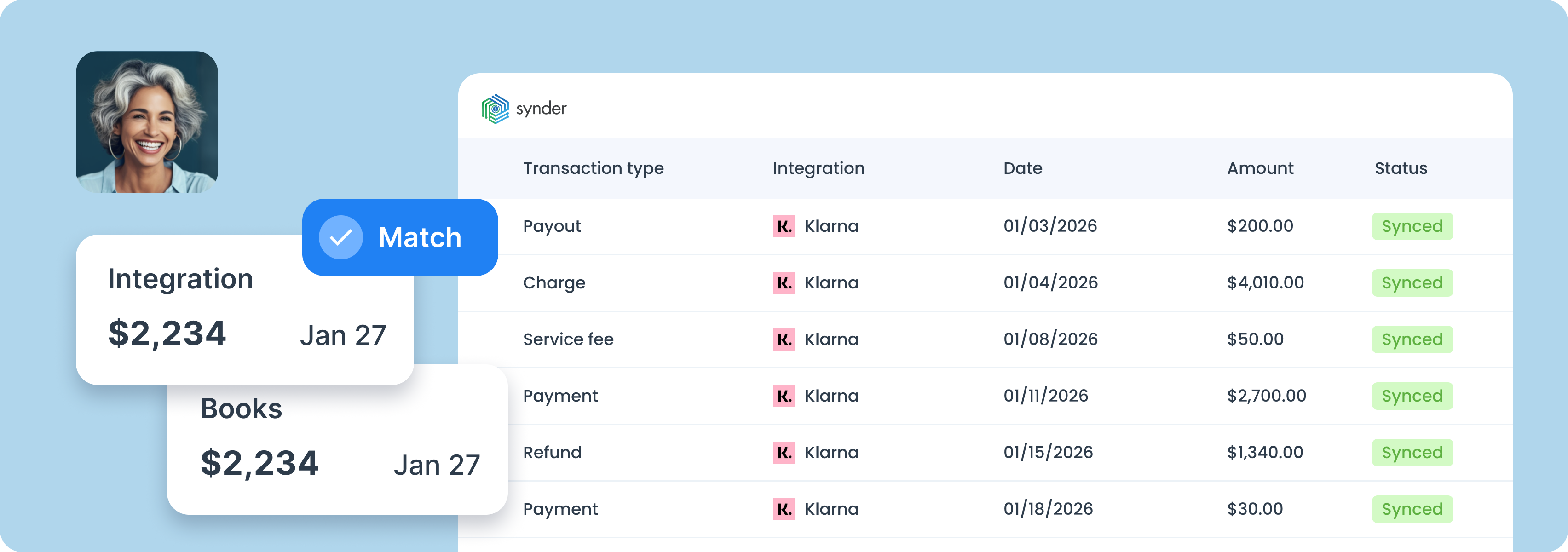
Woman and bookkeeping happy with correct numbersDashboard showing integration transactions with Stripe, listing transaction types, dates, amounts, and statuses all marked as synced.

1. Integrate

Connect Klarna and Sage Intacct to the Synder app.

2. Customize

Personalize Synder to align perfectly with your business needs.

3. Reconcile

Enjoy streamlined bookkeeping and smooth reconciliation.

Book a demo

What you get with Klarna and Sage Intacct integration

Smiling woman with curly hair wearing a blue shirt, surrounded by Stripe and Oracle NetSuite logos, and a card showing a $2,234 book transaction matched on June 15.

What you get with Klarna and Sage Intacct integration

Multi-gateway data sync

Connect Klarna alongside Stripe, PayPal, Shopify, and other processors, all syncing into the same Sage Intacct instance. Each gateway gets its own clearing account, so nothing gets mixed at month-end.

BNPL accounting & revenue recognition

Each Klarna settlement syncs into Sage Intacct as its own aggregated entry, with sales, refunds, fees, taxes, and adjustments all accounted for. No manual journal entries, no net deposits that leave you guessing.

Pre-sync clearing account reconciliation

Before anything posts to Sage Intacct, Synder lets you verify that clearing account balances match your platform reports. Catch discrepancies at the source and close the month without rollbacks.

Flexible categorization

Use Groups to control how Klarna summary lines are categorized and mapped to accounts, dimensions, departments, or locations in Sage Intacct. Set the logic once, and it applies automatically to every import.

Book a demo

Book a demo with our specialist

To find the best solution for your business, book a call with our accounting automation expert. We'll dive into your needs and show how Synder can optimize your bookkeeping processes. Let us walk you through it!

Get a guided tour
Discuss your pain points
Find a solution

Klarna + other platforms you use

check sign
30+ pre-built integrations, unlimited custom builds
check sign
Easy multichannel reconciliation
check sign
Unified financial reporting across all platforms
Find your platform
Woman happy with seamless accounting integrations
accountant professional

Are you an accountant?

Discover how to boost your online and subscription-based clients' success while saving time and increasing accuracy.

Explore accountants’ page

Why should you choose Synder?

Compliance-first security

SOC 2 Type 2 certified, GDPR and HIPAA compliant, with end-to-end encryption built in. Synder keeps your data secure, helps you pass audits, and scales safely as you grow.

Reliable support

Synder's support team knows ecommerce accounting inside and out. Get help whenever you need it - chat, email, video call, or screen share. You're never stuck sorting things out alone.

Committed to your needs sync

Set up transactions exactly how you need them: rename line items, pull in custom data, adjust tax codes, and map everything to match your workflow perfectly.

Detailed reporting

Synder breaks down revenue by product, location, payment method, or date, from monthly snapshots to year-end reports. Get the data you need to make decisions.

What other Synder users say

"Synder drastically speeds up the process of reconciliation and eliminates the need to manually check massive transaction files. While there still might be a few transactions to review, instead of checking thousands, we only need to verify a couple—saving a significant amount of time. It now takes me about 40 minutes to finish and review a month’s data, whereas manually, it would have taken at least two days.”

Olena Svoiak
Financial Manager of Stape
Quotes
Accounting software trusted by over 5,000 users
Stars
Based on 3,400+ reviews
QuickBooks logo 2025 blackShopify
Xero logoG2 logoStripe logo

FAQ

Close Cookie Preference Manager
Privacy Overview
This website uses cookies to improve your experience while you navigate through the website. Out of these, the cookies that are categorized as necessary are stored on your browser as they are essential for the working of basic functionalities of the website. We also use third-party cookies that help us analyze and understand how you use this website. These cookies will be stored in your browser only with your consent. You also have the option to opt-out of these cookies. But opting out of some of these cookies may affect your browsing experience.
Strictly Necessary (Always Active)
Cookies required to enable basic website functionality.
Made by
Oops! Something went wrong while submitting the form.