.png)

Magento, now known as Adobe Commerce, continues to be used by businesses that need flexibility at scale. Recognized as a Leader in the 2025 Gartner Magic Quadrant for Digital Commerce for the ninth consecutive year, the platform is often chosen for complex catalogs, custom pricing logic, and multi-store setups.
Those same strengths shape how accounting needs to work alongside Magento. When sales activity becomes layered and payment flows vary, financial data starts living across systems rather than in a single place. That is usually the point where teams look more closely at automated accounting for Magento and what it actually involves in day-to-day operations.
This article breaks down how automated accounting works in a Magento environment, which accounting systems are commonly used, and what to consider when choosing an approach that fits a growing business.
TL;DR
- Magento accounting gets complex quickly, especially once payments, refunds, and fees enter the picture.
- Automated accounting helps keep financial records usable as transaction volume grows.
- Accounting automation software like Synder connects Magento with 30+ sales, payment, and accounting platforms to support that process.
What is automated accounting for Magento?
Automated accounting covers how order data moves from checkout to your books. Magento records the order, payment providers apply fees, refunds, and payout schedules, and accounting software needs those details structured correctly for posting and reconciliation. Automation tools sit between these systems to keep sales, payments, and accounting entries in sync without manual handling.
Synder is one of those tools, built to centralize this data flow across ecommerce platforms, payment processors, and accounting systems. It’s often chosen by growing businesses that want financial records to reflect real transaction activity without relying on spreadsheets or repeated manual fixes.
See automated accounting for Magento in action. Start a free Synder account or book a demo to understand how financial data stays reliable at scale.
Automated accounting for Magento with Synder
Synder connects Magento with commonly used accounting platforms and manages how financial data is recorded across systems. Below are the accounting solutions Synder supports for Magento and how those integrations can be used in practice.
QuickBooks integration

For many Magento stores, Magento QuickBooks integration becomes relevant early on, as QuickBooks Online is one of the most widely used accounting platforms for ecommerce businesses, even at lower transaction volumes. However, QuickBooks Online requires sales, fees, refunds, and payouts to follow a clear structure, which Magento and payment platforms do not provide by default.
Synder connects Magento with QuickBooks and syncs sales together with related payment activity. You can use the Per Transaction mode when you need full order-level detail for reporting, audits, or customer tracking, or Summary Sync when higher volumes make daily summarized entries more practical for keeping the books clean and performant. Fees, discounts, and refunds are included as part of the same flow, which helps keep QuickBooks balances aligned with what actually happened in the store.
Xero integration
For businesses operating internationally or dealing with multiple currencies, Magento Xero integration is often the best choice. Xero is widely used by Magento merchants outside the US, particularly in the UK, Australia, and other regions where Xero is a common accounting software for small and mid-sized businesses.
Synder connects Magento with Xero and syncs sales data together with payment activity so currency differences, fees, and refunds are reflected correctly. Transactions are posted in a way that aligns with Xero’s structure, which helps avoid manual currency adjustments and keeps reconciliation manageable as cross-border sales increase. Depending on reporting needs, data can be synced in the Per Transaction mode for full invoice-level visibility or via Summary Sync, where high-volume activity is grouped into consolidated entries.
Sage Intacct integration
Many ecommerce teams choose Magento Sage Intacct integration when reporting and dimensional tracking become more structured. This often happens as transaction volumes grow and finance teams require a system designed to support more complex and ERP-level reporting.
Synder syncs Magento invoices and credit memos into Sage Intacct together with related payment activity. Sales data can be mapped across dimensions such as entities or locations, allowing finance teams to work with Magento data in a format that fits their reporting model without reshaping it after posting. To support Sage Intacct’s ERP-style reporting, data is synced in the Summary Sync mode only, keeping books readable while preserving the accuracy needed for reconciliation and analysis.
Oracle NetSuite integration

For Magento businesses operating at a larger scale, Magento NetSuite integration often becomes part of the conversation. Ecommerce businesses that handle high transaction volumes across multiple entities often choose to implement Oracle NetSuite in order to aid its accounting function in meeting the increasingly complex reporting needs.
Synder connects Magento with NetSuite and syncs sales and payment data in a way that supports ERP-level requirements. Transactions can be recorded with enough structure to track revenue, fees, and refunds across entities, helping keep Magento sales aligned with NetSuite reporting without relying on manual imports or post-processing. To match NetSuite’s ERP design and handle higher transaction volumes reliably, data is synced in Summary Sync only, consolidating activity into structured batch entries.
Puzzle integration
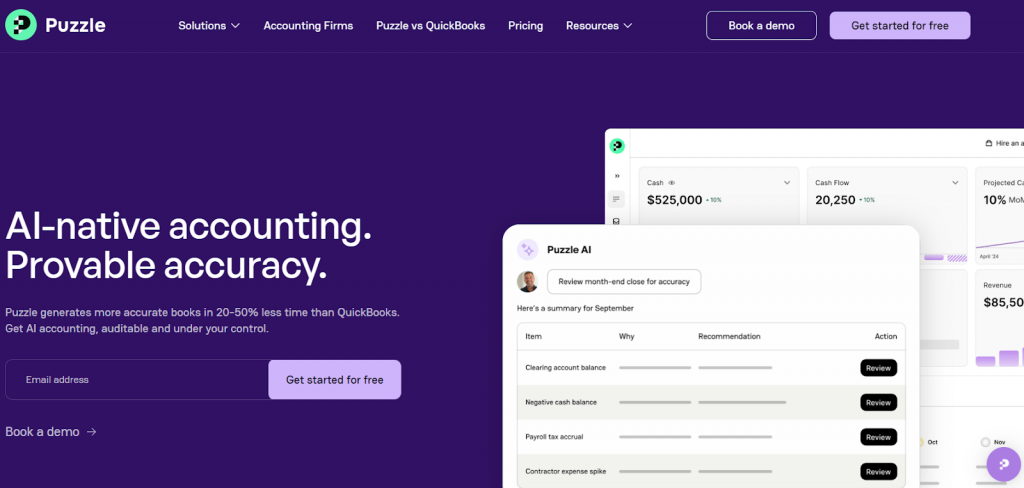
Some Magento businesses choose Puzzle integration when they want a clear accounting structure without moving to a full ERP. Puzzle is often used by teams that need reliable financial visibility while keeping processes relatively simple.
With Synder, Magento sales and related payment activity are synced into Puzzle in a controlled, predictable way. The focus is on keeping entries easy to trace back to actual store activity, so reviews and checks stay straightforward even as transaction volume increases. Synder supports Summary Sync for Puzzle, so all Magento transactions are grouped into summarized entries.
Benefits of integrating accounting software with Magento
When this integration is supported by an accounting automation layer like Synder, these benefits tend to show up consistently rather than sporadically, even as transaction volume and payment complexity increase.
- Time savings that compound over time. Automated syncing removes repetitive tasks like posting sales, matching payouts, and adjusting fees by hand. Teams often reclaim hours every week that would otherwise go into data cleanup, and those savings grow as order volume increases. Based on Synder’s results, you could save hundreds of hours in bookkeeping effort as manual work disappears.
- Higher accuracy across sales and payments. Automation applies the same logic to every sale, refund, and fee, reducing the risk of missed entries or inconsistent treatment. It leads to fewer corrections later and more confidence that revenue, expenses, and clearing accounts reflect what actually happened.
- Financial data you can trace. Integrated accounting keeps a direct connection between store activity and accounting entries. When a number looks off, you can trace it back to a specific sale, refund, or payment event instead of relying on assumptions.
- Cleaner month-end reviews. Structured data changes how the month-end feels. Instead of correcting entries that arrived out of context, finance teams focus on reviewing results and confirming accuracy, which reduces last-minute pressure. In practice, accounting teams handling high-volume ecommerce data see month-end close moves from hours of cleanup to a short validation step.
- Accounting that keeps up with the business. As sales channels, payment methods, or regions expand, integrated accounting helps maintain stability. Financial processes continue to work without requiring a matching increase in manual effort.
Final thoughts
Magento can connect to accounting systems in many ways, but not every connection handles real transaction flow equally well. Orders may sync, but fees, refunds, payout timing, or high-volume activity often arrive incomplete or out of sequence. That’s usually where finance teams start feeling friction, not because Magento is limited, but because the accounting side isn’t receiving data in a form it can reliably use.
This is why automation layers like Synder are often added on top of existing integrations. Instead of passing partial data, they align Magento orders, payment activity, and accounting entries as a single financial record. When integrations reflect what actually happened in the store, finance teams spend less time compensating for gaps and more time working with numbers that hold up under review.
FAQ
What is the best automated accounting software?
For Magento businesses, the better tools are usually those that fit into an existing setup rather than forcing a new one. Synder is often considered because it supports 30+ integrations across major sales channels, payment systems, and accounting platforms, which makes it easier to adapt automation to how the business already operates instead of rebuilding processes from scratch.
Is there an AI tool for accounting?
AI is increasingly used in accounting, but mostly to assist rather than replace core processes. For example, Synder applies AI through features like AI Dashboards to help analyze already-synced data, making it easier to review trends or answer questions about revenue and fees.
Can ChatGPT do bookkeeping?
ChatGPT can help explain accounting concepts, draft documentation, or answer process-related questions, but it can make mistakes, so any important accounting information should always be double-checked. It doesn’t connect to your sales channels, payment systems, or accounting software, which means it cannot perform actual bookkeeping or reconciliation.