

This guide explains how payouts, clearing accounts, and bank reconciliation work together in Synder.
It is designed to help you understand:
- Why payouts must be enabled,
- How Synder represents money flow from payment processors,
- How to correctly reconcile your bank account.
Use this guide if:
- You want your accounting records to match your real bank deposits
- You want to understand how Synder works with payouts
What is a clearing account?
A clearing account is a temporary account that represents the balance held by your payment processor.
When a customer pays you, the money does not go directly to your bank account. It first stays in your payment processor (for example, Stripe or PayPal).
In Synder:
- All sales are recorded in the clearing account
- Fees are deducted from the same account
- Payouts move money from the clearing account to your bank account
Example
- Sale: $100 → recorded in clearing account
- Fee: $3 → recorded in clearing account and deducts balance
- Remaining balance: $97
- Payout: $97 → transferred from clearing to bank account.
The clearing account reflects the balance in your payment platform.
What happens when payouts are enabled
When payouts are enabled, Synder records the full money flow:
- Sales are recorded in the clearing account
- Fees are deducted from the clearing account
- When a payout is issued, Synder creates a transfer from the clearing account to the bank account.


As a result:
- Your clearing account balance returns to zero (or matches processor balance)
- Your bank deposits match the transfer recorded by Synder
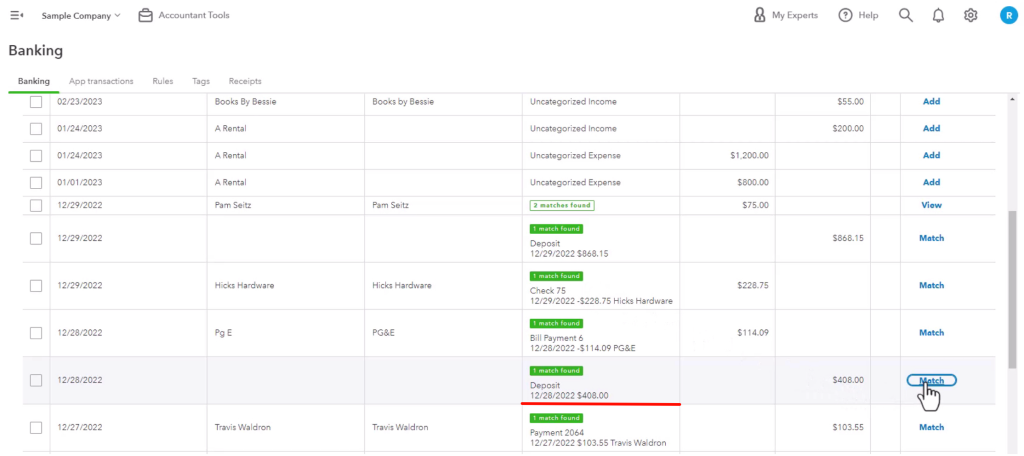
- Reconciliation becomes straightforward
This transaction is what allows you to match Synder data with your bank feed.
Learn more about reconciliation:
Transaction Reconciliation Module — Per Transaction (automated, recommended)
Transaction Reconciliation Module — Summary Sync (automated, recommended)
PayPal: Manual Clearing Account Reconciliation Using Excel (Per Transaction)
Stripe: Manual Clearing Account Reconciliation Using Excel (Summary Sync)
What happens if payouts are NOT enabled
If payouts are not enabled:
- Sales are still recorded in the clearing account
- Fees recorded in the clearing account and deducts clearing balance
- No transfer to the bank account is created from the clearing, thus the balance stays the same
This leads to:
- Clearing account accumulating balances
- No connection between Synder data and bank deposits
- Reconciliation requires manual work
- Payouts need to be recorded manually.
Settings that affect payouts
Payout behavior depends on two settings:
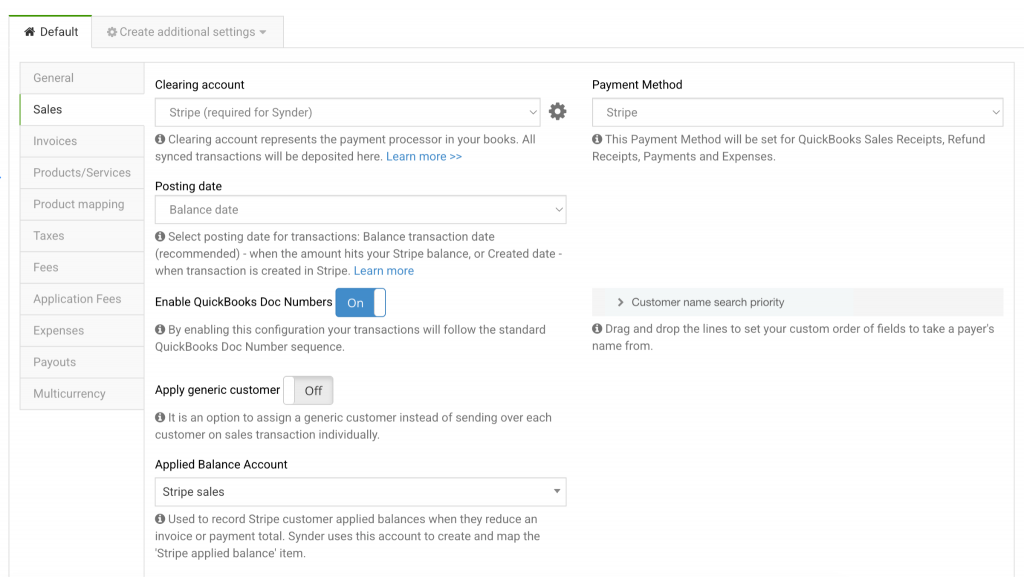
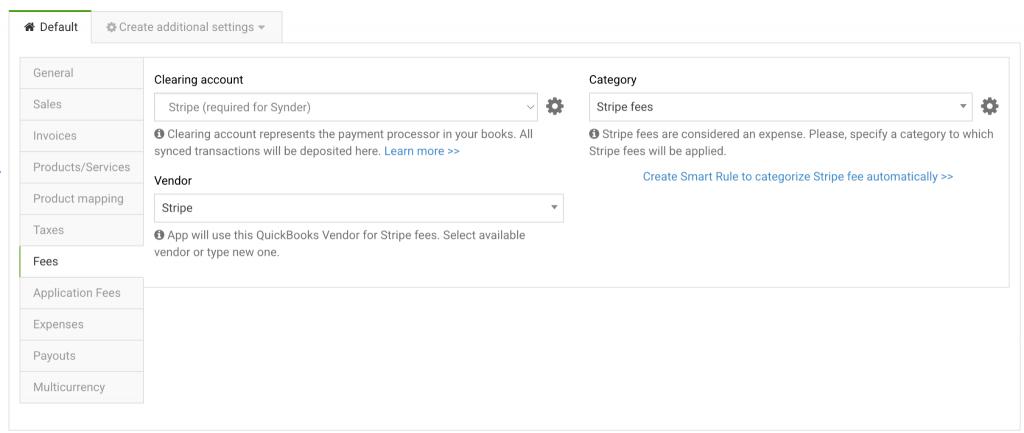
1. Clearing account selection
The clearing account is where sales and fees are recorded before the money reaches your bank.
2. Bank account selection
This is the account where Synder records the payout transfer.
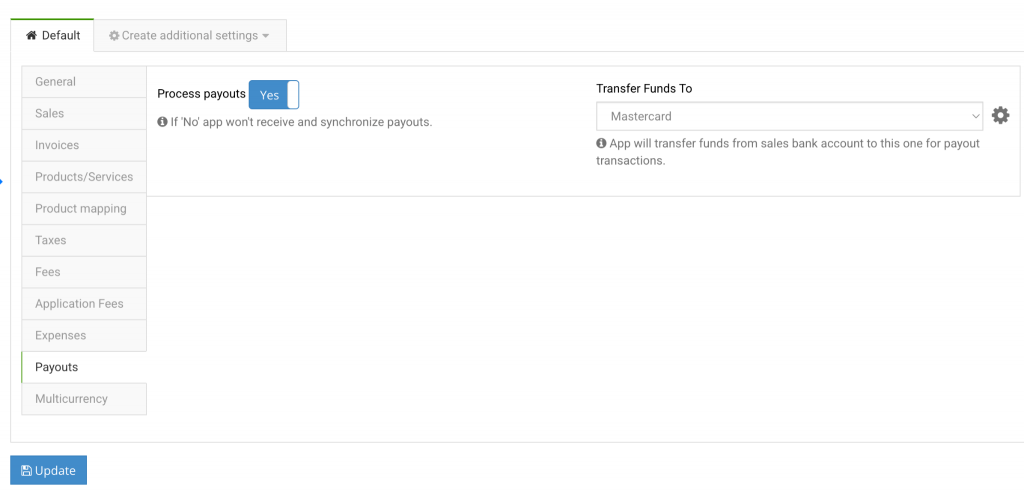
Make sure these accounts are configured correctly to avoid reconciliation issues.
- The clearing account and payout account must be different.
- Use one clearing account per platform. For example, do not mix PayPal and Stripe transactions in the same clearing account.
- The payout account should match the real bank account where deposits from the payment platform arrive.
Integrations without payout support
Some integrations do not provide payout data. In such cases:
- Synder cannot create transfer transactions.
- Manual recording of payouts is required.
You can find a guide on how to reconcile integrations without payout here: How to Reconcile Integrations Without Payout Support in Synder
Troubleshooting
Payout is missing
- Check if payouts are enabled
- Verify settings and confirm that you selected the correct clearing and checking/bank accounts
- Import historical data for the relevant period
Clearing account balance does not return to zero after payout
If your clearing account has a negative balance (below zero), this usually indicates that payouts or fees have been recorded without the corresponding sales.
- Confirm that all sales for the period are synced (no missing or unsynced transactions).
- Ensure there are no archived transactions affecting the balance.
- Check for any manual entries that may have been recorded incorrectly.
- Compare the totals with your payment processor report to confirm that sales amounts match.
If your clearing account has a positive balance, this typically means that payouts or fees are missing or not fully synced.
- Confirm that payouts are enabled and synced for the same period as your sales.
- Check Synder for any unsynced payouts and fees.
- Review for duplicated entries that could inflate the balance.
- Compare payout totals with your payment processor report to verify accuracy.
Frequently asked questions
Can I disable payouts?
Yes, but reconciliation will require manual work.
Why is payout not a deposit?
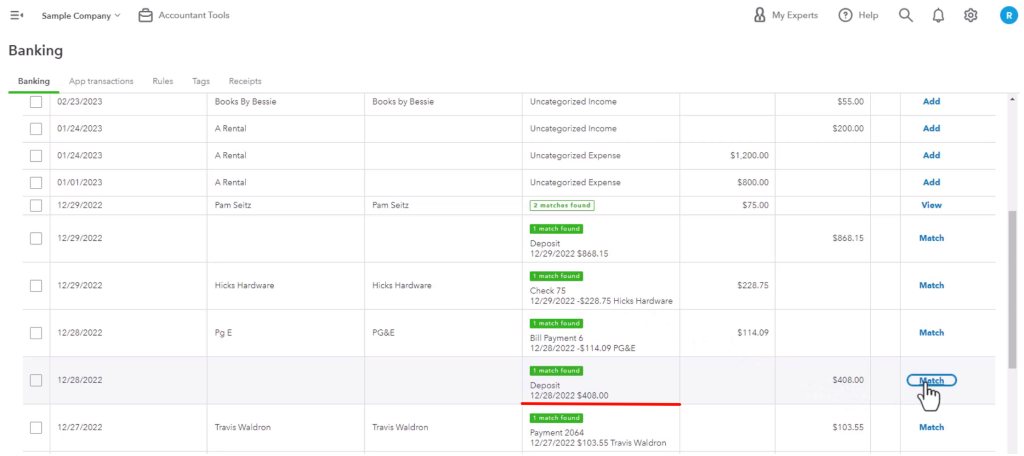
A payout represents the movement of money from the payment processor to your bank, which is why it is recorded as a transfer rather than a deposit. The deposit will be the funds that hit your bank, which will be matched to our posted transfer automatically.
Why can’t I see fees with the payout?
Fees are not part of the payout transaction because they are recorded earlier in the process, directly in the clearing account at the time of the sale.
When the payout is created, it represents only the net amount (after fees have already been deducted). This is why the payout does not show fees — they have already reduced the clearing account balance before the payout is recorded.
Reach out to Synder Team via online support chat or email with any questions you have – we are always happy to help you!
