.png)

You know how bookkeeping, invoicing, reconciliations, and sales-data imports can stack up into a mountain of busywork and how it often feels like the more you grow, the more this mountain grows with you? In 2024, the global market for accounting software was estimated at roughly $19.4 billion. By 2030 that number is projected to jump to about $31.3 billion. This is a clear sign that more and more businesses are turning to accounting automation.
That is exactly the moment when many teams take a fresh look at their accounting automation tools. Maybe you’re here because Amaka no longer feels like the right fit. Maybe you want deeper automation, more accurate syncs, cleaner reconciliation or simply fewer surprises in your books. Whatever pushed you to explore alternatives, the goal of this article is to make that search easier.
TLDR
- Amaka works for simple setups, but many businesses outgrow its limited detail and flexibility
- Tools like Dext, Taxomate, Skyvia and Entriwise cover specific needs but don’t solve the full automation picture for growing sellers.
- Synder offers deeper accuracy and scalability when multi-channel sales and complex payouts become harder to manage manually.
- The best choice depends on your workflow, transaction volume and how much control you need over your accounting data.
What is Amaka and its purpose?
If you’re using Amaka, you probably know it’s designed to take repetitive data entry off your plate. Instead of typing in every sale or payout, the platform pulls information from your POS or ecommerce tools and places it directly into your accounting system. For smaller teams, that alone can feel like a real relief because your daily activity appears in the books without extra work on your side.
What makes Amaka appealing is its ability to group sales, taxes and payments into clean accounting entries. It handles the basics of reconciliation, keeps records orderly and helps reduce the small but frustrating errors that tend to happen when transaction volume grows faster than the time you have to manage it.
Common limitations of Amaka
As soon as your transaction volume grows or you add more sales channels, the limits of a basic connector become easier to notice. If you have ever reconciled a busy month and felt something was missing, you have already seen where Amaka can fall short.
Here are the issues users mention most often:
- Limited transaction detail. Summaries help keep the books moving but make it harder to understand how individual items, taxes or fees contributed to each payout.
- Restricted flexibility. Teams selling across multiple channels or using several payment processors often need richer mapping and clearer control over accounts, taxes and categories. Amaka’s setup can feel too rigid for that.
- Reconciliation challenges. Grouped entries work until payouts include adjustments or varied fees. Once that happens, matching everything cleanly becomes harder than it should be.
Comparing top Amaka alternatives
If you’re exploring alternatives, you’re likely looking for something that handles higher volume, gives you clearer control over your data, or removes the manual steps that still sneak into your workflow. The good news is that several platforms offer deeper automation and more reliable reconciliation, each with its own strengths depending on how your business operates
1. Synder

Synder is accounting automation software that focuses on accuracy and detailed automation. It’s a strong fit for businesses that have moved beyond single-channel or low-volume bookkeeping. If you’ve ever needed to break down fees, track taxes correctly, post line items into accounting, or match bank deposits without manual adjustments, you’ll probably notice the difference right away.
Synder pulls data from more than 30 sales and payment platforms and records it inside QuickBooks Online, Xero, Sage Intacct, and NetSuite with full detail. That includes items, discounts, taxes, fees and customer information.
If your goal is cleaner books, reliable payout matching and fewer late nights investigating mismatches, Synder tends to check all the boxes.
Key features
- Syncs data from 30+ sales and payment platforms into accounting or ERP systems.
- Supports detailed transaction-level data: items, discounts, taxes, fees, customer info.
- Lets you choose how much detail you want with per-transaction or summary sync options.
- Advanced mapping options (accounts, tax settings, classes, locations, dimensions).
- Handles complex workflows, multi-channel operations, and high transaction volumes.
Pricing
| Pricing plan | Price | Features |
| Basic | $52/month | Supports up to 500 transactions, includes 2 integrations, daily syncing, starter-level inventory tracking, and multi-currency features. |
| Essential | From $92/month | Covers 500–3,000 transactions, offers unlimited integrations, hourly syncing, and enhanced inventory controls. |
| Pro | From $220/month | Built for 3,000–50,000 transactions, adds product mapping, bundle/assembly syncing, and premium onboarding assistance. |
| Premium | Custom pricing | Tailored for large-scale or multi-entity operations requiring advanced configuration and priority support. |
Best for
Multi-channel ecommerce businesses, SaaS companies, and accounting teams that rely on precise, automated syncing and reconciliation.
Want a better alternative to basic connectors like Amaka? Create a free Synder account or book a quick demo to see how your multi-channel data, payouts, and reconciliations stay accurate.
Synder vs. Amaka
| Feature | Amaka | Synder |
| Reconciliation clarity | Basic grouping | Accurate payout matching with fees and adjustments |
| Sales channel coverage | 20 platforms | 30+ platforms |
| Accounting systems | Xero, QuickBooks Online, Sage Intacct, and MYOB | QuickBooks Online, Xero, Sage Intacct, and NetSuite |
| Custom mapping | Limited | Advanced account, tax, class, location and dimension mapping |
| Multi-channel workflows | Basic | Designed for high-volume operations |
| Automation depth | Entry level | Advanced, scalable automation |
| Use cases | Small and simple setups | Growing businesses and multi-channel sellers |
2. Dext
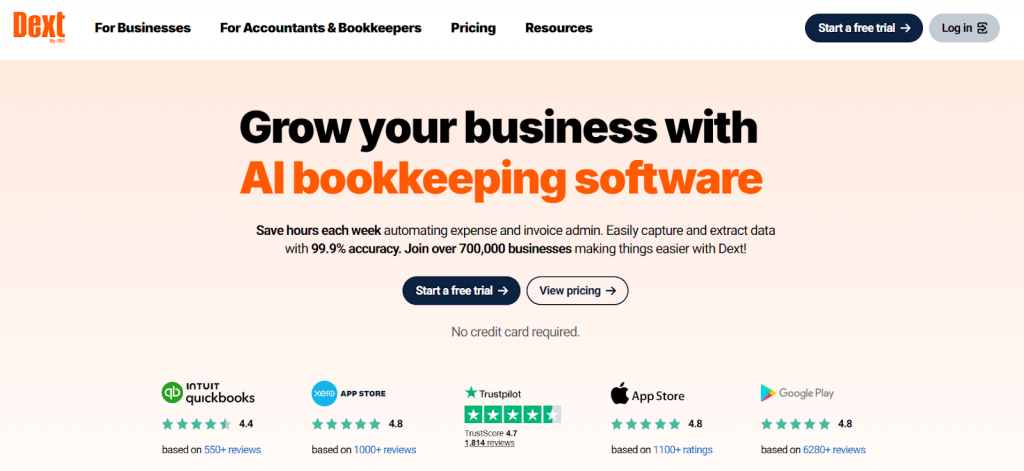
Dext works as a digital helper for everything you collect on the expense side. Instead of keeping piles of receipts or scrolling through folders of invoices, you capture the document once and Dext extracts the details, sorts them and sends them into your accounting software. If you’re tired of tracking expenses manually, this type of automation can feel like a relief.
Key features
- Converts receipts, supplier invoices and bank statements into clean digital data.
- Connects to QuickBooks, Xero and other accounting platforms for smooth syncing.
- Applies basic rules to classify expenses the moment they’re uploaded.
- Uses smart document recognition to extract amounts, dates and tax details.
- Stores everything in a searchable archive so you can find documents later without digging.
Pricing
| Pricing plan | Price | Features |
| Business plan | From $25.21 per month billed annually | 5 users and 250 documents. |
| Commerce Lite (add on) | From $7.50 per month | Light ecommerce syncing |
| Vault storage (add on) | Free for up to 100 MB. | Data storage |
Best for
Small and mid-sized service businesses, agencies, and ecommerce brands that want simplified receipt and expense processing without needing full multi-channel sales reconciliation.
3. Taxomate

Taxomate aims to make life easier for marketplace sellers who want their Amazon or marketplace settlements to flow cleanly into accounting without doing hours of manual sorting. It focuses on turning those marketplace payouts into organized accounting entries, which is why newer sellers often start here.
Key features
- Pulls in settlement data, fees, taxes, and payouts automatically.
- Syncs with QuickBooks, Xero, and Wave for straightforward bookkeeping.
- Connects to Amazon, Shopify, eBay, Walmart, and Etsy.
- Creates summary invoices that reflect orders, fees, and tax breakdowns so entries land in the right accounts.
Pricing
| Pricing plan | Price | Features |
| Starter plan | $12/month | Up to 500 orders |
| 1K plan | $20/month | Up to 1,000 orders |
| 5K plan | $37/month | Up to 5,000 orders |
| 10K plan | $66/month | Up to 10,000 orders |
| 20K plan | $116/month | Up to 20,000 orders |
Best for
Small ecommerce sellers and early-stage brands that operate on a single marketplace and want an affordable way to turn settlement data into organized financial records.
4. Skyvia
Skyvia is an integration platform built for teams that want more customization in how systems connect. Instead of focusing on one ecommerce workflow, it offers connectors that tie together apps, databases, and cloud tools. This flexibility appeals to merchants who run multiple systems and want to orchestrate data flows on their own terms.
Key features
- Connects a wide range of apps and databases using a library of prebuilt connectors.
- Offers automated backups so data can be restored if something goes wrong.
- Lets you build workflows with triggers, actions, and mapping rules without coding.
- Supports real-time updates or incremental syncs using change data capture.
- Handles imports, exports and full ETL or Reverse ETL pipelines.
Pricing
| Pricing plan | Price | Features |
| Free plan | Free | Up to 10,000 records per month and 2 scheduled integrations |
| Basic | $79/month | Additional scheduling and simple mapping |
| Standard | $159/month | Hourly scheduling and advanced mapping |
| Professional | $399/month | Minute-by-minute scheduling and unlimited integrations |
| Enterprise | Custom | Enhanced security |
Best for
Mid-sized teams or growing companies that need flexible, customizable integrations across multiple systems and are comfortable managing a more complex data workflow.
5. Entriwise

Entriwise focuses heavily on sellers who treat Amazon as their main channel. It brings in almost every type of Amazon financial data and gives you control over how often that information moves into your books. Its strength lies in offering much more detail than basic marketplace connectors.
Key features
- Imports orders, fees, reimbursements and refunds into QuickBooks or NetSuite.
- Lets you set hourly, daily or statement-based sync schedules.
- Detects duplicates and adjusts entries automatically during reconciliation.
- Syncs inventory and maps SKUs, including bundles and assemblies.
- Provides profitability insights so you can understand product-level performance.
- Supports additional ecommerce channels such as Shopify, Walmart, and eBay.
Pricing
| Pricing plan | Price | Features |
| Lite | $46/month | Up to 1,000 transactions, unlimited channels and users. |
| Standard | $41/month | Inventory integration |
| Professional | $99/month | Profitability analytics |
| Enterprise | $166/month | Advanced order management and ad profitability insights |
Best for
Small and mid-sized ecommerce businesses that sell primarily on Amazon and need detailed and platform-specific financial syncing without the complexity of multi-channel operations.
Bottom line: Final recommendations for users seeking Amaka alternatives
Choosing the right automation tool becomes much clearer when you think of it the way you think about cooking. If you only prepare a few meals now and then, simple tools get you through the day. But once you start cooking for more people, those basic tools slow you down. You need something that keeps up with the pace.
Accounting works the same way. A light tool can manage a small volume of data, but once sales grow, new channels appear and payouts get more complicated, you need a system that can keep everything organized without extra effort. That is where a platform built for scale makes a noticeable difference.
Synder often becomes the natural next step because it handles the growing complexity instead of adding to it. If clarity, smoother reconciliation and dependable automation sound like the direction you want to move toward, it’s worth giving it a look.
FAQ
What should I look for when choosing an Amaka alternative for accounting automation?
Prioritize tools that support your sales channels, integrate reliably with your accounting platform, offer transparent reconciliation workflows, and can scale with increasing transaction volume. Features like automated matching, settlement accuracy, error detection, and multi-currency support are especially important for growing ecommerce businesses.
Which Amaka alternative is best for multi-channel ecommerce sellers?
For businesses operating across several marketplaces and payment platforms, Synder is typically the strongest fit because it centralizes data from multiple sources, aligns transactions with high accuracy, and provides robust reconciliation for complex payout structures. Its automation depth makes it suitable for scaling brands.
Are lightweight accounting automation tools enough for small businesses?
Yes, smaller businesses selling on a single platform can often rely on lightweight tools for basic syncing and expense categorization. However, as order volume increases or additional channels are added, these tools may create more manual work. In such cases, upgrading to a more comprehensive automation platform ensures accuracy and reduces reconciliation time.