
Why Your Summary and Transaction Dates Can Differ
…
Learn More →

This guide explains how to configure Summary Sync in Synder to record income on a cash basis in QuickBooks Online without using Accounts Receivable (AR).
Use this setup …
This guide explains the available summary aggregation modes in Synder and how they affect accounting records.
Use this guide to understand:
This guide explains how to rebuild summaries after updating the product verification status in Synder and address the ‘Attention Required’ status.
Use this guide if:
This guide explains how to apply updated grouping rules to existing summaries using the Rebuild action in Synder.
Use it when you’ve changed groups (created, edited, enabled, or disabled them) and need those changes reflected in summaries that already exist.…
Product verification in Synder helps ensure that your product details are accurate before being included in summaries, which is particularly important when using the Cost of Goods Sold (COGS) functionality. Learn more about COGS tracking in Synder here.
When …
Synder supports synchronization of all payouts from Amazon, both regular and those related to Amazon Pay. In this guide, we will explore how to accurately split Amazon FBA and Amazon Pay summaries using Synder’s Summary Sync mode.
In this guide, you will learn how Synder imports and compiles summaries from your connected integrations.
When integrations are connected, Synder continuously imports data via automated processes. You can review these imports by navigating to Summaries > Import Activity Log…
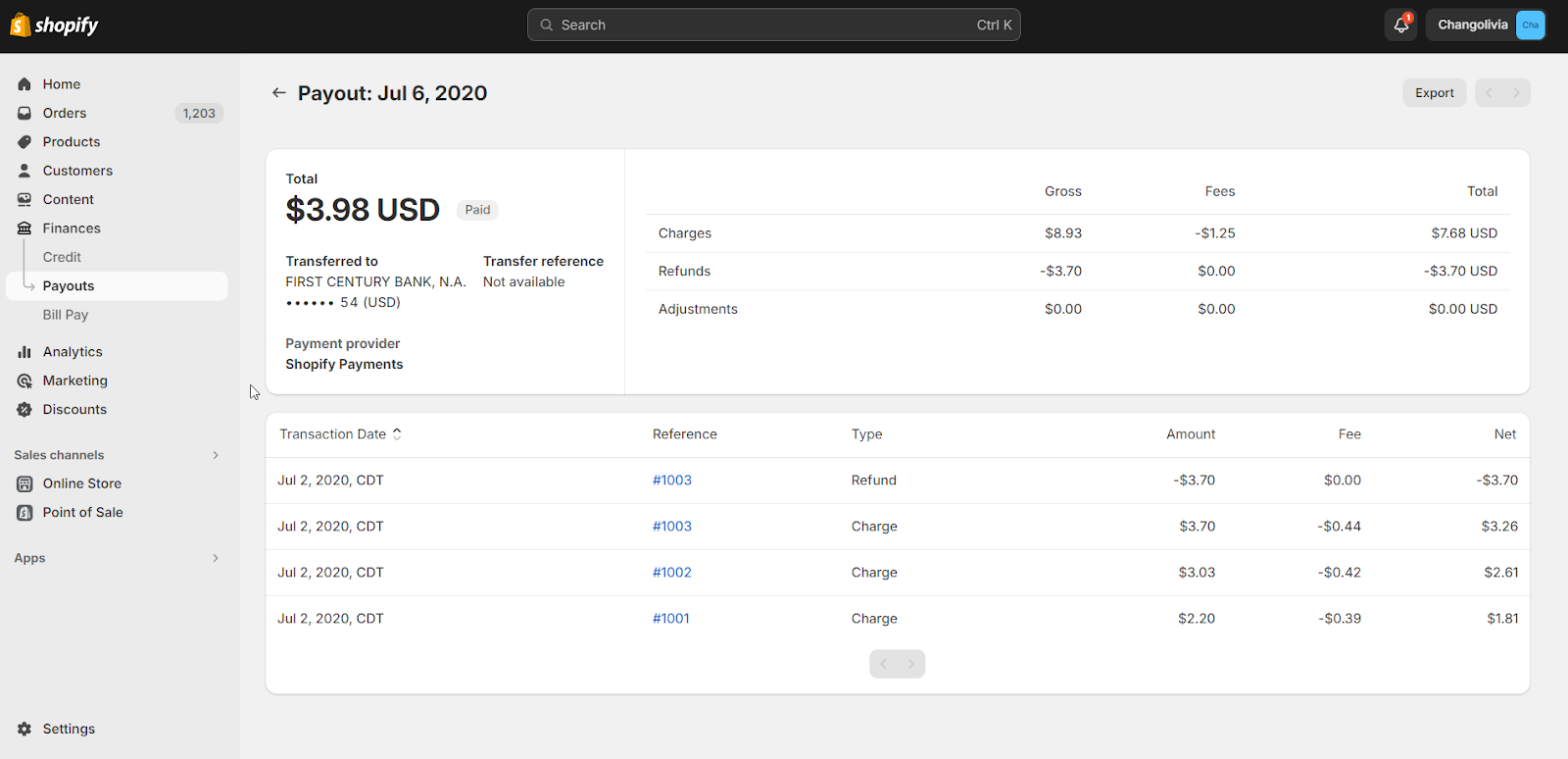
When you receive payouts from platforms like Shopify, Synder compiles all transactions from that payout into a single summary when you have Per-Payout sync enabled.
Occasionally, on some platforms, payouts might not process as expected. This guide explains what happens …
Synder streamlines the accounting process by automatically importing business transactions from various ecommerce and payment platforms directly into your accounting system. For users who prefer to post aggregated data to their books, Synder provides a Summary Sync feature. This feature …