

Synder stores a small part of your Xero accounting data, including the names of taxes, accounts, and categories, locally as cached information. This cache doesn’t update automatically, so any changes you make in Xero won’t be reflected in Synder right away.
To apply those updates from your Xero, you’ll need to manually refresh the Synder settings cache in the General Settings menu. Below, we’ll explain how this works and when a refresh is needed.
What is Xero’s cached data?
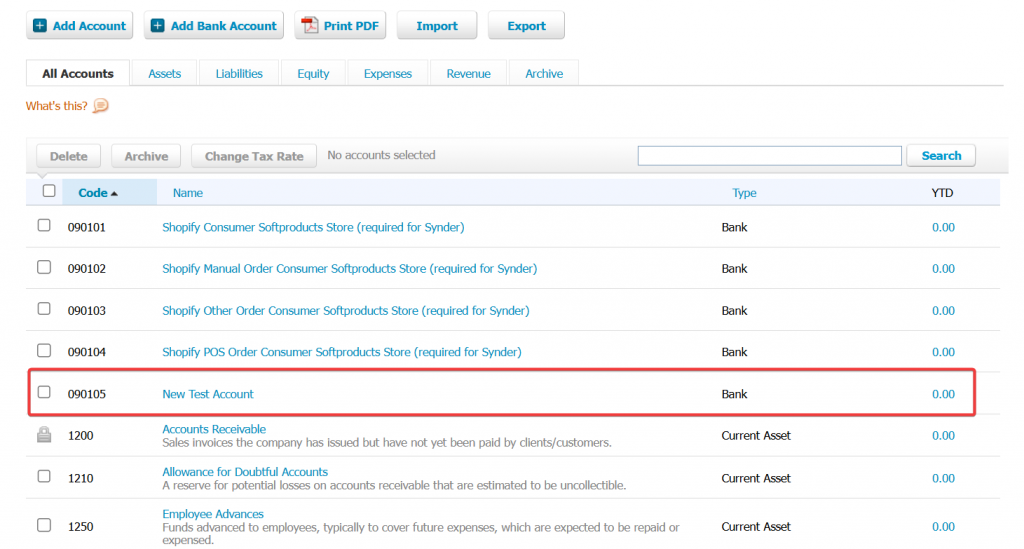
For example, we created a new account in Xero:
If we try to find that same Xero account in Synder, it won’t immediately show up in drop-down menus.
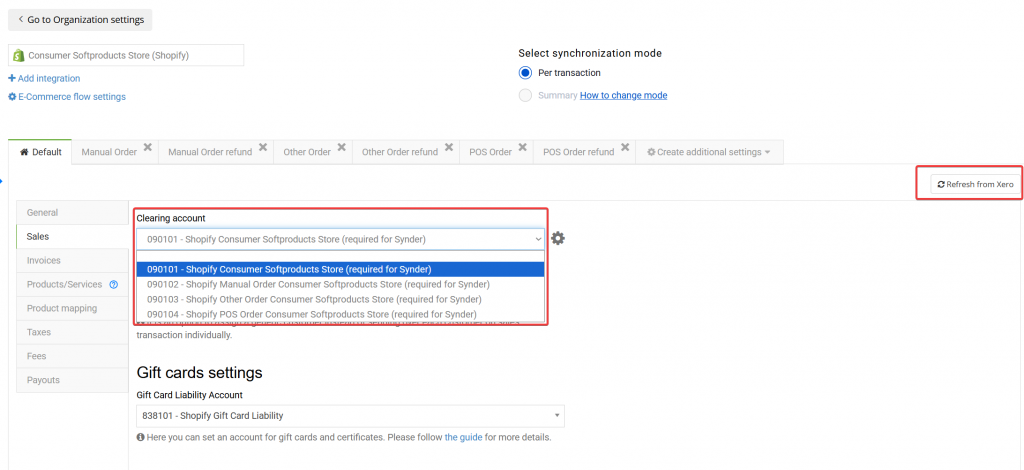
To see new or updated information from Xero in Synder, you must refresh the cached data.
How to refresh Xero’s cached data of the Synder Settings
You can sync new data with one click:
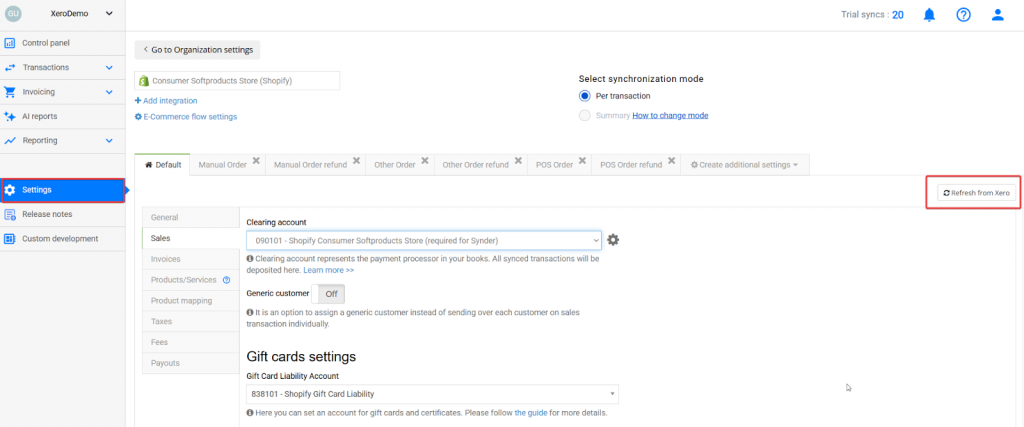
- Navigate to Settings in Synder.
- Click the “Refresh from Xero” button.
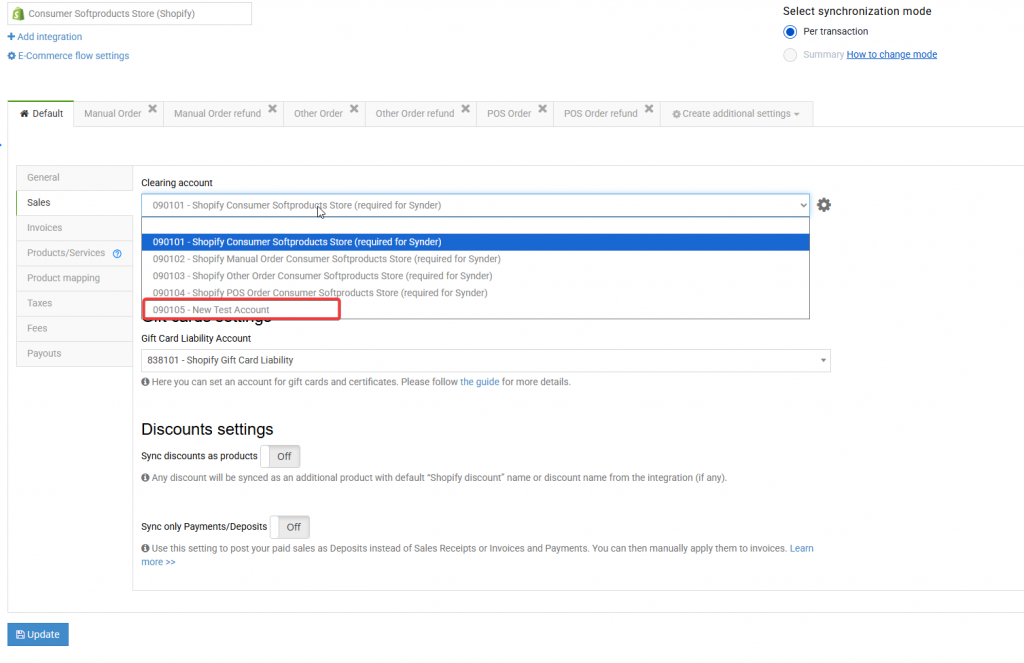
Once refreshed, all updated and new information from Xero will be available in Synder. For example, we will now be able to locate the account we created earlier.
For any questions about the Xero integration and Synder app, Reach out to the Synder Team via online support chat, or email with any questions you have – we’re always happy to help you!
