

When connecting your TikTok Shop to your accounting software, Synder provides you with two reliable options. You can choose to have all your order activity synced on an individual level, or you can group it according to your TikTok statements.
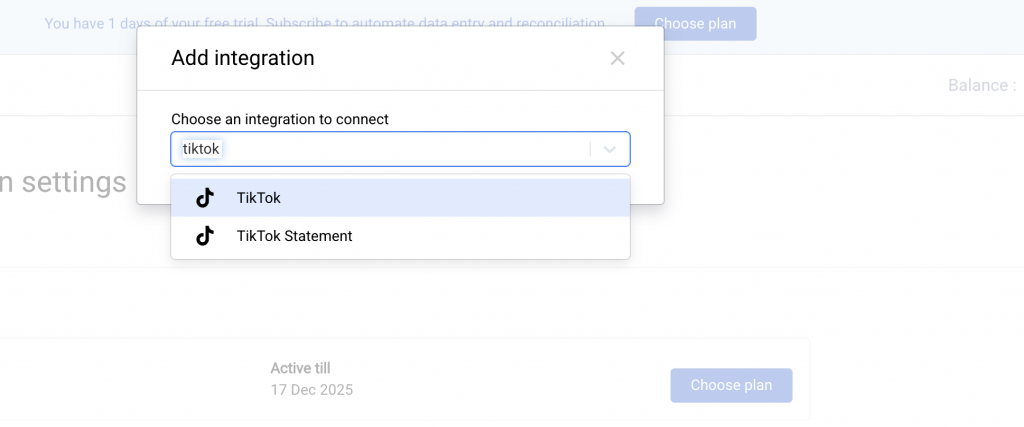
Both options keep your books accurate. They’re designed for different business needs and accounting styles. The key difference is how much detail you’d like to see in your accounting and how you prefer to reconcile payouts.
This guide will help you understand how each option works, what you’ll see in your accounting, and how to choose the best fit for your workflow.
Two sync styles explained
Standard TikTok sync (detailed view)
This option captures your activity the way it occurs within TikTok itself. It brings in your orders, refunds, fees, and payouts on an individual transaction level. If you’d like to see product-level detail in your books and prefer maximum transparency over your fees and tax info, this is the right fit.
What this gives you:
- Visibility into individual orders and products
- Detailed reporting in accounting software
- Full tracking of individual TikTok fees and reimbursements
This option works best for businesses that want full transparency and don’t mind higher transaction volume in their accounting system, along with an intricate reconciliation process, since each statement deposit from TikTok may contain multiple orders.
TikTok statement sync (simplified view)
This option focuses on clean, easy reconciliation rather than detailed order history. Instead of syncing every order, Synder groups information based on TikTok statements. Each paid statement turns into a single, summarized entry in your accounting.
What this gives you:
- Summarized entries based on TikTok statements for a better clearing account reconciliation
- Fewer accounting entries
- A high-level financial view without item-level detail
- Tracking TikTok reserves
This option is ideal if you prioritize speed, simplicity, and easy month-end close over granular reporting.
How your data appears in your accounting
With the detailed (standard) sync
You’ll typically see:
- In Per Transaction mode, multiple sales receipts and expenses, associated with each order.
- In Summary Sync mode, a journal entry is created from the individual TikTok transactions affecting the appropriate sales, income, and shipping accounts you have chosen under your mapping
- TikTok fees broken down and shown as expenses
- Reserve amounts moving between Clearing and a dedicated Reserve account
This method provides you with a detailed tax liability and a profit & loss statement, as it closely mirrors TikTok’s internal economics.
With the simplified (statement) sync
You’ll typically see:
- In Per Transaction mode, a sales receipt that carries your summarized fee and sale amount as a line detail from the settlement period of TikTok
- In Summary Sync mode, a journal entry is created from the TikTok statement that will affect the appropriate sales, income, and shipping accounts you have chosen under your mapping
- Reserve holds are shown as expense lines, and releases are shown as deposits
- No item-level detail
Your profit & loss becomes much cleaner and easier to read, but less granular.
How the bank reconciliation works
No matter which method you use, Synder’s bank reconciliation is the same and relies on transfers from a Clearing account to keep everything balanced with the bank.
Your goal during reconciliation is simple: match the transfers to the bank deposits received from the platform, and make sure the TikTok Clearing account matches your platform balance.
What you’ll usually do:
- Open Banking → Check your bank statements.
- Match Synder-created transfers against TikTok bank statements.
- Confirm that the Clearing account activity matches your integration balance.
This process is smoother in the statement sync and more detailed in the standard sync.
What’s important to know
- TikTok Shop often displays pending and released funds differently.
- Synder uses TikTok API data to reflect what actually happens with your money.
- The TikTok shop integration is currently available for US and UK TikTok Shops only.
- You can switch between these approaches if your needs change.
Your entries of TikTok shop sales will be influenced by your Synder sync method.
Need assistance?
If you’re unsure which method is right for your business or your books don’t look as expected, Synder Support Team is always here to help.
